To Next Page
J
Jessica PerezSep 10, 2025
What to do if SOLIS Inverter detects ARC in DC circuit?
- SsjohnsonSep 10, 2025
If your SOLIS Inverter detects an ARC in the DC circuit, check the PV connections for any signs of arcing and then restart the inverter.

What to do if SOLIS Inverter detects ARC in DC circuit?
If your SOLIS Inverter detects an ARC in the DC circuit, check the PV connections for any signs of arcing and then restart the inverter.
How to fix no grid voltage on SOLIS RHI-5G Inverter?
If your SOLIS Inverter shows no grid voltage, check the connections and grid switch. Also, check the grid voltage inside the inverter terminal.
What to do if my SOLIS Inverter is overheating?
If your SOLIS Inverter is overheating, check the ventilation around the inverter to ensure it is properly ventilated. Also, verify that the inverter isn't exposed to direct sunlight during hot weather.
How to resolve over DC voltage on SOLIS RHI-5G Inverter?
If you are experiencing an over DC voltage issue with your SOLIS Inverter, reduce the number of modules in series.
What to do if SOLIS Inverter displays over grid current?
If your SOLIS Inverter is showing over grid current, try restarting the inverter. If the problem persists, the power board may need to be changed.
How to fix DC input overcurrent on SOLIS RHI-5G Inverter?
To address a DC input overcurrent issue on your SOLIS Inverter, first, try restarting the inverter. If the issue continues, identify and remove the string connected to the faulty MPPT. As a last resort, the power board may need replacement.
How to resolve high grid impedance on SOLIS Inverter?
To address high grid impedance with your SOLIS Inverter, use the user define function to adjust the protection limit, if it's allowed by your electrical company.
What to do if SOLIS RHI-5G Inverter shows unconnected battery error?
If your SOLIS Inverter displays an unconnected battery error, verify that the battery power wire is correctly connected. Also, check that the output voltage of the battery is correct.
How do I fix under grid frequency on SOLIS RHI-5G?
If your SOLIS Inverter is showing an under grid frequency error, use the user define function to adjust the protection limit, if your electrical company allows it.
How to troubleshoot battery overvoltage hardware fault on SOLIS RHI-5G?
If your SOLIS Inverter is showing a battery overvoltage hardware fault, check the circuit to see if the battery circuit jumps. You can also try restarting the inverter.
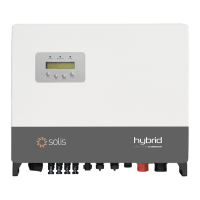
Describes the Solis RHI-5G Series hybrid systems for residential use.
Lists all items included in the inverter packaging for verification.
Defines hazard symbols (Danger, Warning, Caution, Note) used throughout the manual.
Provides essential safety guidelines for inverter installation and operation.
Outlines requirements for inverter installation based on safety and technical guidelines.
Describes the 7-inch color screen for displaying inverter status and information.
Explains the function of the four navigation keys on the inverter's front panel.
Details the various ports and connections on the inverter's front panel.
Provides criteria for choosing a suitable installation location, considering heat and sunlight.
Details the dimensions and steps for securely mounting the inverter using the wall bracket.
Instructions for connecting PV strings using MC4 connectors, including pre-connection checks.
Guidance on connecting battery terminals and ensuring correct polarity and secure connections.
Step-by-step guide for assembling the AC connector, including wire specifications and torque.
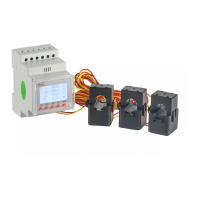
Instructions for connecting Acrel and Eastron meters for monitoring and self-consumption control.
Details on connecting RS485 and CAN cables for communication with meters and batteries.
Instructions for making the external ground connection on the inverter for safety.
Guide for connecting the RJ45 for logic interface control, usually for remote switching.
Overview of connecting for Wi-Fi or GPRS monitoring systems.
Explanation of the LED indicators and their meanings for inverter status and faults.
Describes the initial language setting process upon powering up the inverter for the first time.
Outlines the four main menu options: Information, Settings, Advanced Information, Advanced Settings.
Details how to view operating data and information across multiple pages.
Allows modification of Time/Date, Slave address, and system language settings.
Instructions for setting the inverter's time and date for accurate yield calculation.
Guide to setting the slave address of the inverter for communication.
Access to detailed information like Alarm, Running Message, Version, and Energy data.
Displays recent alarm messages that may lead to inverter shutdown for diagnosis.
Shows the inverter's daily energy generation details, presented in a graph.
Displays the inverter's monthly energy generation details, presented in a graph.
Presents the inverter's yearly energy generation details, shown in a graph.
Shows the inverter's total energy generation over the years, presented in a graph.
Lists warning messages that are abnormal but do not cause inverter shutdown.
Restricted access section for advanced configuration and maintenance by authorized technicians.
Function to select and configure corresponding grid standards for compliance.
Allows starting or stopping the inverter's energy generation process.
Configuration section for working modes, battery control, and other energy settings.
Detailed control parameters for battery charging, discharging, and voltage limits.
Lists compatible battery modules and guides selection for optimal compatibility.
Selection of one of five available working modes for energy storage and grid interaction.
Settings for controlling and managing power export to the grid, including limits.
Details the Arc Fault Circuit Interrupter function to detect DC arc faults and prevent fires.
Lists essential checks and preparations required before commissioning the inverter.
Step-by-step guide for the initial startup and commissioning of the inverter.
Outlines the correct procedure for safely shutting down the inverter.
Guides users on navigating to the "Alarm Message" section for fault diagnosis.
Lists common alarm messages, their failure descriptions, and recommended solutions.
Provides technical data for RHI-3K and RHI-3.6K-48ES-5G inverter models.
Lists technical data for RHI-4.6K and RHI-5K-48ES-5G inverter models.
Details technical data for RHI-6K-48ES-5G inverter model and general information.
Continues specifications for RHI-6K-48ES-5G and general data including features.
Step-by-step guide for assembling the battery terminal connectors correctly.
Diagram showing the wiring connections for a three-phase meter.
Guidance on special backup port and grid port connection requirements and interlocking.
Explains the logic and settings for the "Self-Use Mode" of operation.
Guide to selecting appropriate grid standards based on country and region for compliance.
 General
| Type | Hybrid Inverter |
|---|---|
| Max DC Voltage | 600 V |
| Max DC Input Power | 6500 W |
| Nominal AC Output Power | 5000 W |
| Max AC Output Power | 5500 W |
| Number of MPPTs | 2 |
| Battery Voltage Range | 40-60V |
| Max Charge/Discharge Current | 100 A |
| Protection Degree | IP65 |
| Frequency | 50/60 Hz |
| Operating Temperature Range | -25°C to +60°C |
| Cooling Method | Natural Convection |
| Model | RHI-5G |
| Rated Power Output | 5kW |
| MPPT Voltage Range | 90 V - 520 V |
| Efficiency | 97.6% |
| Communication Interfaces | RS485, WiFi |
| Nominal AC Voltage | 230V |