EasyManua.ls Logo

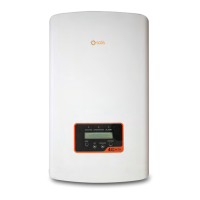
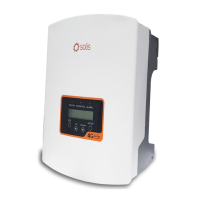
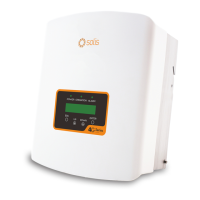
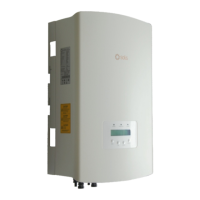
SOLIS 4G series - User Manual

SOLIS 4G series
70 pages
Print Icon
To Next Page IconTo Next Page
Loading...
User Manual
for 4G Series Grid Inverter
Version 1.0, Release Date: 09,2022
Applicable models
Solis-1P2.5K-4G-US
Solis-1P3K-4G-US
Solis-1P3.6K-4G-US
Solis-1P3.8K-4G-US
Solis-1P4K-4G-US
Solis-1P4.6K-4G-US
Solis-1P5K-4G-US
Solis-1P6K2-4G-US
Applicable System
Single phase system

Other manuals for SOLIS 4G series

Questions and Answers

  • R
    Ronnie JimenezSep 9, 2025
    What does OV-TEM mean on my SOLIS 4G Inverter, and what should I do?
    • C
      Charlene OrtegaSep 9, 2025
      If your SOLIS Inverter shows OV-TEM, it means the inverter detects a high ambient temperature (above 60C). Inspect the installation, checking the heatsink for obstructions and ensuring proper ventilation. Verify that the inverter isn't in direct sunshine. Measure the ambient temperature near the inverter. If the temperature is within the acceptable range, consider replacing the inverter.
  • J
    Jason SilvaAug 25, 2025
    What to do if my SOLIS Inverter shows a NO-GRID error?
    • C
      crystal17Aug 25, 2025
      If your SOLIS Inverter doesn't detect the grid, first, with the DC switch OFF, check the AC voltage at the inverter test points (L-L, L-GND). Ensure it's not 240VAC. Then, with the DC Switch ON, check the grid standard. If the issue persists, the inverter may need to be replaced.
  • J
    josephashleyAug 25, 2025
    What to do if my SOLIS 4G Inverter shows NO-GRID?
    • M
      Michael ArroyoAug 26, 2025
      If your SOLIS Inverter displays a NO-GRID error, it means the inverter isn't detecting the grid. To troubleshoot: * With the DC switch OFF, check the AC voltage at the inverter test points (L-L, L-GND). * Verify the LCD reading to rule out a faulty measurement circuit. With the DC switch ON: * Check the grid standard. If the issue persists, the inverter may need to be replaced.
  • B
    Benjamin HooperSep 23, 2025
    What does it mean if my SOLIS 4G Inverter displays OV-BUS: DC BUS voltage is too high?
    • J
      jbeanSep 23, 2025
      If your SOLIS Inverter displays OV-BUS, it means the inverter has detected a high DC voltage on the internal bus. To troubleshoot: * Measure both DC and AC voltages and compare them with the LCD readings. If the issue persists, the inverter may need to be replaced due to internal damage or a wire that came loose during shipping.
  • M
    Misty BurnsSep 10, 2025
    Why does my SOLIS Inverter show GRID-INTF, and how can I fix it?
    • L
      Linda HillSep 10, 2025
      If your SOLIS Inverter displays GRID-INTF, it indicates that the inverter detects grid instability or a high internal fault current. With the DC Switch OFF, measure the AC voltage and test the AC line for THD. With the DC Switch ON, test the AC line for THD again. If you have multiple inverters, try turning one off. Consider an impedance matching adjustment or box. Internal damage or a loose wire in shipping could also be the cause.
  • B
    Brenda RogersSep 14, 2025
    What to do if my SOLIS Inverter shows ARC-FAULT?
    • M
      Melissa MurphySep 14, 2025
      If your SOLIS Inverter displays an ARC-FAULT error, it means the inverter has detected an arc in the DC circuit. Here’s how to troubleshoot: * Inspect the installation, physically check the cables, and inspect panel junction boxes and cable connections. * Check the cable with a string tester. * Reset the inverter. If the problem continues, consider replacing the inverter.
  • E
    emillerSep 4, 2025
    What to do if my SOLIS 4G Inverter displays UN-BUS: DC BUS voltage is too low?
    • M
      Mr. Edward SmithSep 4, 2025
      If your SOLIS Inverter displays 'UN-BUS: DC BUS voltage is too low', it means the inverter detects a low DC voltage on the internal bus. Measure both DC and AC voltages and compare them with the LCD readings. The inverter may need to be replaced due to internal damage or a wire that came loose during shipping.
  • Q
    qramseySep 4, 2025
    How to fix SOLIS 4G Inverter INI-FAULT: Initialization Protection error?
    • M
      Melinda BestSep 5, 2025
      If your SOLIS Inverter displays 'INI-FAULT: Initialization Protection', it indicates that the Master and Slave DSP have different values. To resolve this, reset the inverter by turning the DC switch OFF, waiting until all lights/LCD turn off, and then turning the DC switch ON. If the issue persists, the inverter may need to be replaced.
  • A
    annparsonsSep 23, 2025
    What to do if my SOLIS Inverter displays AFCI Check FAULT?
    • B
      Billy DennisSep 23, 2025
      If your SOLIS Inverter displays an AFCI Check FAULT, it indicates a self-check fault in the AFCI module. To resolve this: * Reset the inverter by turning the DC switch OFF, waiting until all lights/LCD turn off, and then turning the DC switch ON. If the issue persists, the inverter may need to be replaced.
  • J
    Jennifer BriggsAug 29, 2025
    What to do if my SOLIS 4G Inverter displays OV-TEM: Temperature Protection?
    • D
      David MartinezAug 29, 2025
      If your SOLIS Inverter displays 'OV-TEM: Temperature Protection', it means the inverter detects a high ambient temperature, specifically above 60C. Inspect the installation, checking the heatsink for any obstructions and ensuring adequate ventilation. Verify that the inverter is not in direct sunshine and measure the ambient temperature near the inverter. If the temperature is within range, the inverter may need to be replaced.

Summary

Safety & Warning Information

Safety Symbols Explained

Explains hazard warning symbols used throughout the manual for safety awareness.

General Safety Instructions

Crucial safety guidelines for operating and installing the inverter to prevent hazards.

Installation Guide

Selecting Inverter Location

Criteria for choosing an optimal and safe installation site for the inverter.

Mounting the Inverter

Instructions and clearance requirements for physically mounting the inverter securely.

Connect PV Side of Inverter

Procedures for connecting the solar panel DC input, including polarity and voltage checks.

Connect Grid Side of Inverter

Guidelines for connecting the inverter to the AC grid, specifying voltage and phase.

Start & Stop Procedures

Inverter Start-up Procedure

Step-by-step guide to safely start up the inverter according to sequence.

Inverter Shutdown Procedure

Step-by-step guide to safely shut down the inverter in the correct order.

Operation and Settings

Troubleshooting Inverter Issues

Common Inverter Faults and Solutions

Guide to identifying and resolving common inverter alarms and operational issues.

Technical Specifications

Solis-1 P2.5 K-4 G-US Specifications

Detailed technical specifications for the 2.5kW Solis 4G series inverter.

Solis-1 P3.6 K-4 G-US Specifications

Detailed technical specifications for the 3.6kW Solis 4G series inverter.

SOLIS 4G series Specifications

General IconGeneral
Frequency50Hz / 60Hz
Output Power Range3.0kW - 6.0kW
AC Output Voltage230V
CommunicationRS485
CoolingNatural Cooling
Operating Temperature Range-25°C ~ +60°C
ProtectionIP65

Related product manuals