5. Start & Stop
5.1 Start-up procedure
To start-up the inverter, it is mandatory that the steps below are followed in the exact order
outlined.
1. Ensure the commissioning checks in Section 5 have been performed.
2. Switch the AC switch ON.
3. Switch the DC switches ON one at a time. If the PV array (DC) voltage is higher than the
inverter start-up voltage, the inverter will turn on. The red DC POWER LED and LCD will
be continuously lit.
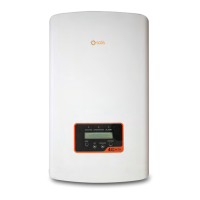
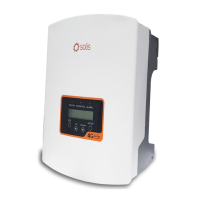
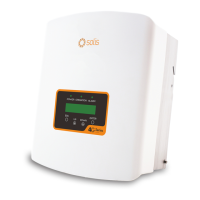
4. Solis inverters are powered from the DC side. When the inverter detects DC power that
is within start-up and operating ranges, the inverter will turn on. After turn-on, the inverter
will check internal parameters, sense and monitor AC voltage, hertz rate and the stability
of the supply grid. During this period, the green OPERATION LED will flashand the LCD
screen will show INITIALIZING. This tells the operator that the inverter is preparing to
generate AC power.
5. After the locally mandated delay (300 seconds for IEEE-1547 compliant inverters), the
inverter will start generating AC power. The green OPERATION LED will light continuously
and the LCD screen will show GENERATING.
CAUTION
The inverter's surface temperature can reach up to 75℃ (167⁰ F). To
avoid risk of burns, do not touch the surface when the inverter is in
the operational mode. Additionally, the inverter must be installed
out of the reach of children.
5.2 Shutdown procedure
To stop the inverter, it is mandatory that the steps below are followed in the exact order outlined.
1. Select "Grid Off" in the Advanced Setting of Inverter LCD.
2. Turn off the AC Switch between Solis inverter and Grid.
3. Wait approximately 30 seconds (during this time, the AC side capacitors are dissipating
energy). If the inverter has DC voltage above the start-up threshold, the red POWER LED
will be lit. Switch the DC switch OFF.
4. Confirm all LED's switch OFF (~one (1) minute).
CAUTION
Although the inverter DC disconnect switch is in the OFF position and all
the LED's are OFF, operators must wait five (5) minutes after the DC power
source has been disconnected before opening the inverter cabinet. DC
side capacitors can take up to five (5) minutes to dissipate all stored energy.
User Manual
21







 To Next Page