EasyManua.ls Logo

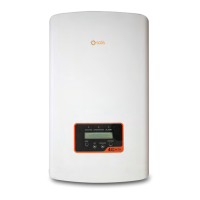
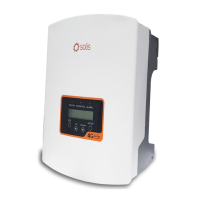
SOLIS 4G series - User Manual

SOLIS 4G series
70 pages
Print Icon
To Next Page IconTo Next Page
Loading...
User Manual
for 4G Series Grid Inverter
Version 1.0, Release Date: 09,2022
Applicable models
Solis-1P2.5K-4G-US
Solis-1P3K-4G-US
Solis-1P3.6K-4G-US
Solis-1P3.8K-4G-US
Solis-1P4K-4G-US
Solis-1P4.6K-4G-US
Solis-1P5K-4G-US
Solis-1P6K2-4G-US
Applicable System
Single phase system

Other manuals for SOLIS 4G series

Questions and Answers

  • C
    Cheryl BerryAug 31, 2025
    What to do if SOLIS 4G Inverter screen is OFF with DC applied?
    • C
      cherrylisaAug 31, 2025
      If your SOLIS Inverter screen is OFF while DC is applied, it means the inverter is internally damaged. Do not turn off the DC switches, as it will damage the inverter. Wait for the solar irradiance to reduce and confirm the string current is less than 0.5A with a clip-on ammeter before turning off the DC switches. Note that any damages due to wrong operations are not covered in the device warranty.
  • R
    Ronnie JimenezSep 9, 2025
    What does OV-TEM mean on my SOLIS 4G Inverter, and what should I do?
    • C
      Charlene OrtegaSep 9, 2025
      If your SOLIS Inverter shows OV-TEM, it means the inverter detects a high ambient temperature (above 60C). Inspect the installation, checking the heatsink for obstructions and ensuring proper ventilation. Verify that the inverter isn't in direct sunshine. Measure the ambient temperature near the inverter. If the temperature is within the acceptable range, consider replacing the inverter.
  • J
    Jennifer BriggsAug 29, 2025
    What to do if my SOLIS 4G Inverter displays OV-TEM: Temperature Protection?
    • D
      David MartinezAug 29, 2025
      If your SOLIS Inverter displays 'OV-TEM: Temperature Protection', it means the inverter detects a high ambient temperature, specifically above 60C. Inspect the installation, checking the heatsink for any obstructions and ensuring adequate ventilation. Verify that the inverter is not in direct sunshine and measure the ambient temperature near the inverter. If the temperature is within range, the inverter may need to be replaced.
  • E
    Elizabeth LewisSep 23, 2025
    What to do if my SOLIS 4G Inverter displays INI-FAULT: Initialization Protection?
    • Y
      Yvonne HerreraSep 23, 2025
      If your SOLIS Inverter displays an INI-FAULT error, it indicates an initialization protection issue, likely because the master and slave DSP have different values. To resolve this: * Reset the inverter by turning the DC switch OFF, waiting until all lights/LCD turn off, and then turning the DC switch ON. If the issue remains, the inverter may need to be replaced.
  • J
    Jason HollowaySep 12, 2025
    What does PV ISO-PRO 01/02 mean on my SOLIS 4G Inverter, and how can I troubleshoot it?
    • D
      David MartinSep 12, 2025
      If your SOLIS Inverter displays PV ISO-PRO 01/02, it means the inverter detects low DC insulation resistance. Inspect the installation, reset the inverter, and note the weather conditions when the alarm occurs. Measure the insulation resistance; if normal, measure it in the same weather conditions as when the alarm occurred. Physically check the cables. If the issue persists, replace the inverter.
  • B
    Brenda RogersSep 14, 2025
    What to do if my SOLIS Inverter shows ARC-FAULT?
    • M
      Melissa MurphySep 14, 2025
      If your SOLIS Inverter displays an ARC-FAULT error, it means the inverter has detected an arc in the DC circuit. Here’s how to troubleshoot: * Inspect the installation, physically check the cables, and inspect panel junction boxes and cable connections. * Check the cable with a string tester. * Reset the inverter. If the problem continues, consider replacing the inverter.
  • B
    Benjamin HooperSep 23, 2025
    What does it mean if my SOLIS 4G Inverter displays OV-BUS: DC BUS voltage is too high?
    • J
      jbeanSep 23, 2025
      If your SOLIS Inverter displays OV-BUS, it means the inverter has detected a high DC voltage on the internal bus. To troubleshoot: * Measure both DC and AC voltages and compare them with the LCD readings. If the issue persists, the inverter may need to be replaced due to internal damage or a wire that came loose during shipping.
  • A
    Ashley GreenAug 27, 2025
    What to do if the screen of my SOLIS 4G is OFF with DC applied?
    • R
      Robert HarveyAug 27, 2025
      If the screen of your SOLIS Inverter is OFF even with DC power applied: * Do not turn off the DC switches as it will damage the inverter. * Wait for the solar irradiance to reduce and confirm the string current is less than 0.5A with a clip-on ammeter, and then turn off the DC switches. Note: Damages due to wrong operations are not covered in the device warranty.
  • K
    Karen MckinneyAug 26, 2025
    Why does my SOLIS 4G screen show no information (blank screen)?
    • A
      April HillAug 26, 2025
      A blank screen on your SOLIS Inverter could be due to several reasons: * Low or missing input voltage. * Reversed polarity. * A damaged main board. To troubleshoot: * Test with the DC switch OFF: Check PV connections, polarity, and voltage (>120V Single, >350V three). * Test with the DC switch ON: Check voltage (>120V Single, >350V three). If the DC voltage is "0", replace the inverter.
  • J
    josephashleyAug 25, 2025
    What to do if my SOLIS 4G Inverter shows NO-GRID?
    • M
      Michael ArroyoAug 26, 2025
      If your SOLIS Inverter displays a NO-GRID error, it means the inverter isn't detecting the grid. To troubleshoot: * With the DC switch OFF, check the AC voltage at the inverter test points (L-L, L-GND). * Verify the LCD reading to rule out a faulty measurement circuit. With the DC switch ON: * Check the grid standard. If the issue persists, the inverter may need to be replaced.

Summary

Safety & Warning Information

Safety Symbols Explained

Explains hazard warning symbols used throughout the manual for safety awareness.

General Safety Instructions

Crucial safety guidelines for operating and installing the inverter to prevent hazards.

Installation Guide

Selecting Inverter Location

Criteria for choosing an optimal and safe installation site for the inverter.

Mounting the Inverter

Instructions and clearance requirements for physically mounting the inverter securely.

Connect PV Side of Inverter

Procedures for connecting the solar panel DC input, including polarity and voltage checks.

Connect Grid Side of Inverter

Guidelines for connecting the inverter to the AC grid, specifying voltage and phase.

Start & Stop Procedures

Inverter Start-up Procedure

Step-by-step guide to safely start up the inverter according to sequence.

Inverter Shutdown Procedure

Step-by-step guide to safely shut down the inverter in the correct order.

Operation and Settings

Troubleshooting Inverter Issues

Common Inverter Faults and Solutions

Guide to identifying and resolving common inverter alarms and operational issues.

Technical Specifications

Solis-1 P2.5 K-4 G-US Specifications

Detailed technical specifications for the 2.5kW Solis 4G series inverter.

Solis-1 P3.6 K-4 G-US Specifications

Detailed technical specifications for the 3.6kW Solis 4G series inverter.

SOLIS 4G series Specifications

General IconGeneral
Frequency50Hz / 60Hz
Output Power Range3.0kW - 6.0kW
AC Output Voltage230V
CommunicationRS485
CoolingNatural Cooling
Operating Temperature Range-25°C ~ +60°C
ProtectionIP65

Related product manuals