15
EN - GDK installation and operating guide - SOMFY
PROGRAMMING
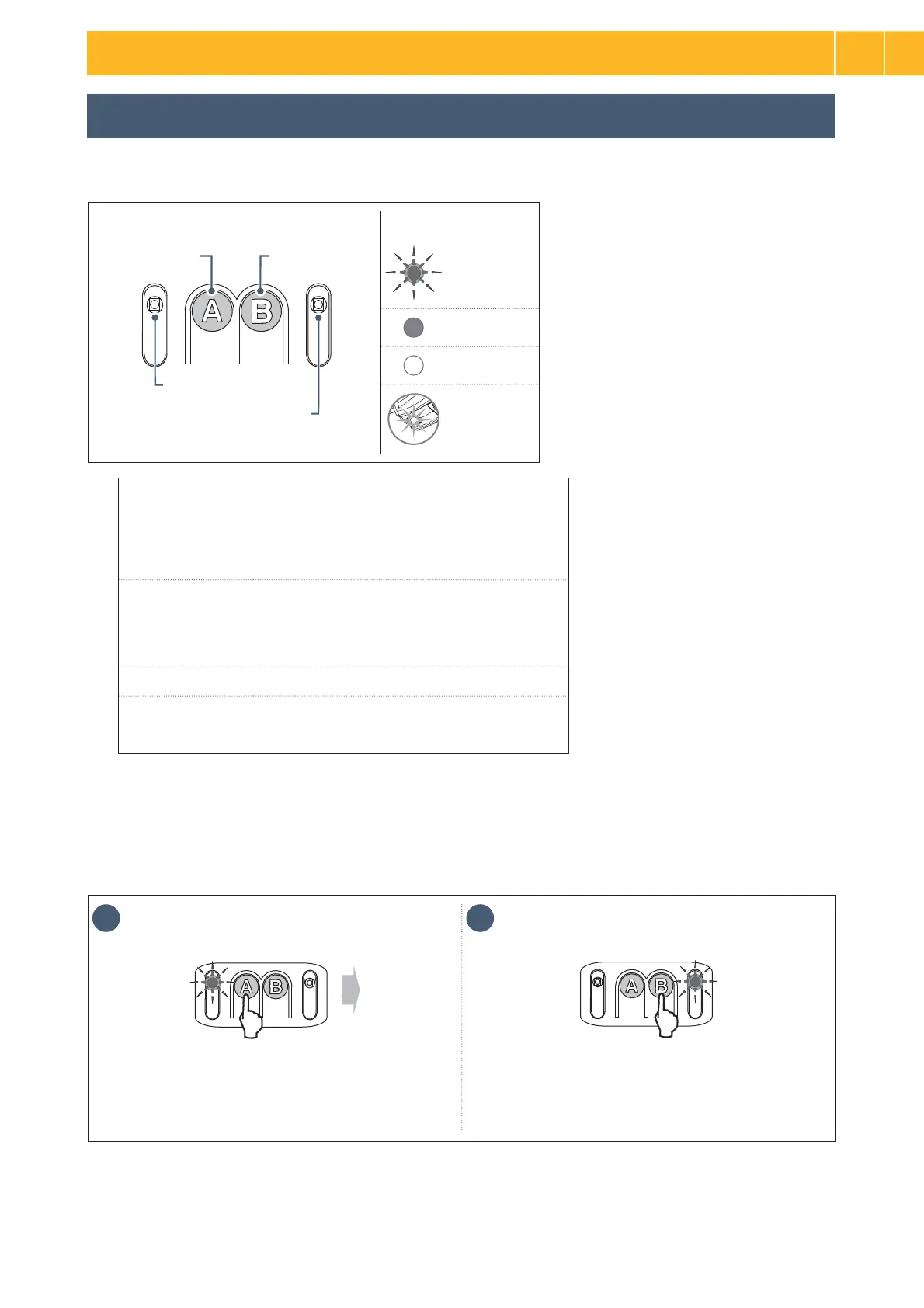
Indicator light key
Button BButton A
Indicator light A
Indicator light B
Flashing
On
QĦ
Integrated
lighting lit
2.1 Parameter setting
> Description of the programming buttons
> Performing auto-programming
1 2
x 3
x 3
x 2
x 1
• Press button “A” 3 times to access the auto-programming
parameter.
3Ú¦ÀÿáòÓÀ·½ÿȧȧĪö½ªöÿ½òªªÿÀÙªöȗ
• Press button “B” to enter auto-programming mode.
Indicator light “B” Īö½ªöÿđÀªáÚÿÀÚĄáĄöÓėșÿ½ª¦òÀĐªÀö
waiting for auto-programming.
ǥöïªÀĩöªöș
>
Case 1: JáÀÚ¦ÀÿáòÓÀ·½ÿĪö½ªöɓɕĄÿáȯïòá·òÙÙÀÚ·Ùá¦ªÙĄöÿªöªÓªÿª¦ȗ
Functions of buttons and indicator lights
Button A • Using forced operating mode
• Enters and exits the settings menu
• Selecting a setting
Button B • Triggers auto-programming
• Memorising/clearing
the remote controls
• Modifying the value of a setting
Indicator light A • Parameter indicator light selected
Indicator light B • Parameter value indicator light
• Fault indicator light
2
EN




 To Next Page