MIC-10 / MIC-30 – USER MANUAL
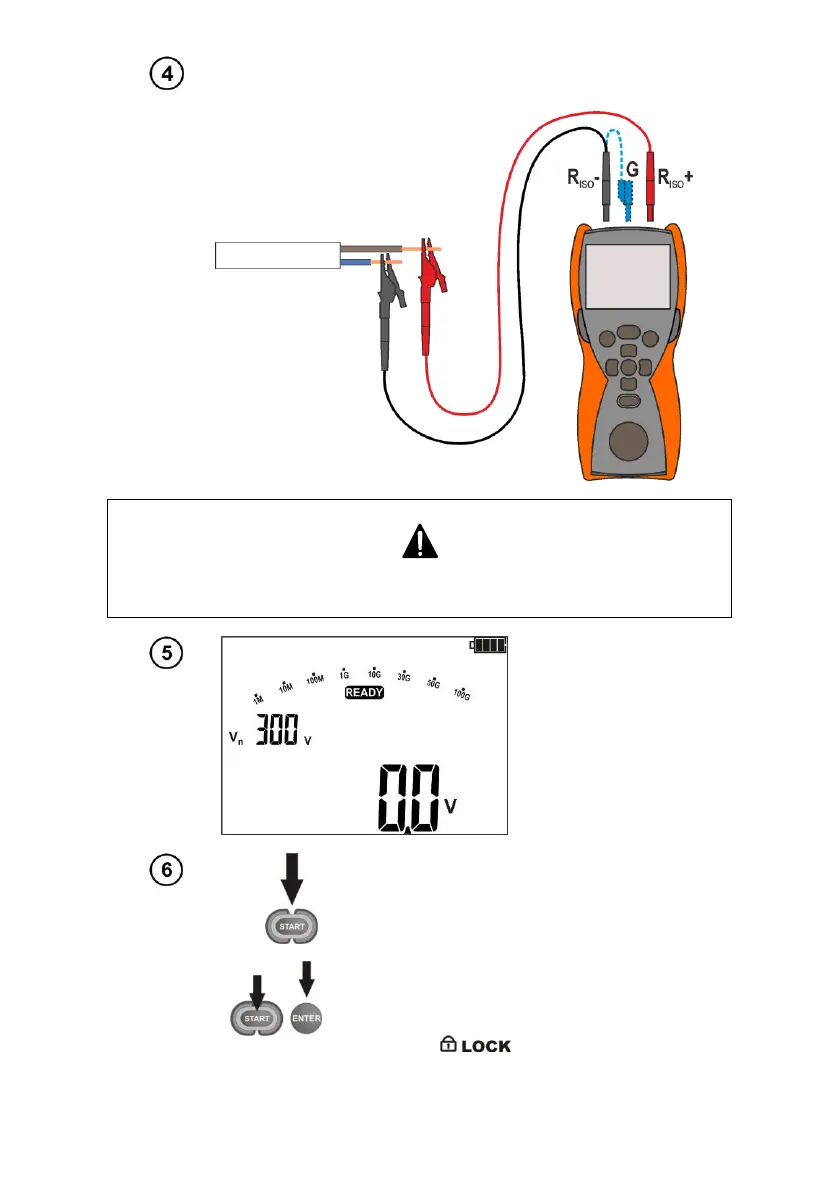
Connect test leads according to the drawing.
The end of the shielded cable with two banana plugs may be connected only to
the meter. Do not connect it to the tested object or to the network.
The meter is ready
for measurement.
Press and hold START push-button.
The measurement is performed continuously
until you release the button or the pre-set time
is reached.
In order to maintain (lock) the measurement
order to maintain the measurement, press
ENTER while holding START - push-button
pressed - the following symbol will be
displayed . In order to interrupt the
measurement, press ESC or START.



 To Next Page