EasyManua.ls Logo

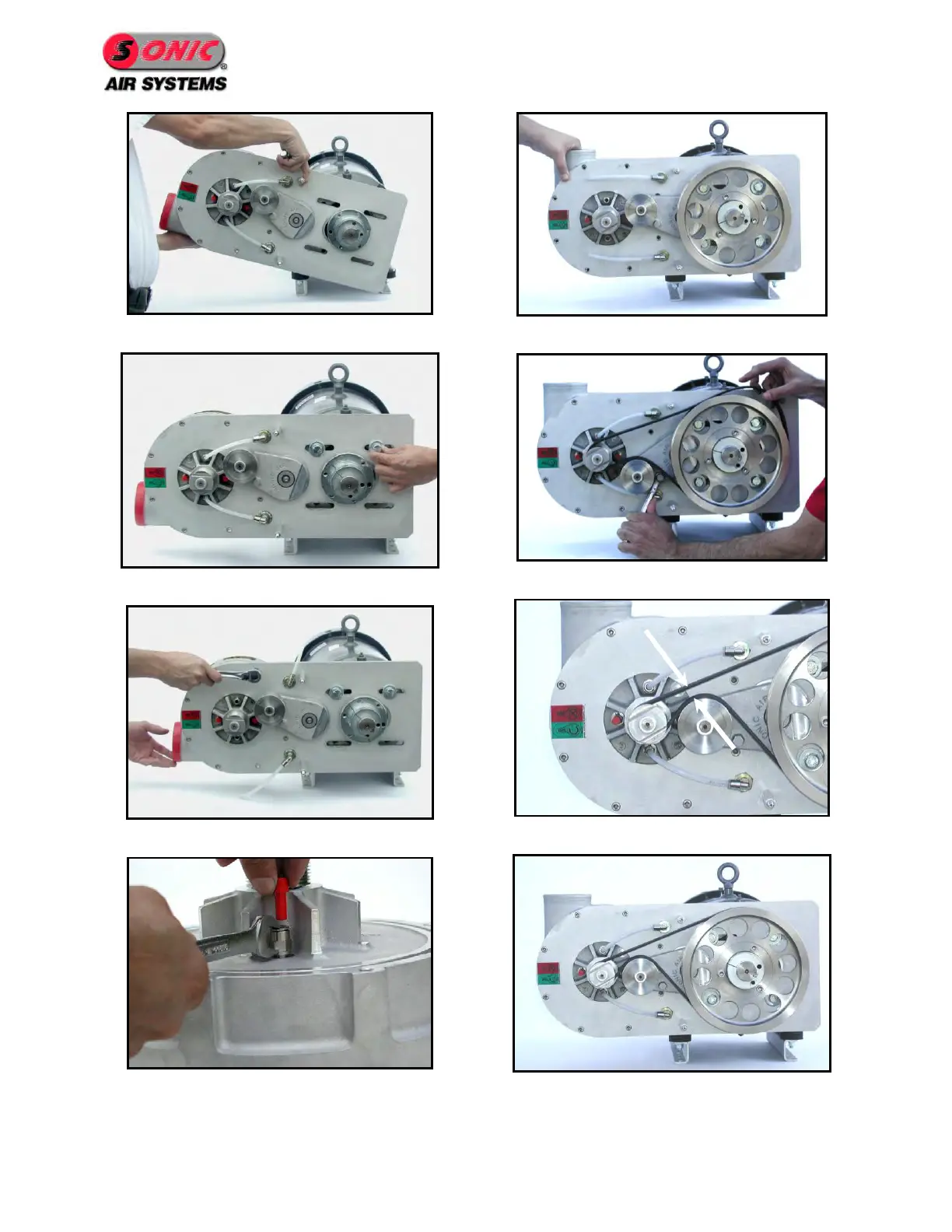
Sonic Air Systems Sonic 150 - Figure 16 - Rotate Bracket; Figure 17 - Install Bracket Hardware; Figure 18 - Remove Blower Hardware; Figure 19 - Move Water-Cooling Plugs

Sonic Air Systems Sonic 150
50 pages
Print Icon
To Next Page IconTo Next Page
To Previous Page IconTo Previous Page
Loading...
Page 14
Figure 16 - Rotate Bracket
Figure 17 - Install Bracket Hardware
Figure 18 - Remove Blower Hardware
Figure 19 - Move Water-Cooling Plugs
Figure 20 - Reinstall Blower Head
Figure 21 - Reinstall Belt
Figure 22 - Adjust Belt Gap to 3/4"
Figure 23 - Final Position

Table of Contents