34
Seven Basic Operations
— Getting to Know Your DVD Recorder
1. Inserting a Disc
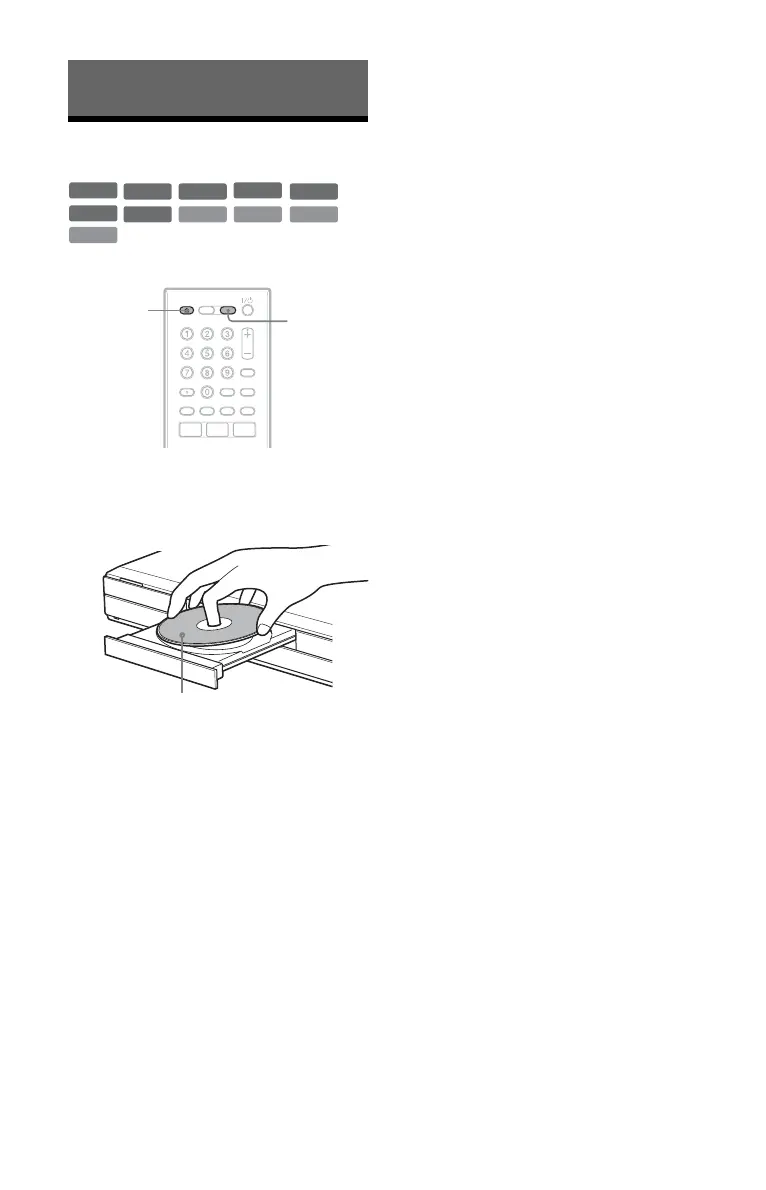
1 Press DVD.
2 Press Z (open/close), and place a
disc on the disc tray.
3 Press Z (open/close) to close the
disc tray.
Wait until “LOAD” disappears from the
front panel display.
Unused DVDs are formatted
automatically.
• For DVD-RW discs
DVD-RWs are formatted in the
recording format (VR mode or Video
mode) set by “Format DVD-RW” of
“Basic” in the “Disc Setup” setup
(page 116).
• For DVD-R discs
DVD-Rs are automatically formatted
in Video mode. To format an unused
DVD-R in VR mode, format the disc
in the “Format” setup (page 45)
before you make a recording.
If the disc is recordable on this recorder,
you can manually re-format the disc to
make a blank disc (page 45).
+
R
DVD
VCD CD
DATA CD
-
RWVR
-
RW
Video
+
RW
-
RVR
DATA DVD
-
R
Video
Z (open/
close)
DVD
Recording/playing side facing down











 To Next Page