64
You can set the recorder to automatically
record programmes from connected
equipment that has a timer function (such as
a satellite tuner). Connect the equipment to
the LINE 1/DECODER jack of the recorder
(page 31).
When the connected equipment turns on, the
recorder starts recording a programme from
the LINE 1/DECODER jack.
The recording destination is HDD only.
1 Press REC MODE repeatedly to select
the recording mode.
For details about recording mode, see
page 147.
2 Select the desired audio signal when
recording a bilingual programme.
Set “External Audio” to “Bilingual” and
“Bilingual Recording” to “A/L” or “B/
R” in the “Audio In” setup (page 123).
For details about the bilingual
recording, see page 57.
3 Set the timer on the connected
equipment to the time of the
programme you want to record, and
turn it off.
4 Press down x REC STOP on the
recorder for more than 3 seconds.
The SYNCHRO REC indicator lights up
in the front panel display and the
recorder turns off. The recorder is ready
to start Synchro-Recording.
You can also set the recorder to stand by
for Synchro-Recording by setting
“Synchro Rec.” of “Timer Recording”
to “Yes” from the System Menu.
To cancel Synchro Rec before recording
starts
Press [/1.
The SYNCHRO REC indicator in the front
panel display turns off.
To cancel Synchro Rec during recording
Press down z REC for more than 3 seconds.
The Synchro Rec is cancelled, and the
recording continues.
To stop recording
Press x REC STOP. Then select “Yes” in
the confirmation display, and press ENTER.
b Notes
• The recorder starts recording only after detecting
a video signal from the connected equipment.
The beginning of the programme may not be
recorded.
• The Synchro Rec function does not work when
“LINE 1 In” is set to “Decoder” in the “Video In/
Out” setup (page 123).
• The Synchro Rec function does not work with
some tuners. For details, refer to the tuner’s
operating instructions.
• While the recorder is standing by for Synchro-
Recording, the Auto Clock Set function
(page 117) does not work.
• To use the Synchro Rec function, you must first
set the recorder’s clock correctly.
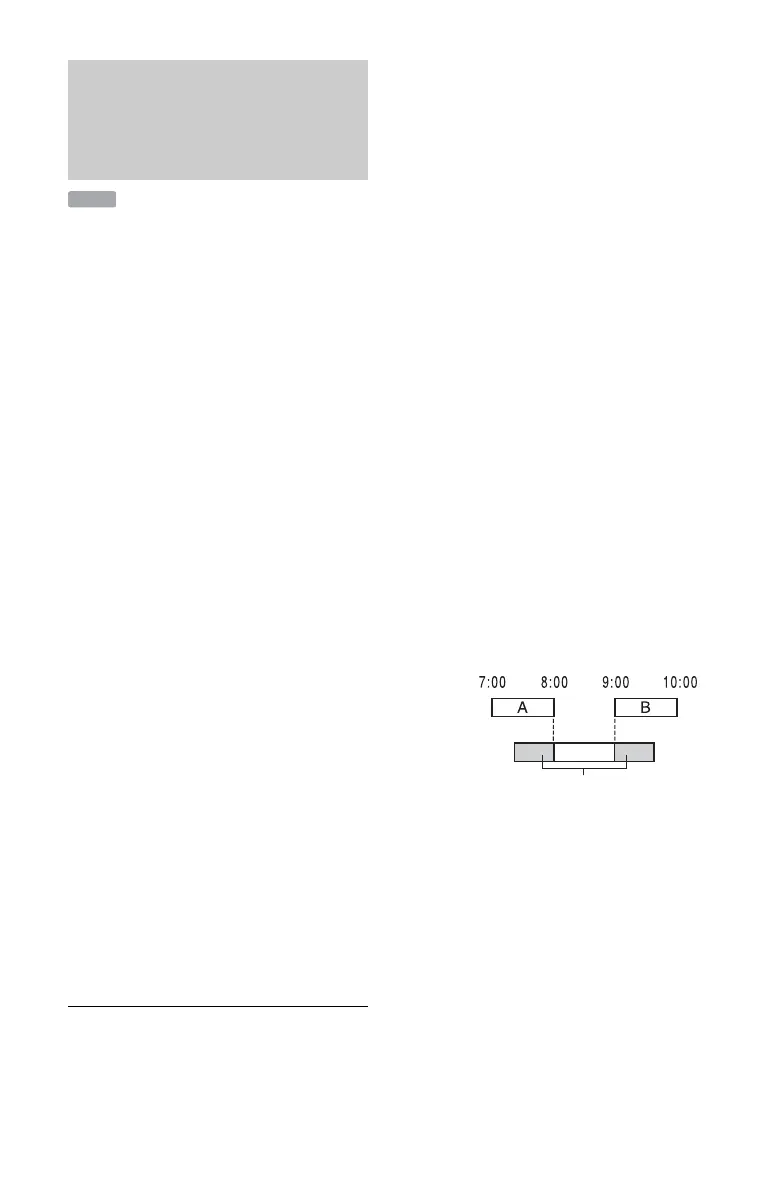
If the timer settings of a Synchro-
Recording and another timer recording
overlap
Timer recordings always have priority. The
Synchro-Recording starts only after the
timer recording has finished.
Recording from connected
equipment with a timer
(Synchro Rec.) (RDR-AT100/
AT200 only)
HDD
Synchro-
Recording
will be cut off
Timer
recording











 To Next Page