81
Erasing and Editing
1 Press TITLE LIST, and switch to the
Playlist.
For details on switching to the Playlist,
see page 75.
2 Select a Playlist title containing the
chapter you want to edit, and press
,.
The sub-menu appears.
3 Select “Edit,” and press ENTER.
4 Select “Chapter Edit,” and press
ENTER.
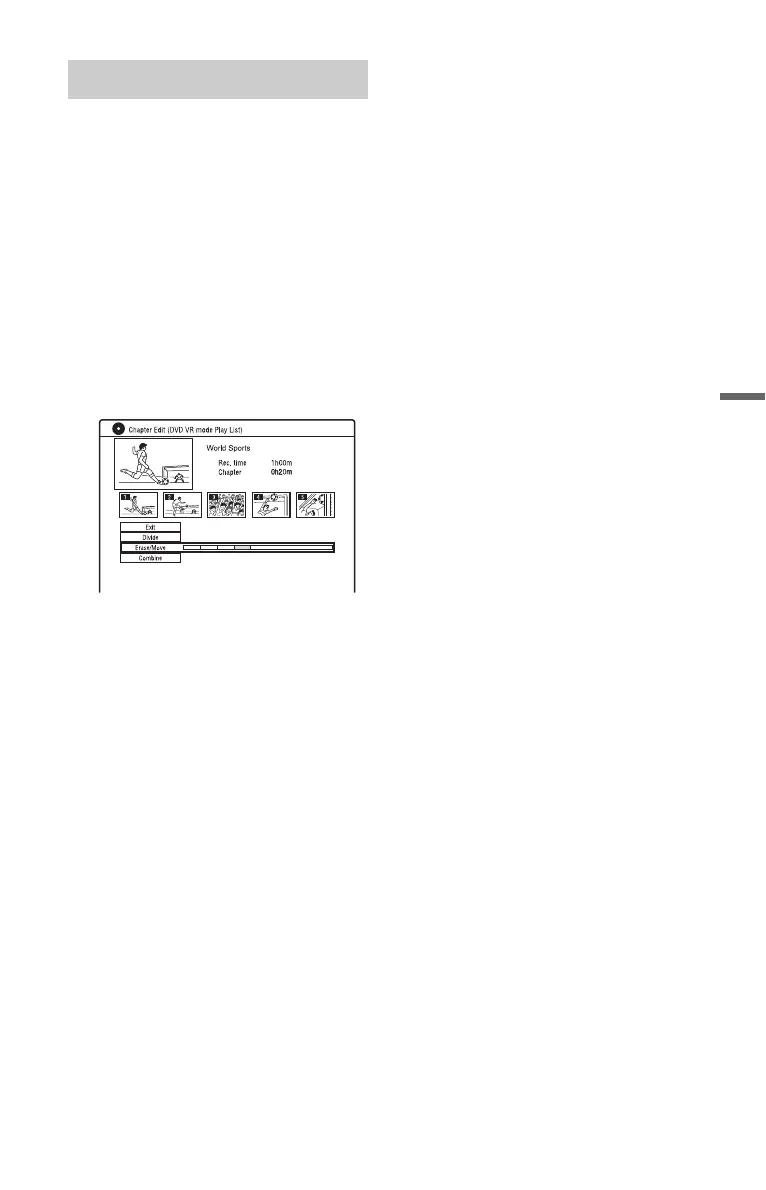
5 Select “Erase/Move.”
6 Select a chapter using </,, and
press ENTER.
7 Select “Move,” and press ENTER.
8 Select a new location for the chapter
using </,, and press ENTER.
The chapter moves to the new location.
Moving a chapter (Move)



 To Next Page