76
Erasing and Editing a
Title
This section explains the basic edit
functions. Note that editing is irreversible.
To edit DVD-RWs/DVD-Rs (VR mode)
without changing the original recordings,
create a Playlist title (page 80).
1 Press TITLE LIST.
For DVD-RWs/DVD-Rs in VR mode,
switch the Title List (Original or
Playlist), if necessary.
2 Select a title, and press ,.
The sub-menu appears.
3 Select an option, and press ENTER.
You can make the following edits to the
title.
“Erase”: Erases the selected title. Select
“Yes” when asked for confirmation.
“Edit”: Allows you to make the
following edits.
• “Title Name”: Allows you to enter or
re-enter a title name (page 40).
• “Set Thumbnail”: Changes the title’s
thumbnail picture that appears in the
Title List (page 38).
• “A-B Erase”: Erases a section of the
title (page 77).
• “Divide”: Divides a title into two titles
(page 77).
• “Chapter Edit”: Edits chapters in a title
(page 78).
• “Set Genre”: Assigns a genre to a title.
• “Protect”: Protects the title. “ ”
appears next to the protected title.
• “Move”: Changes the title’s playing
order (page 80).
• “Combine”: Combines two titles into
one (page 80).
“Genre Name”: Allows you to enter a
genre name (up to 12 characters)
(page 40).
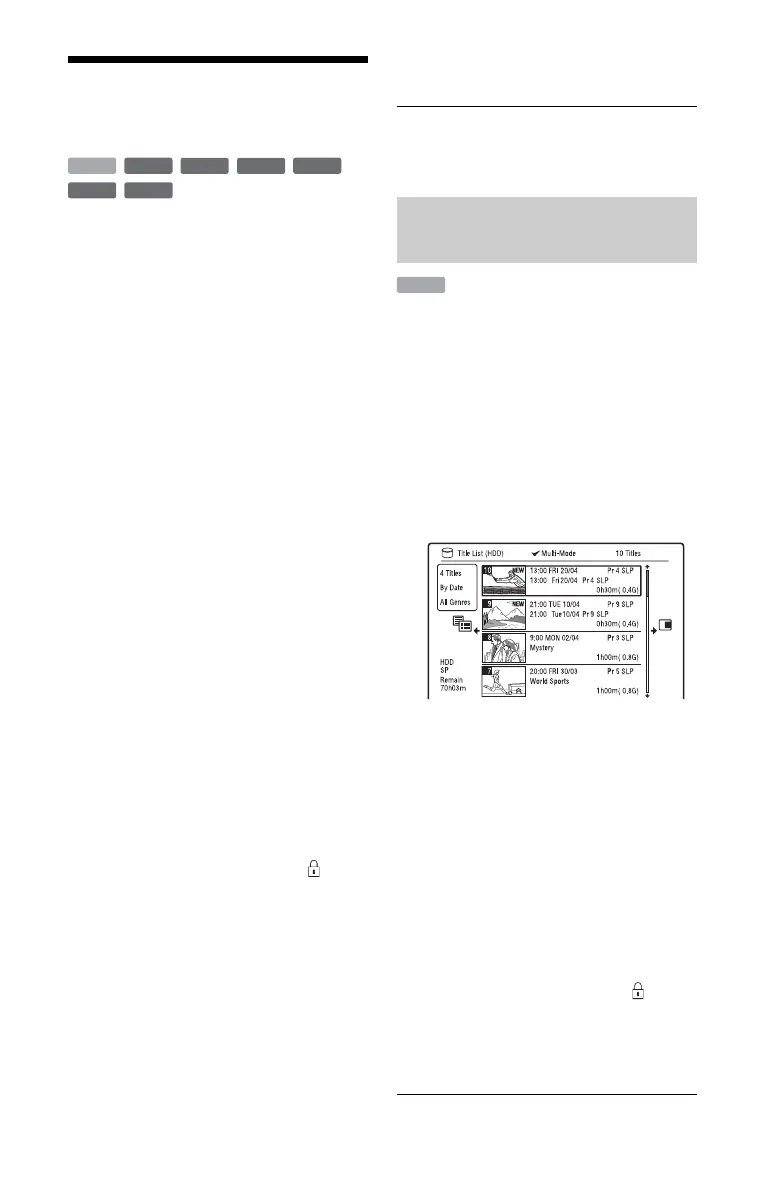
“Multi-Mode”: Allows you to select and
edit multiple titles at one time (page 76).
“Create”: Creates a Playlist (page 80).
“Undo”: Undoes the last edit you made.
z Hint
You can label or re-label DVDs (page 41).
You can select and edit up to 24 titles at one
time.
1 Press TITLE LIST.
2 Press ,.
The sub-menu appears.
3 Select “Multi-Mode,” and press
ENTER.
The display for selecting titles to be
edited appears.
4 Select a title, and press ENTER.
A check mark appears in the check box.
To clear the check mark, press ENTER
again.
5 Repeat step 4 to select all of the titles
you want to edit.
6 When you finish selecting titles,
press ,.
The sub-menu appears.
7 Select an option, and press ENTER.
“Erase”: Erases the selected titles.
“Protect”: Protects the titles. “ ”
appears next to the protected title.
“Unprotected”: Unprotects the titles.
“Change Genre”: Changes the genre of
the titles.
+
RW
-
RWVR
-
RW
Video
+
R
HDD
-
RVR
-
R
Video
Editing multiple titles (Multi-
Mode)
HDD











 To Next Page