45
Seven Basic Operations — Getting to Know Your DVD Recorder
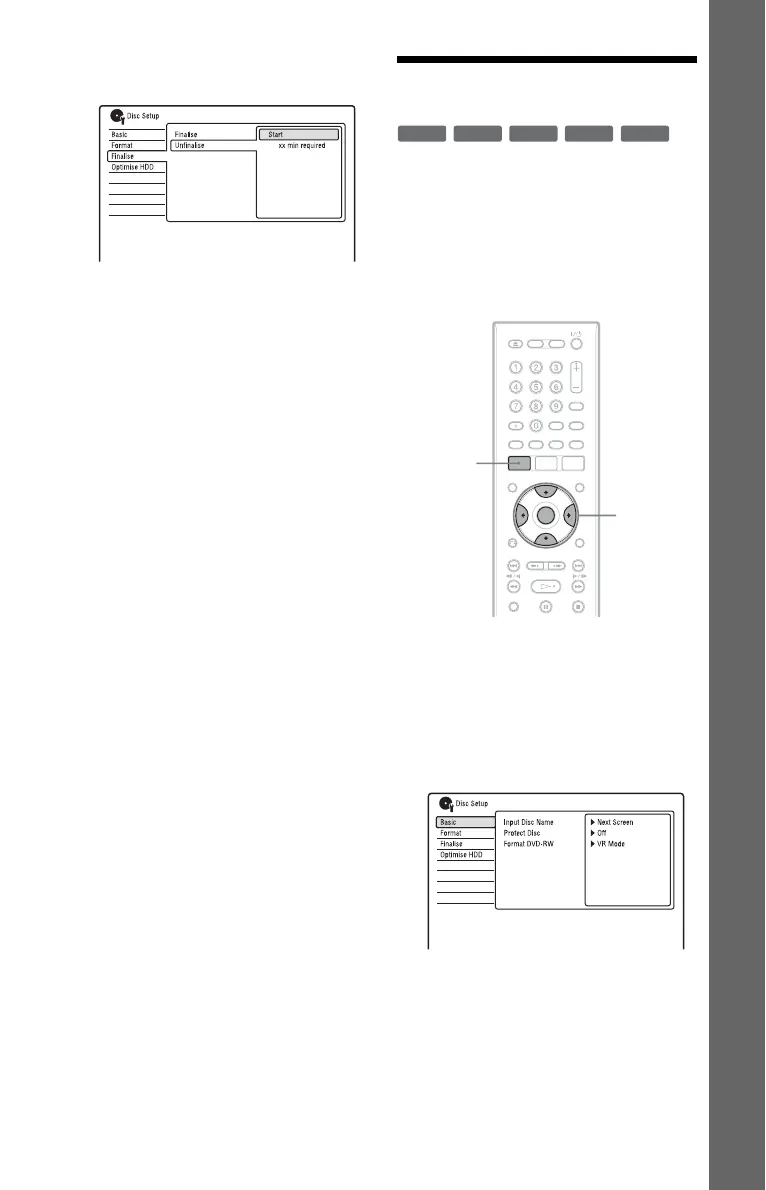
5 Select “Unfinalise,” and press
ENTER.
6 Select “Start,” and press ENTER.
The recorder starts unfinalising the disc.
Unfinalising may take several minutes.
7. Reformatting a Disc
New discs are automatically formatted when
inserted. If necessary, you can manually re-
format a DVD+RW, DVD-RW, or DVD-R
disc to make a blank disc. For DVD-RWs or
DVD-Rs, you can select a recording format
(VR mode or Video mode) according to your
needs.
1 Insert a disc.
See “1. Inserting a Disc” on page 34.
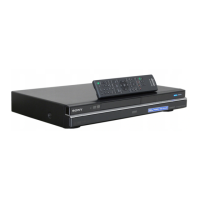
2 Press SYSTEM MENU.
The System Menu appears.
3 Select “Disc Setup,” and press
ENTER.
+
RW
-
RWVR
-
RW
Video
-
RVR
-
R
Video
</M/m/,,
ENTER
SYSTEM
MENU
,continued











 To Next Page