Working Instruction Repair Instruction Mechanical/
1275-8436 Rev2
© Sony Mobile Communications AB – Company Internal
22(50)
Replacement
4.12 Film RF hole
Follow the 3.1 Disassembly instructions!
Carry out the Removal as described below.
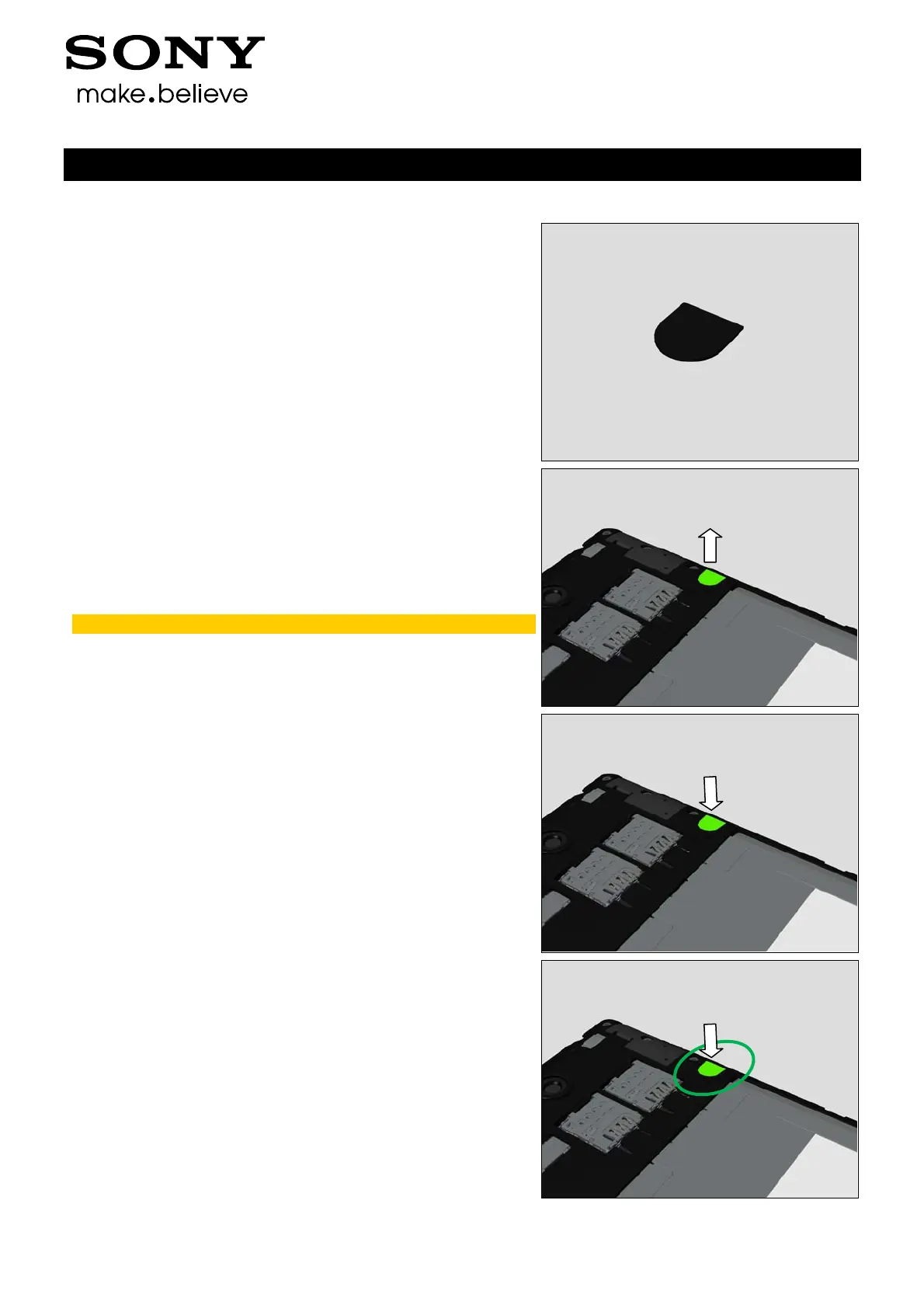
Prepare a new Film RF Hole.
Carry out the Installation as described below.
Follow the 5.4 Reassembly instructions!
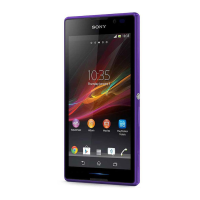
REMOVAL
Peel off the Film RF Hole.
Scrap! Not to be reused!
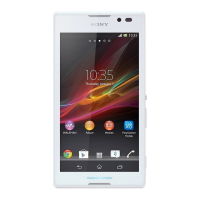
INSTALLATION
Place a new Film RF Hole in the correct position as shown
in the picture.
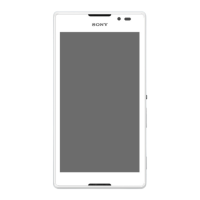
Press to secure its attachment.











 To Next Page