Working Instruction Repair Instruction Mechanical/
1275-8436 Rev2
© Sony Mobile Communications AB – Company Internal
33(50)
Replacement
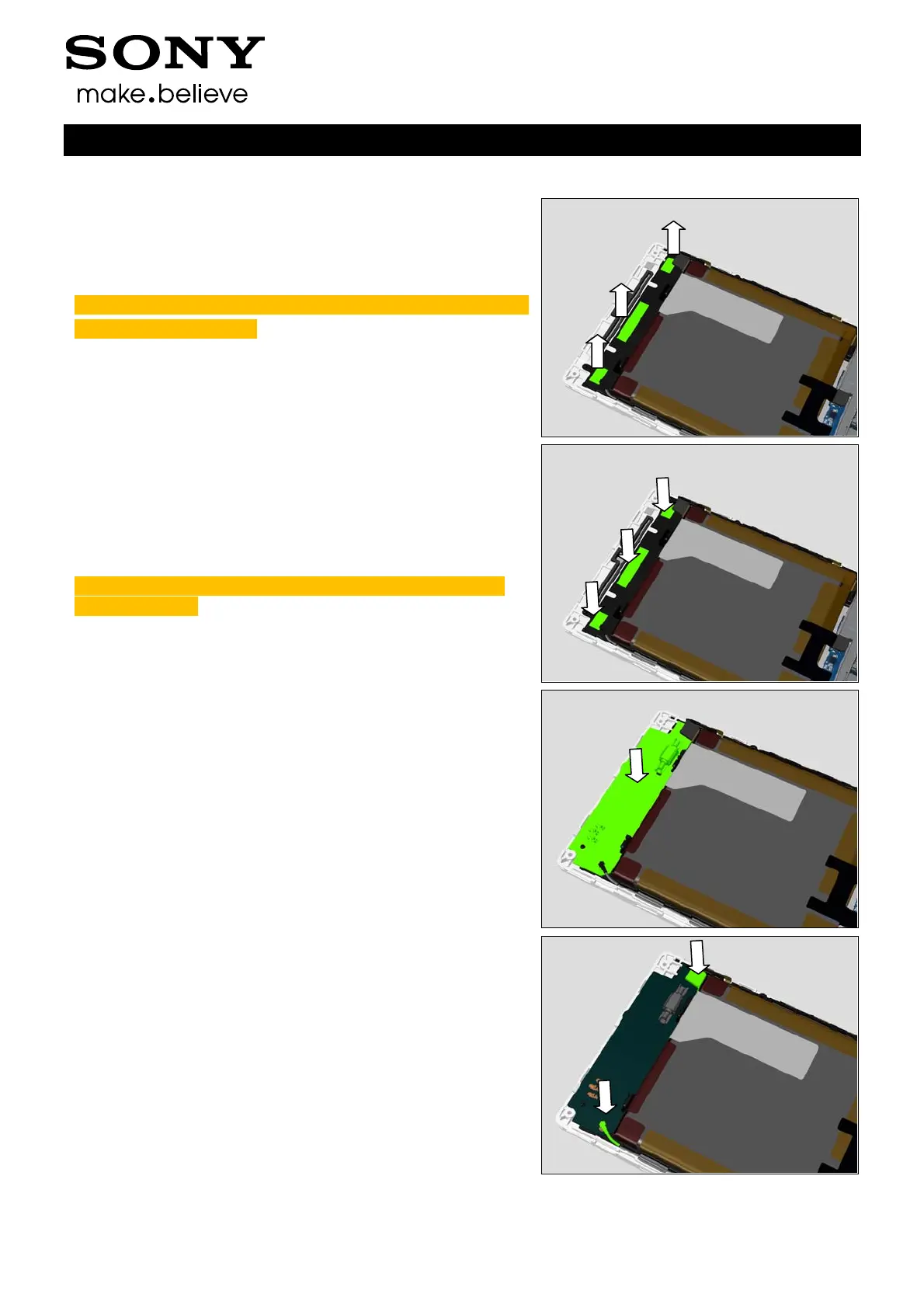
Remove the Sub PBA Adhesive carefully.
Note: the Sub PBA Adhesive contains three parts as shown.
Scrap, not to be reused!
INSTALLATION
Prepare a new Sub PBA Adhesive on Front Cover LCM TP
Assy.
Note: the Sub PBA Adhesive contains three parts on one
sheet as shown.
Place a new SUB Board Assy in correct position as shown.
Press to secure its attachment.
Close two connectors on SUB Board Assy.











 To Next Page