6-5
CCD-TRV138/TRV238E/TRV338/TRV438E
CN007
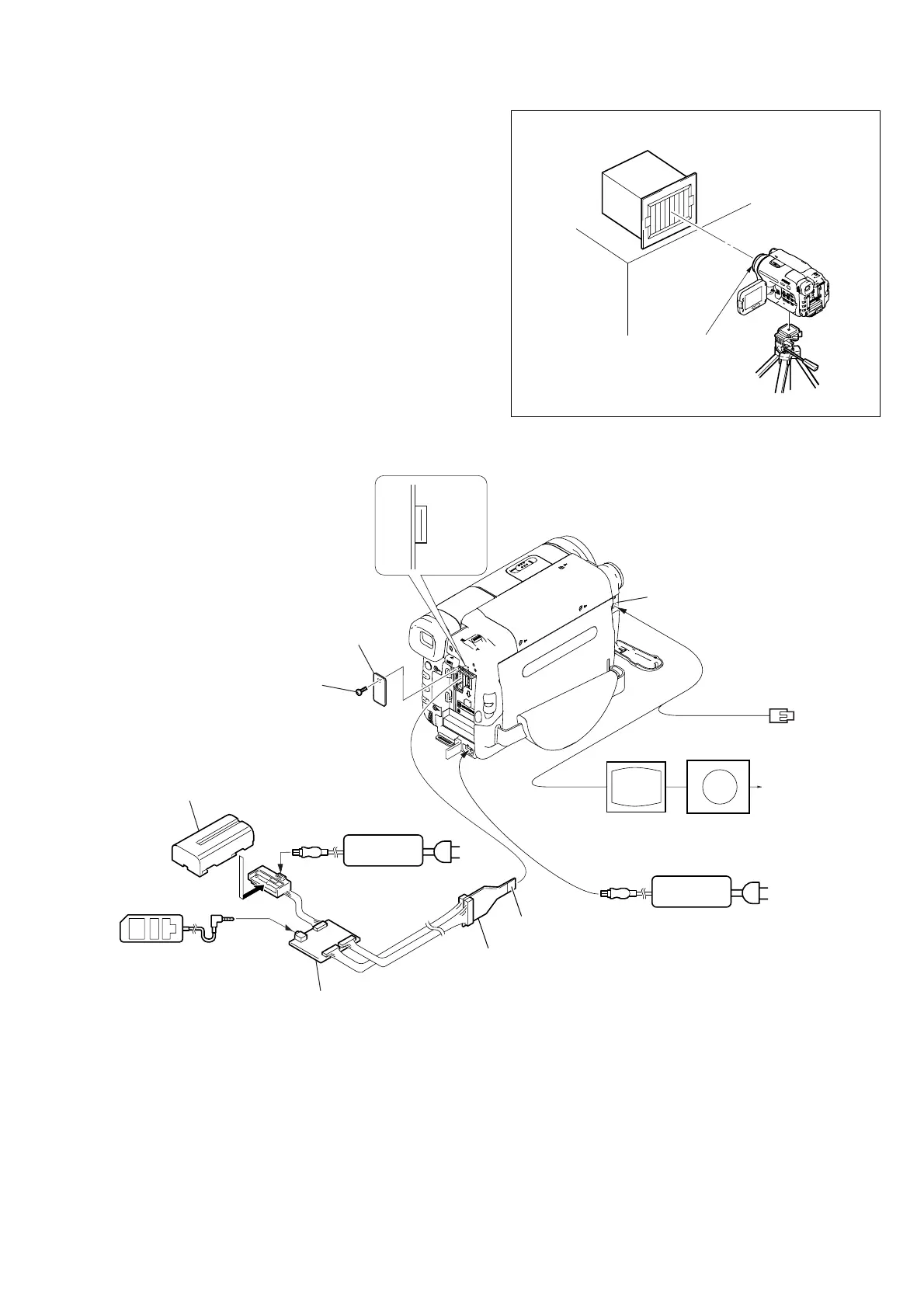
A/V OUT jack
16
1
Audio (black)
Video (yellow)
TV monitor
AC adaptor
AC IN
AC adaptor
CPC lid
Screw (M2)
I/F unit for LANC control
(J-6082-521-A)
CPC jig connector
(J-6082-539-A)
L serices Info
LITHIUM battery (7.2Vdc)
Adjustment
remote commander (RM-95)
Conductor side
LANC jack
AC IN
Terminated at 75Ω
Vector scope
Fig. 6-1-2
1-1-2. Preparations
Note: Before perform the adjustment, check that the data of page:
0, address: 10 is “00”.
If not, select page: 0, address: 10, and set data “00”.
1) Connect the equipment for adjustments according to Fig. 6-1-
3.
2) Connect the adjustment remote commander to VC-341 board
CN007 via I/F unit for LANC control (J-6082-521-A) and CPC
jig connector (J-6082-539-A). (Fig. 6-1-3)
To operate the adjustment remote commander, connect the AC
power adaptor to the DC IN jack of I/F unit for LANC control,
or connect the L series Info-LITHIUM battery to the battery
terminal of I/F unit for LANC control.
Fig. 6-1-3
Front of the lens
L = 1m (PTB-450)
L = 40cm (PTB-1450)
L
Pattern box















 To Next Page