Recording an image from a mini DV tape as a still image
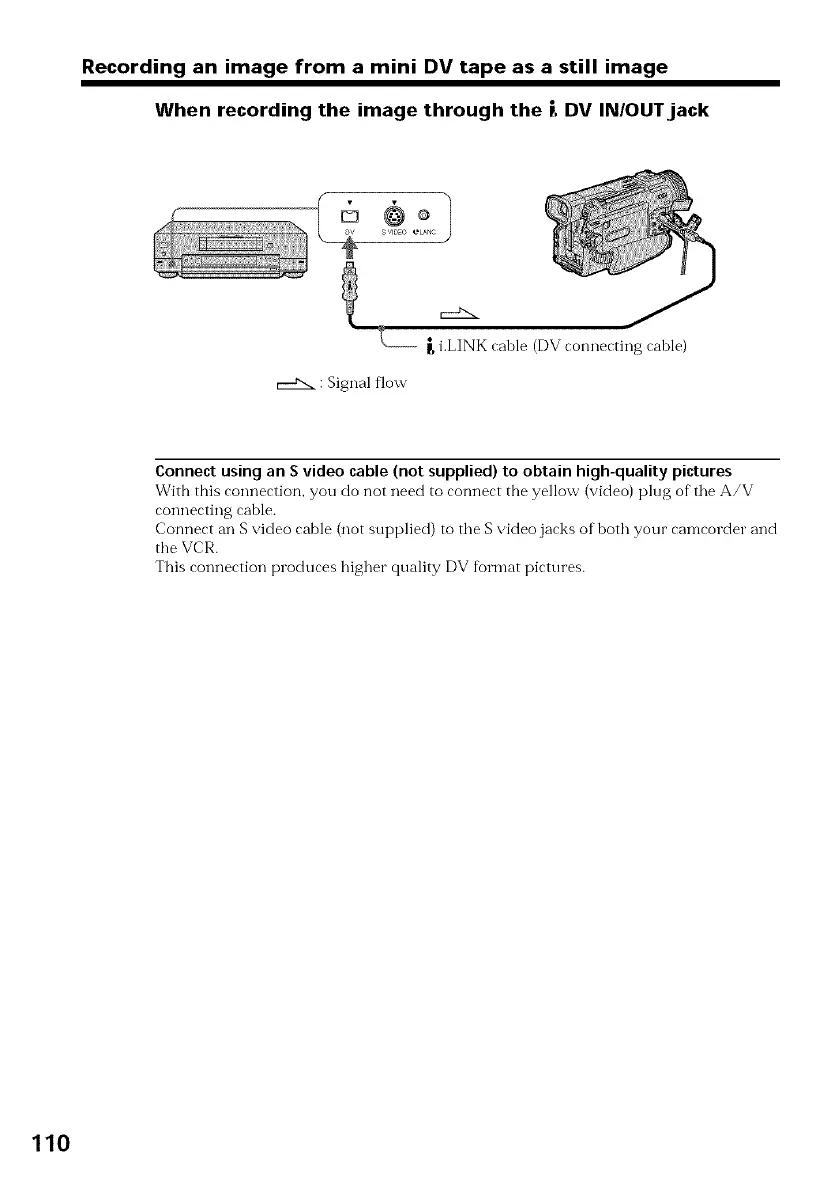
When recording the image through the |, DV INIOUTjack
c::£:x
_,i.LINK cable (DV connecting cable)
: Signal flow
Connect using an S video cable (not supplied) to obtain high-quality pictures
With this connection, you do not need to connect the yellow (video) plug of"tile A/V
connecting cable.
Connect an S video cable (not supplied) to tile Svideo jacks of both your camcorder and
tile VCR.
This connection produces higher quality DV format pictures.
110



 To Next Page