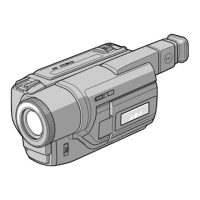
-- Recording - Basics --
Recording a picture
Your camcorder atltomatically %cuses for yon.
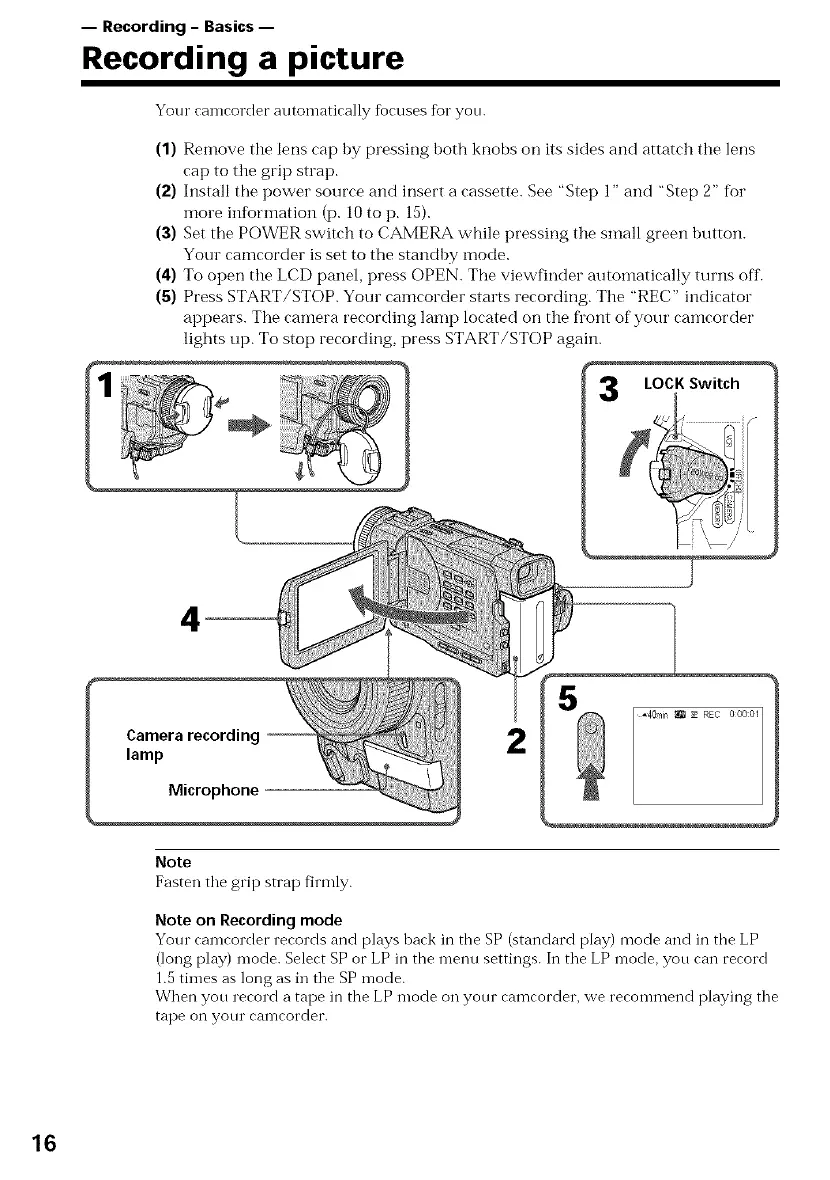
(1) Remove the lens cap by pressing both knobs on its sides and attatch the lens
cap to the grip strap.
(2) Install the power source and insert a cassette. See "Step 1" and "Step 2" fbr
more ii_fbrmation (p. 10 to p. 15).
(3) Set the POWER switch to CAMERA while pressing the small green button.
Your camcorder is set to the standby mode.
(4) To open the LCD panel, press ()PEN. The viewfinder autoinatically turns off.
(5) Press START/STOP. Your camcorder starts recording. The "REC" indicator
appears. The camera recording lamp located on the fl'ont of your camcorder
lights up. To stop recording, )tess START/STOP again.
LOCK Switch
4
2
5
Note
Fasten tile grip strap firmly.
Note on Recording mode
Your camcorder records and plays back in the SP (standard play) mode and in tile LP
(long play) mode. Select SP or LP in the nleilu settings. In tile LP mode, you can record
1.5 times as long as in tile SP mode.
When you record a tape in the LP mode on your camcorder, we recommend playing tile
tape on your camcorder.
16


 To Next Page