Using special effects- Digital effect
You can add special effects to recorded _ictures using the various digital functions. The
sound is recorded normally.
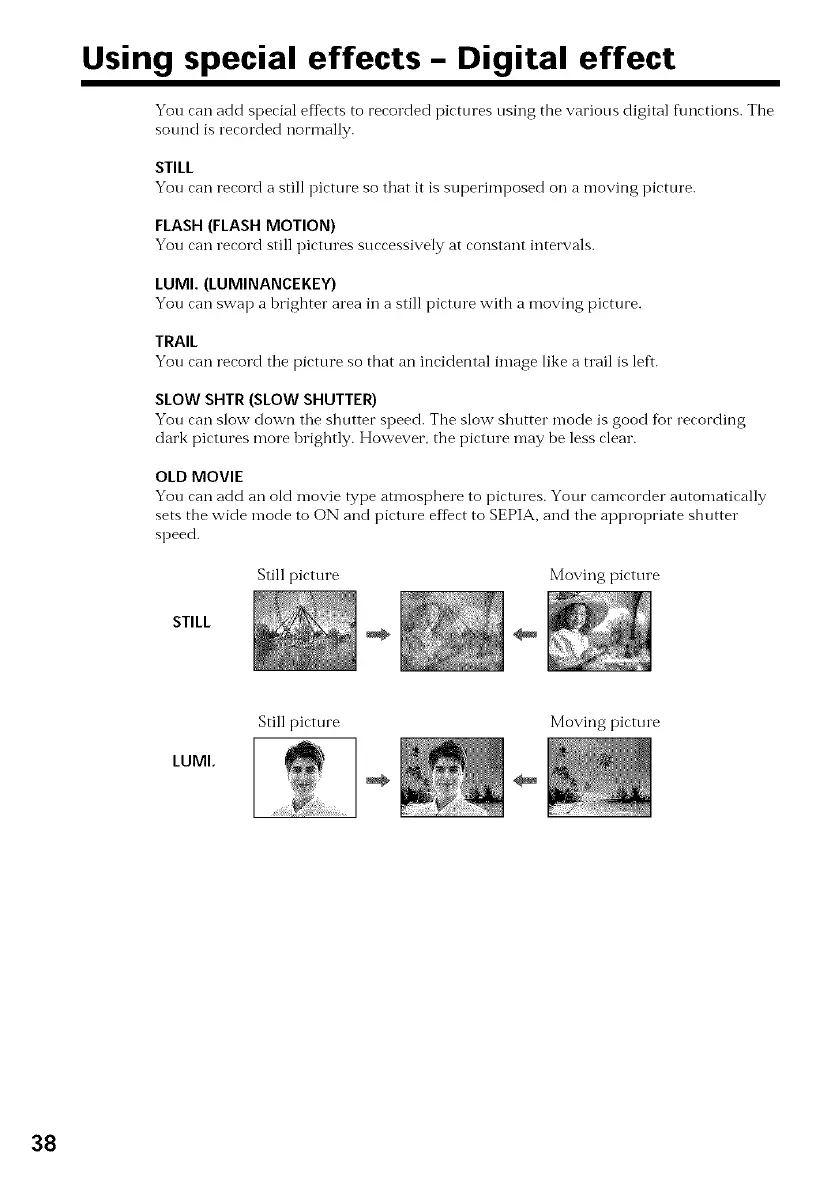
STILL
You can record a still picture so that it Is superimposect on a moving picture.
FLASH (FLASH MOTION)
You can record still pictures successively at constant intervals.
LUMI. (LUMINANCEKEY)
You can swap a brighter area in a still picture with a moving picture.
TRAIL
You can record the picture so that an incidental image like a tlail is left.
SLOW SHTR (SLOW SHUTTER)
You can slow down the shutter speed. The slow shutter n-lode is good fur recording
clark pictures more brightly. However, the picture may be less clear.
OLD MOVIE
You can add an old Inovie type atmosphere to pictures. Your eamcorder a_utomatically
sets the wide mode to ON and picttne effect to SEPIA, and the appropriate shutter
speed.
Still picture Moving picture
STILL
LUMI.
Still picture Moving pictm e
38


 To Next Page