Recording a still image on a tape - Tape Photo recording
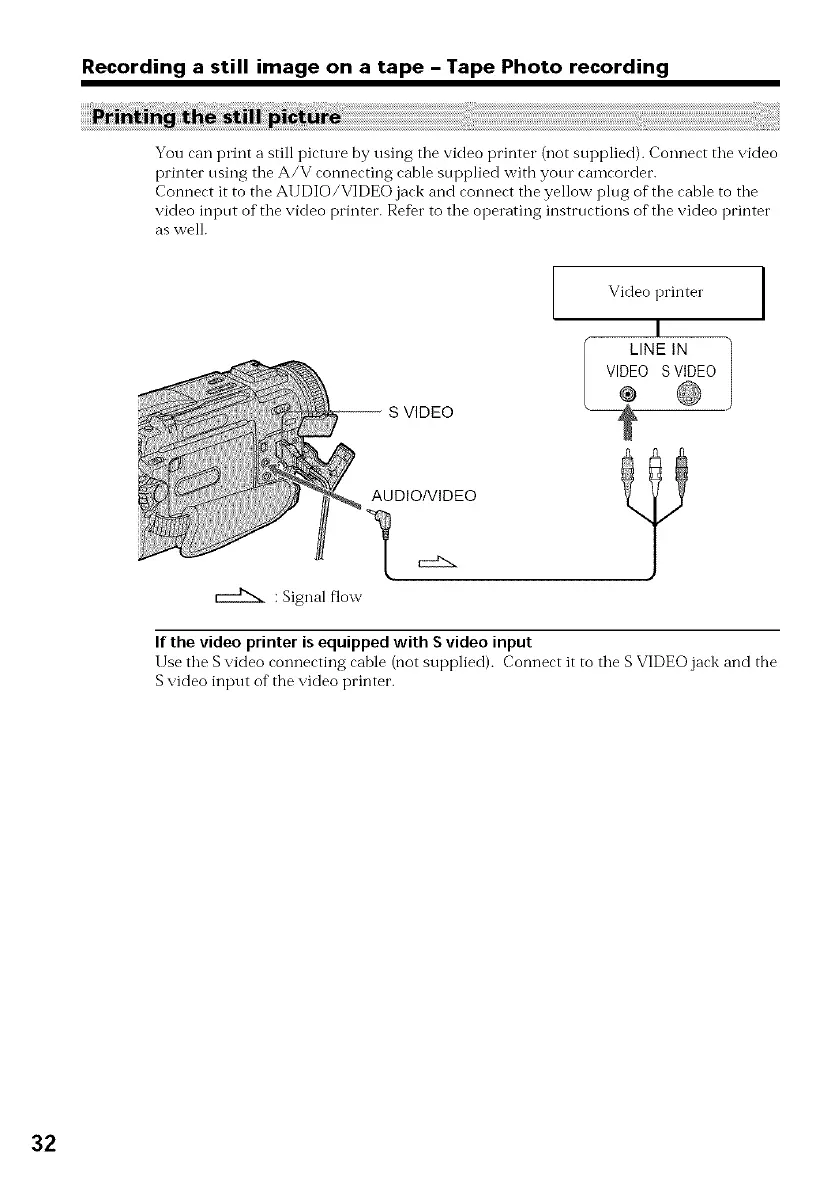
You can print a still picture by using tile video printer (not supplied). Connect tile video
printer using tile A/V connecting cable sui)plied witb your camcordec.
Connect it to the At JDIO/VIDEO jack and connect tile yellow plug of the cable to tile
video input of tile video printer. Refer to tile operating instructions of tile video printer
as well.
: Signal flow
-- S VIDEO
AUDIO/VIDEO
Video printer
I
LINE IN
VIDEO S VIDEO
®
?
If the video printer is equipped with S video input
Use the S video connecting cable (not supplied). Connect it to the S VIDEO jack and the
S video input of" the video printer.
32



 To Next Page