Dubbing only desired scenes - Digital
program editing
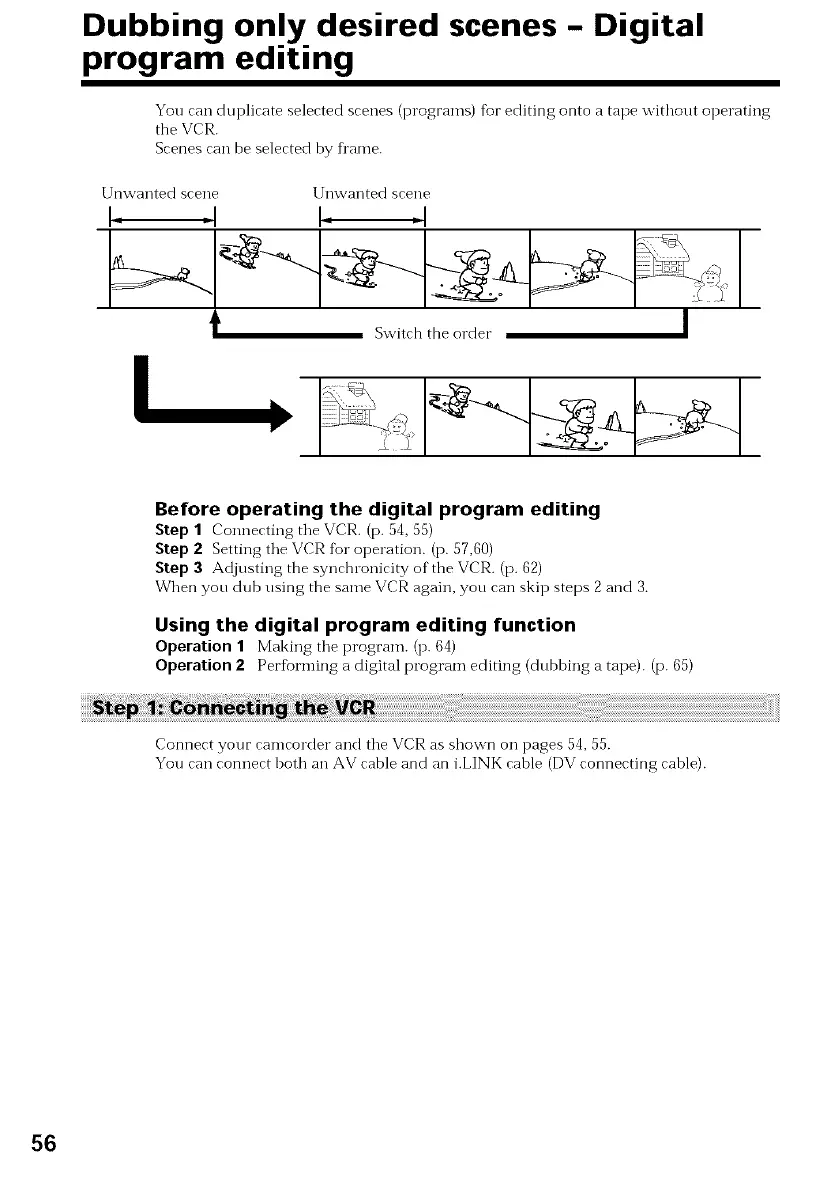
You can duplicate selected scenes (programs) for editing onto a tape without operating
the VCR.
Scenes can be selected by fl'ame.
Before operating the digital program editing
Step 1 Connecting tile VCR. (p. 54, 55)
Step 2 Setting the VCR fur operation. (p. 57,60)
Step 3 Adjusting the synchronicity of the VCR. (p. 62)
When you dub using the same VCR again, you can skip steps 2 and 3.
Using the digital program editing function
Operation 1 Making the program. (p. 64)
Operation 2 Perfi)rming a digital program editing (dubbing a tape). (p. 65)
Connect your camcorder and the VCR as shown on pages 54, 55.
You can connect both an AV cable and an i.LINK cable (DV connecting cable).
56



 To Next Page