Audio dubbing
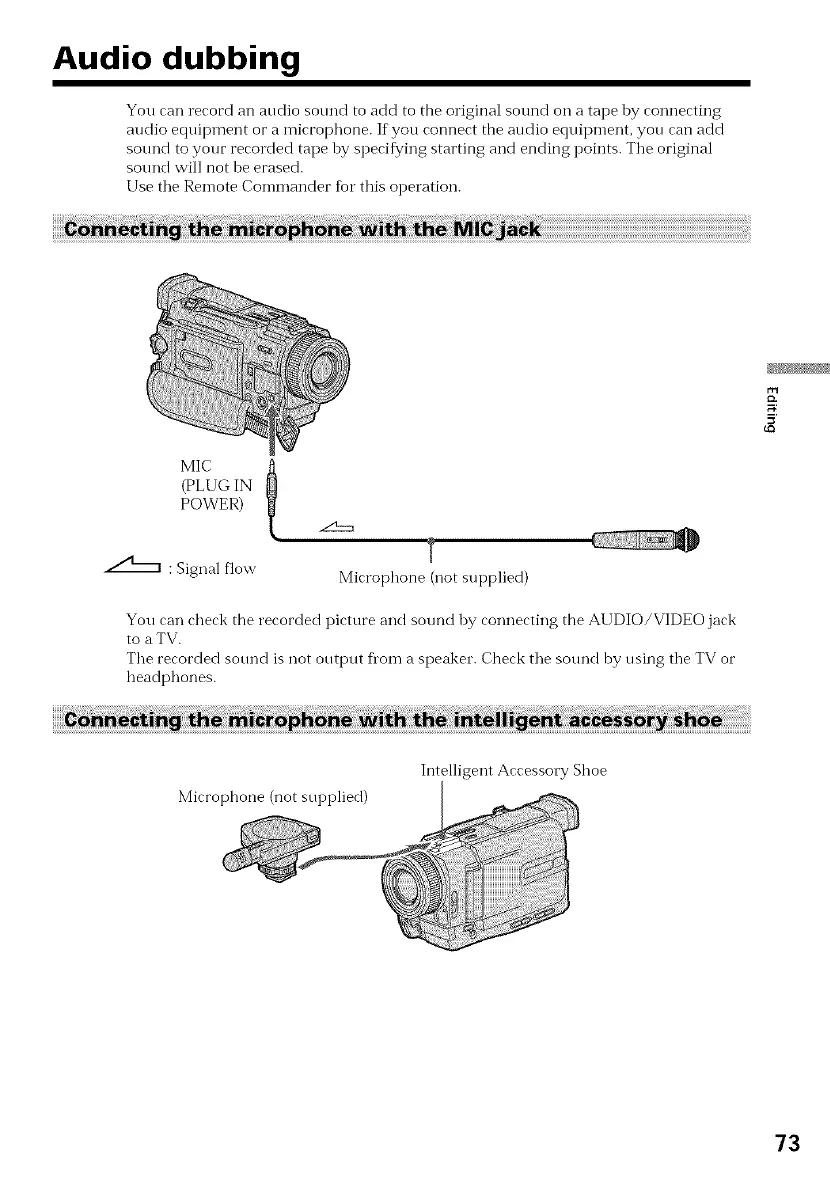
You can record an audio sound to add to the original sound on a tape hy connecting
audio equipment or a microphone. If you connect the audio eqnipment, you can add
sound to your recorded tape by specifying starting and ending points. Tile original
sound will not be erased.
Use tile Remote Commander for this operation.
l
(PLUG IN
POWER)
T
_ : Signal flow Microphone (not supplied)
You can check the recorded picture and sound by connecting the AI JDIO/VIDEO jack
to a TV.
The recorded sotmd is not output flora a speaker. Check the sotmd by using the TV or
headphones.
Microphone (not supplied)
Intelligent Accessory Shoe
73



 To Next Page