Audio dubbing
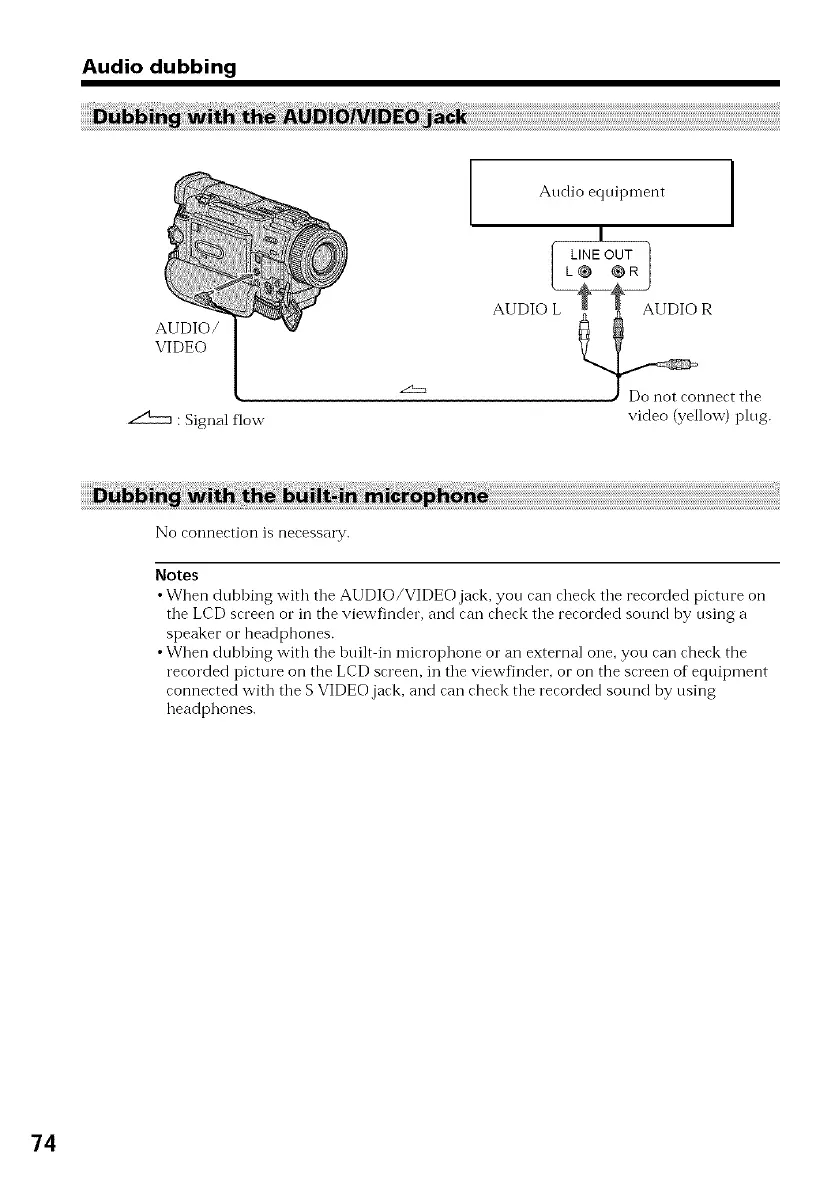
AUDIO/
VIDEO
: Signal flow
Audio equipment
I
[ LINE OUT ]
I L_ CR I
AUDIO L R
J Do not connect the
video (yellow) plug.
No connectiol] is necessary.
Notes
•When dubbing with tile AUDIO/VIDEO jack, you can check tile recorded picture on
tile LCD screen or in the viewfinder, and can check tile recorded sound by using a
speaker or headphones.
•When dubbing with tile built in microphone or an external one, you can check the
recorded picture on the LCD screen, in tile viewfinder, or on the screen of equipment
connected wkh tile S VIDEO.jack, and can check tile recorded sound by using
headphones.
74



 To Next Page