Adjusting the white balance manually
You can manually adjust and set the white balance. This adjusmlent makes white
sulojects look white and allows more natural color balance. Normally white balance is
atltomatically adjusted.
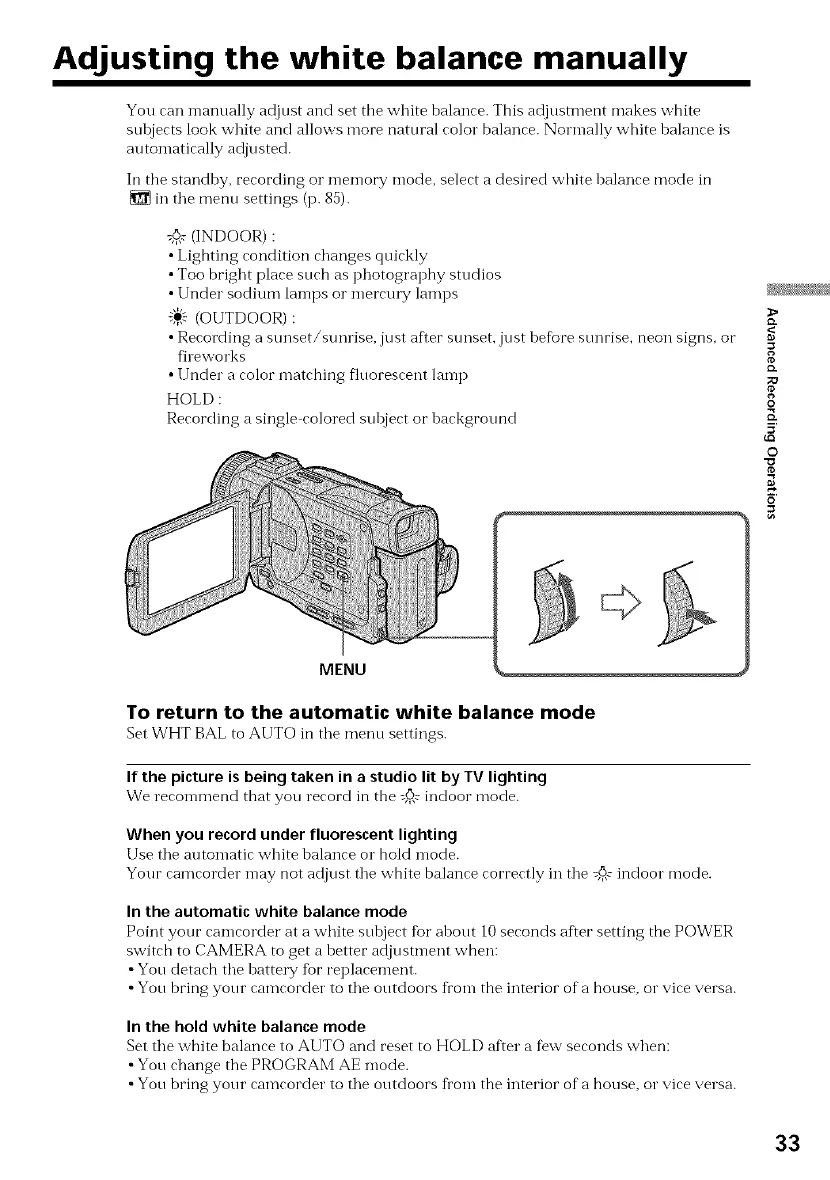
Ii1 the standby, recording o1"men-lory mode, select a desired white balance mode in
in the mentl settings (p. 85).
:_ (INDOOR) :
• Lighting condition changes quickly
• Too bright place such as photography studios
• Under sodium lamps o1"mercm T lamps
"_} (OUTDOOR):
• Recording a sunset/sunrise, just after sunset, just before sunrise, neon signs, oi"
fileworks
• Under a color matching fluorescent lamp
HOLD :
Recording a single colored subject or background
MENU
To return to the automatic white balance mode
Set WHT BAL to AUTO in the menu settings.
If the picture is being taken in a studio lit by TV lighting
We recommend that you record in the _@ indoor mode.
When you record under fluorescent lighting
Use the automatic white balance o1"hold mode.
Your camcorder may not adjust the white balance correctly in the @# indoor mode.
In the automatic white balance mode
Point your camcorder at a white subject tot about 10 seconds after setting the POWER
switch to CAMERA to get a better adjustment when:
•You detach the battel T fbr replacement.
• You bring your camcorder to the outdoors from the interior of a house, o1"vice versa.
In the hold white balance mode
Set the white balance to AUTO and reset to HOLD after a few seconds when:
• You change the PROGRAM AE mode.
• You bring your camcorder to the outdoors from the interior of a house, o1"vice versa.
8
19.
O
K
5
©
33



 To Next Page