Changing the menu settings
To make the menu display disappear
Press MENU.
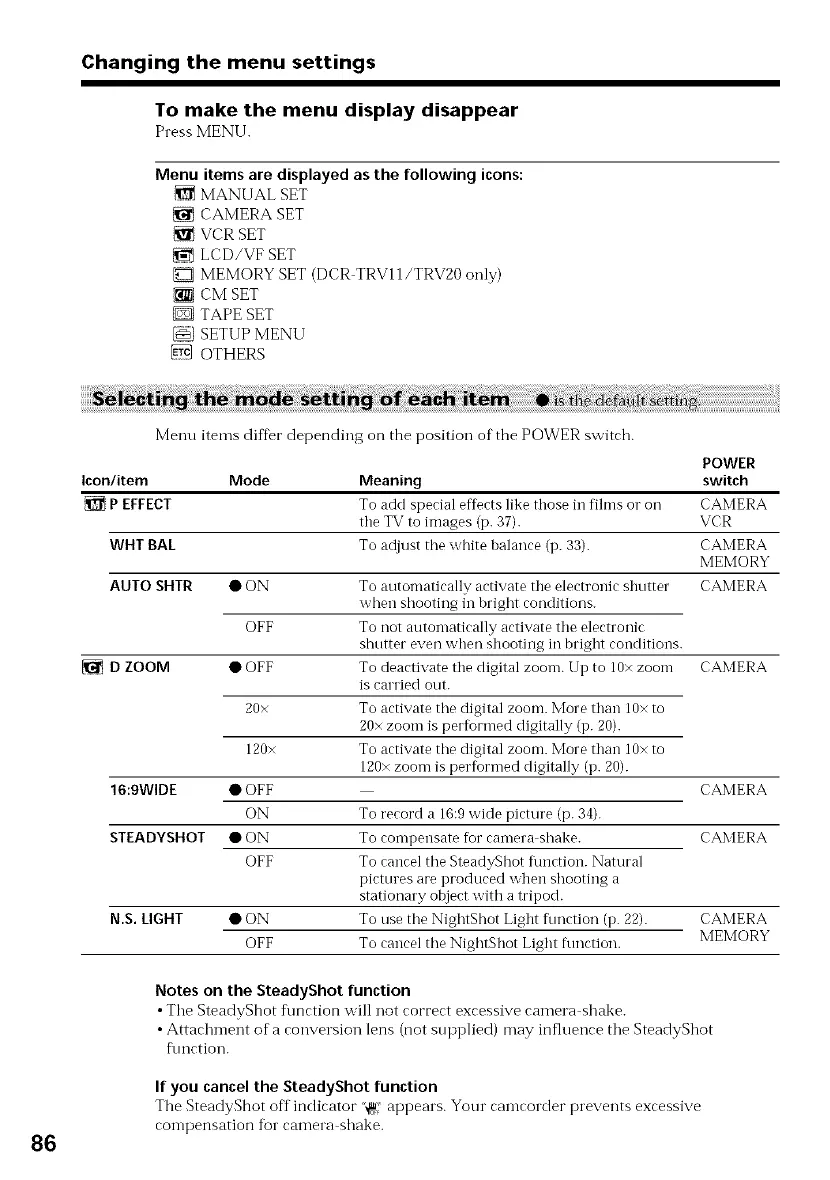
Menu items are displayed as the following icons:
MANUAL SET
CAMERA SET
VCRSET
LCD/VF SET
MEMORY SET (DCR TRV11/TRV20 only)
{_ CM SET
D TAPE SET
SETUP MENU
@ OTHERS
86
Menu items diffbr depending on the position of the POWER switch.
POWER
Icon/item Mode Meaning switch
{_ P EFFECT To add special effects like those in fihns o1"oil CAMERA
the TV to images (p. 37). VCR
WHT BAL To adjust the white balance (p. 33). CAMERA
MEMORY
AUTO SHTR • ON To antomatically activate the electronic shntter CAMERA
when shooting in bright conditions.
OFF To not automatically activate the electronic
shutter even when shooting in bright conditions.
• OFF To deactivate the digital zoom. Up to 10x zoonl CAMERA
is carried out.
20x To activate tile digital zoom. More than 10x to
20x zoom is performed digitally (p. 20).
120x To activate tile digital zoom. More than 10x to
120x zoom is performed digitally (p. 20).
• OFF CAMERA
ON To record a 16:9 wide picture (p. 34).
• ON To compensate for camera shake. CAMERA
OFF To cancel tile SteadyShot flmction. Natural
pictures are produced when shooting a
stationary object with a tripod.
N.S. LIGHT • ON To use tile NightShot Light fnnction (p. 22). CAMERA
OFF To cancel the NightShot Light fnnction. MEMORY
D ZOOM
16:9WIDE
STEADYSHOT
Notes on the SteadyShot function
• Tile SteadyShot flmction will not correct excessive camera shake.
• Attachment of a conversion lens (not supplied) may influence tile SteadyShot
f\mction.
If you cancel the SteadyShot function
The SteadyShot off indicator "@' appears. Your camcorder prevents excessive
compensation fur camera shake.



 To Next Page