Quick Function Guide
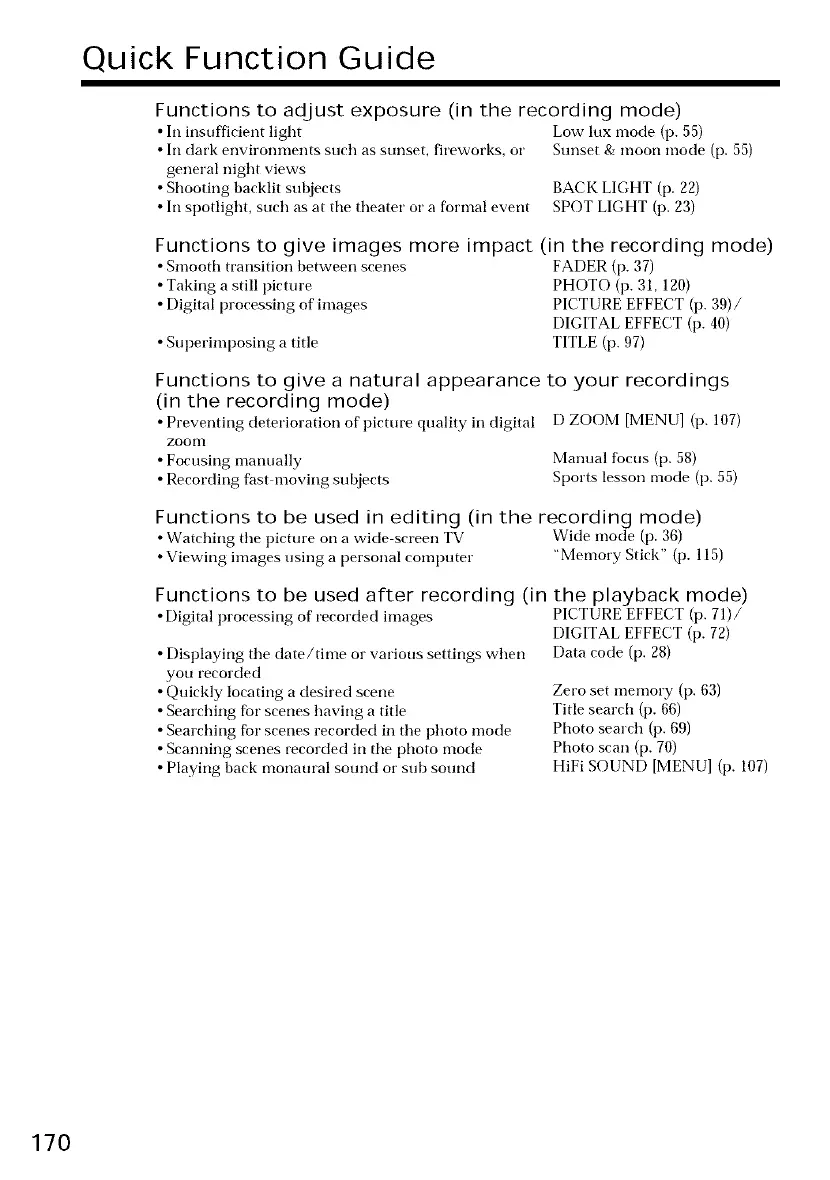
Functions to adjust exposure (in the recording mode)
• In insufficient light Low lux mode (p. 55)
• In dark environments such as sunset, fireworks, or Sunset & moon mode (p. 55)
general night views
• Shooting backlit subjects BACK LIGHT (p. 22)
• In spotlight, such as at tile theater or a formal event SPOT LIGHT (p. 23)
Functions to give images more impact (in the recording mode)
• Smooth transition between scenes FADER (p. 37)
• Taking a still picture PHOTO (p. 31, 120)
• Digital processing of images PICTURE EFFECT (p. 39)/
DIGITAL EFFECT (p. 40)
• Superimposing a title TITLE (p. 97)
Functions to give a natural appearance
(in the recording mode)
• Preventing deterioration of' picture quality in digital
ZOOOI
• Focusing manually
• Recording fast moving subjects
to your recordings
D ZOOM [MENU] (p. 107)
Manual focus (p. 58)
Sports lesson mode (p. 55)
Functions to be used in editing (in the recording mode)
• Watching tile picture on a wide screen TV Wide mode (p. 36)
• Viewing images using a personal computer "Memory Stick" (p. 115)
Functions to be used after recording (in the playback mode)
•Digital processing of'recorded images PICTURE EFFECT (p. 71)/
• Displaying tile date/time or various settings when
you recorded
• Quickly locating a desired scene
• Searching for scenes having a title
• Searching for scenes recorded in the photo mode
• Scanning scenes recorded in tile photo mode
• Playing back monaural sound or sub sound
DIGITAL EFFECT (p. 72)
Data code (p. 28)
Zero set memory (p. 63)
Title search (p. 66)
Photo search (p. 69)
Photo scan (p. 70)
HiFi SOUND [MENU] (p. 107)
170















 To Next Page