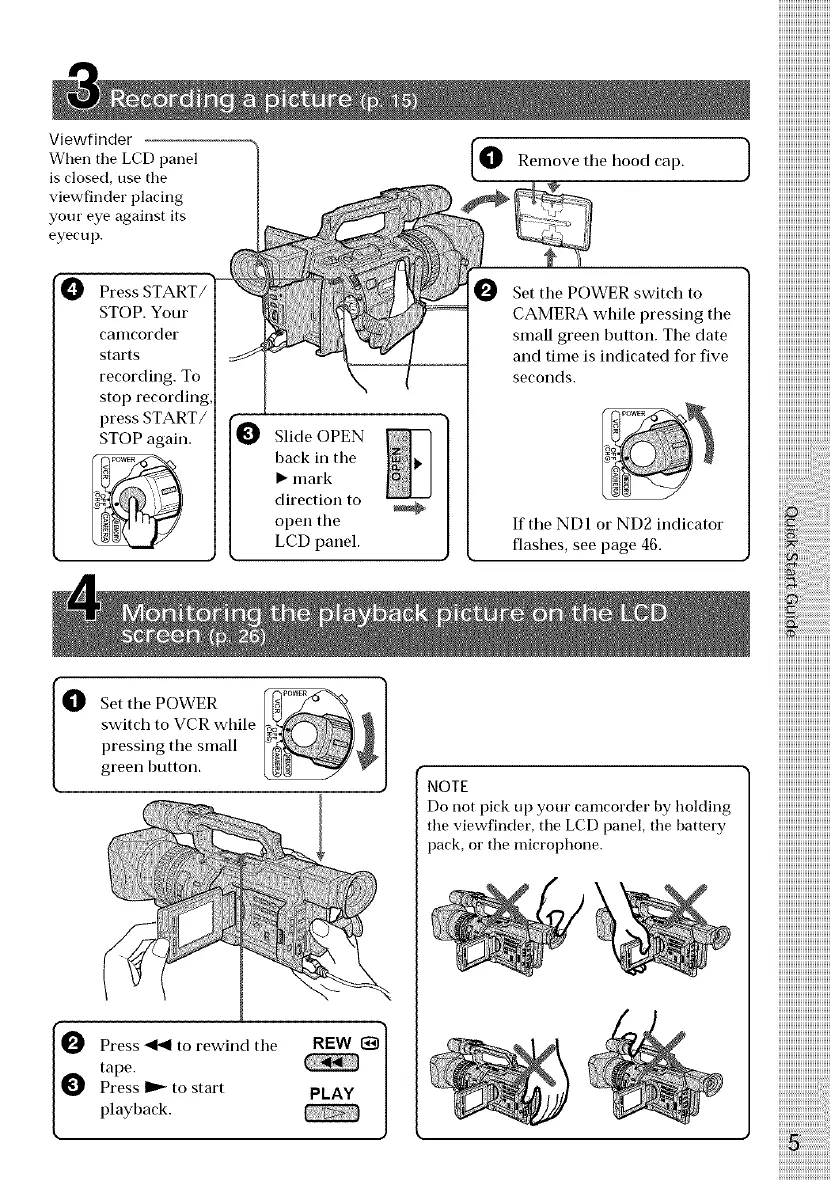
Viewfinder
When the LCD panel
is close(], use the
viewfinder placing
your eye against its
eyecup.
Press
STOP. Your
calncorder
starts
recording. To
stop recording,
press START/
STOP again.
Slide OPEN
back in tile
• mark
direction to
open the
LCD panel.
Remove tile hood cap.
0 Set tile POWER switch to
CAMERA while pressing tile
small green button. The date
and time is indicated for five
seeollds.
If the ND1 or ND2 indicator
flashes, see page 46.
O et the POWER
switch to VCR while
pressing the small
green button.
I_ ress _1_ to rewind the
tape.
Press _ to start
playback.
NOTE
Do not pick up yore" camcorder by holding
the viewfinder, the LCD panel, the battery
pack, or the microphone.















 To Next Page