Searching for a photo - Photo search/Photo scan
(1) Set tile POWER switch to VCR.
(2) Set CM SEARCH in _ to OFF in tim menu settings (p. 107).
(3) Press SEARCH MODE oil tile Remote Commander repeatedly, until the photo
search indicator appears.
Tile indicator changes as follows:
INDEX SEARCH ---* DATE SEARCH ---* PHOTO SEARCH ---* PHOTO SCAN
--* no indicator
(4) Press _ or _ oil tile Remote Commander to select a pboto for playback.
Each time you press _ or 1_1,4, your camcorder searcbes for the previous or
next photo.
Your camcorder automatically starts playback of tim photo.
To stop searching
PressI.
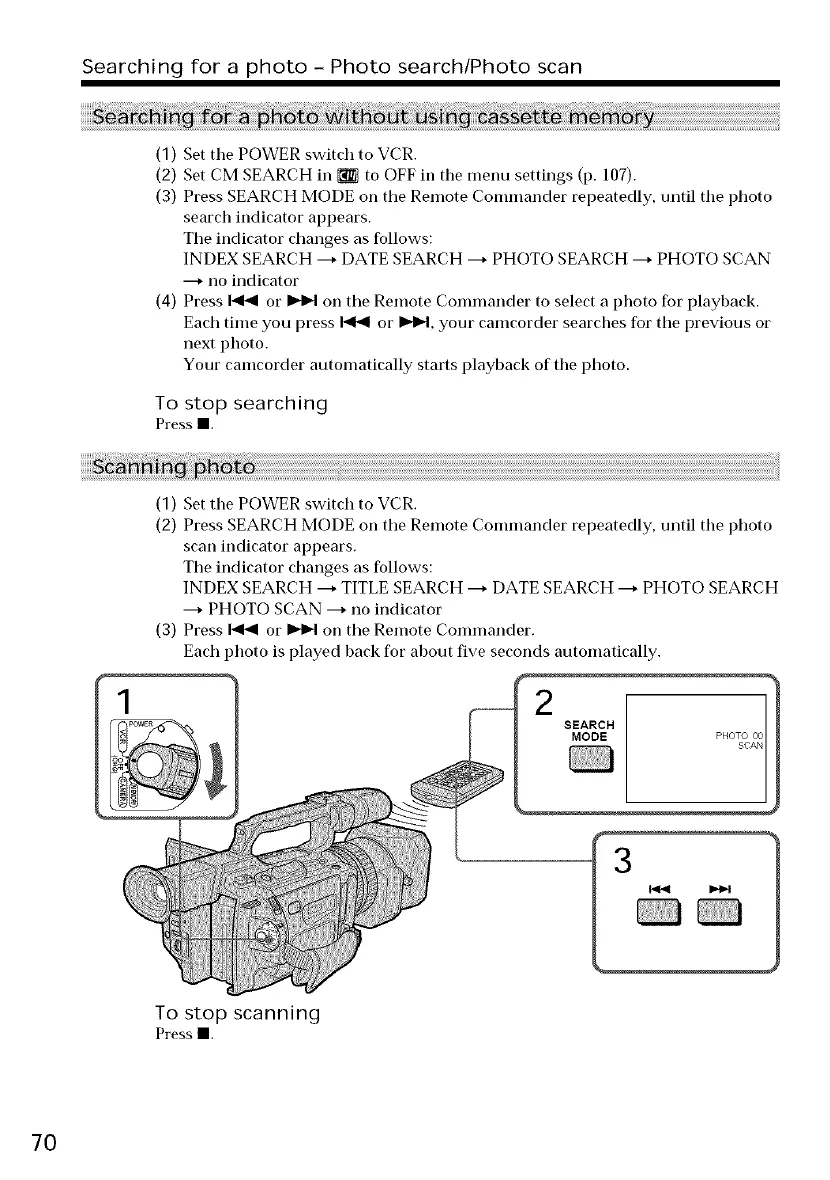
(1) Set tim POWER switch to VCR.
(2) Press SEARCH MODE on the Remote Commander repeatedly, until tim photo
scan indicator appears.
The indicator changes as follows:
INDEX SEARCH ---* TITLE SEARCH ---* DATE SEARCH ---* PHOTO SEARCH
---* PHOTO SCAN ---* no indicator
(3) Press _ or _ on the Remote Commander.
Each photo is played back for about five seconds automatically.
2
SEARCH
MODE
To stop scanning
Pressl
7O















 To Next Page