Basic Operations
23
EN
To Do this
Remove the Press § OPEN/CLOSE.
tape
Adjust the Turn VOLUME (or press
volume VOL or on the remote).
* The Automatic Music Sensor (AMS) feature
detects a blank space of more than four seconds
between tracks and locates the track quickly.
Tips
• Pressing SYSTEM POWER on the DHC-MD77/
EX77MD/EX770MD automatically turns on the
TC-TX77/TX770 deck if you connect them to each
other using the audio bus cable.
• Pressing · or ª when the power is off
automatically turns the power on and starts tape
playback if there is a tape in the deck (One Touch
Play).
• You can switch from another source to the tape
deck just by pressing · or ª (Automatic Source
Selection).
• To start playing automatically from the beginning
of the tape after fast winding (Auto Play), press
· while holding down 0 (for front side) or
press ª while holding down ) (for reverse
side).
• When you want to reduce the hiss noise in low-
level high-frequency signals, press DOLBY NR
repeatedly to select B or C.
Notes
The AMS feature may not work properly when:
– The blank space between tracks is less than four
seconds long.
– Different material is recorded on the left and right
channels (e.g., karaoke tapes with the instrumental
music and a singer’s voice, foreign language
practice tapes, etc.).
– Very low-level signals or low-frequency signals
such as a bass saxophone are continuously
recorded on the tape.
– The system is placed too close to a TV. (Move the
system away from the TV or turn off the TV.)
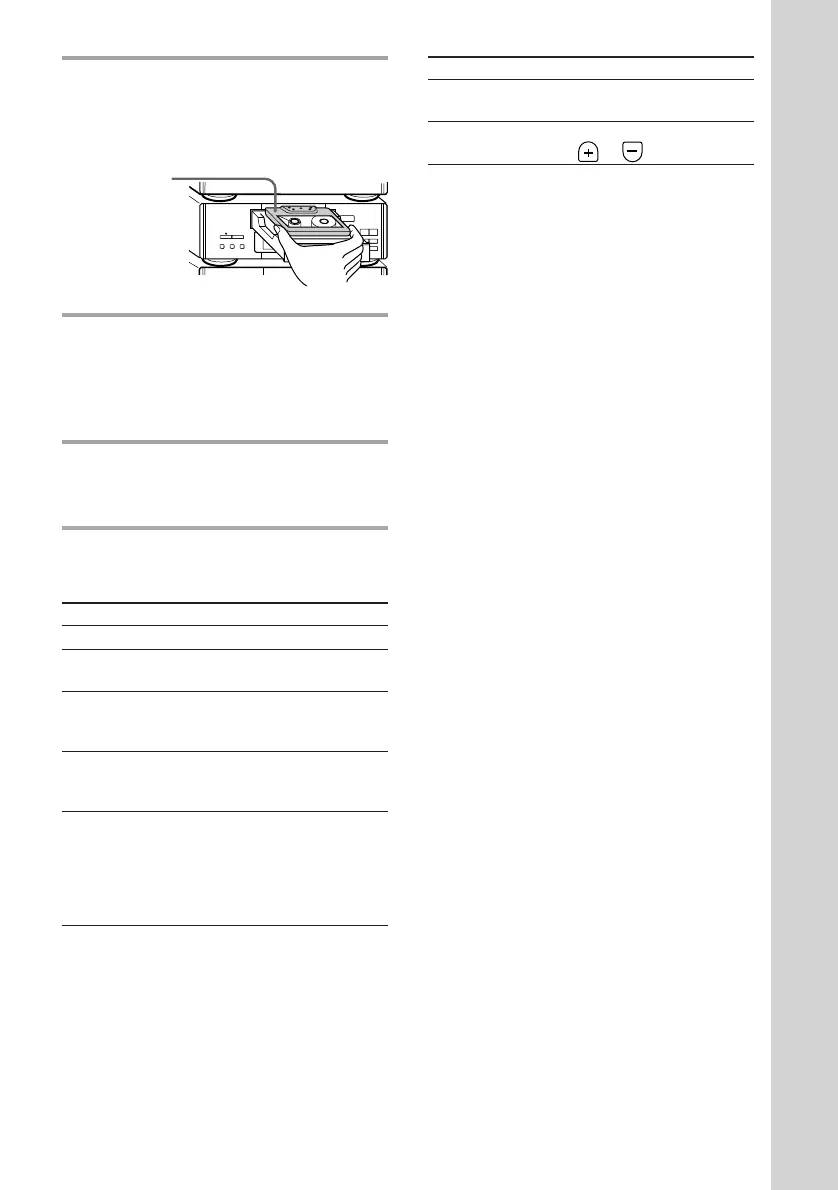
1 Press § OPEN/CLOSE on the tape
deck and insert a recorded tape.
Press § OPEN/CLOSE again to close
the tray.
2 Press DIRECTION repeatedly to
select the side you want to play.
Select A to play one side. Select Å to
play both sides once. To play both sides
in succession, select a*.
3 Press ·.
Press ª to play the reverse side.
Playback starts.
* The deck stops automatically after repeating the
sequence five times.
To Do this
Stop play Press p.
Pause Press P. Press again to
resume play.
Fast-forward Press p, then press ) (for
front side) or 0 (for reverse
side).
Rewind Press p, then press 0 (for
front side) or ) (for reverse
side).
Select a track Press ) (to go forward) or
(AMS*) 0 (to go back) during the
front side playback.
Press 0 (to go forward) or
) (to go back) during the
reverse side playback.
With the side
you want to
play facing up
® REC
0)
ª·
pP
§
OPEN/CLOSE
•
•
•
•
•
•
•
•
•
0
10









 To Next Page