40
EN
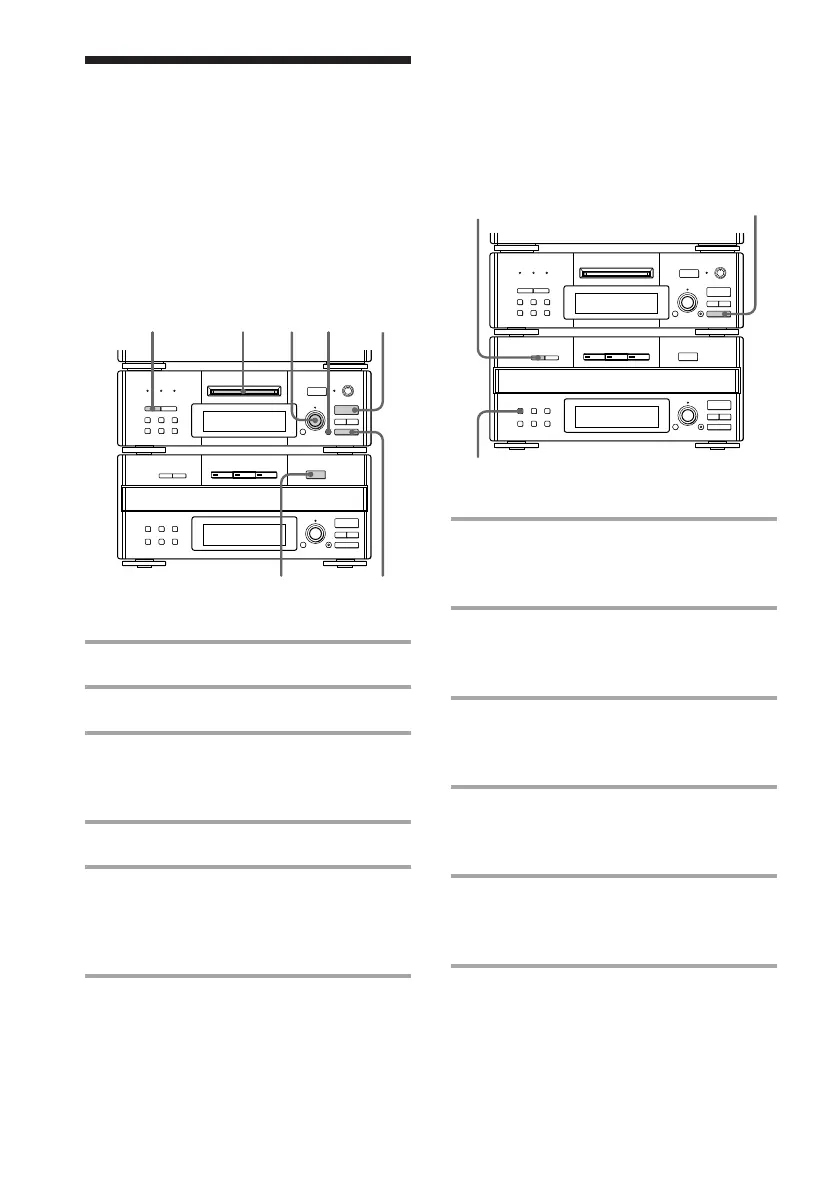
Recording from four or
more CDs
You can exchange CDs without stopping or
pausing the recording.
1 Start recording according to the
procedure described in “Recording
from three CDs.”
2 Press REPEAT on the CD player
during recording until “REPEAT”
appears.
3 Press EX-CHANGE while recording
the third track.
The disc tray opens.
4 Exchange CDs, then press
EX-CHANGE again.
The disc tray closes.
5 To record additional tracks from
other CDs, repeat steps 3 and 4
while recording the last track.
To stop recording
Press p on the MD deck.
r REC
=
SELECTOR
+
0)
p
· ∏
§
EJECT
•
•
•
•
•
•
•
•
•
0
10
=
SELECTOR
+
0)
p
· ∏
§
OPEN/CLOSE
2
3,4
p
Recording only the
first track on each CD
— Hit Parade
r REC
=
SELECTOR
+
0)
p
· ∏
§
EJECT
•
•
•
•
•
•
•
•
•
0
10
=
SELECTOR
+
0)
p
· ∏
§
OPEN/CLOSE
31345
2
p
This feature is useful when you record single
CDs in succession.
Recording from three CDs
1 Insert a recordable MD.
2 Place CDs on the disc tray.
3 Press CD SYNC, then turn
SELECTOR on the MD deck until
“HIT PARADE ?” appears.
4 Press ENTER/YES.
5 Press · ∏ on the MD deck (or P
on the remote).
Recording starts from the CD loaded on
disc tray number 1 (DISC 1).









 To Next Page