22
EN
Do this
Press p.
Press · ∏ (or P on the
remote). Press again to resume
play.
Turn SELECTOR clockwise (to
go forward) or counter-
clockwise (to go back) and
release it when you locate the
desired track (or press +
or
= on the remote).
Press ) or 0 during play
and release it at the desired
point.
Press § EJECT.
Turn VOLUME (or press VOL
or on the remote).
2 Press · ∏ (or · on the remote).
Playback starts.
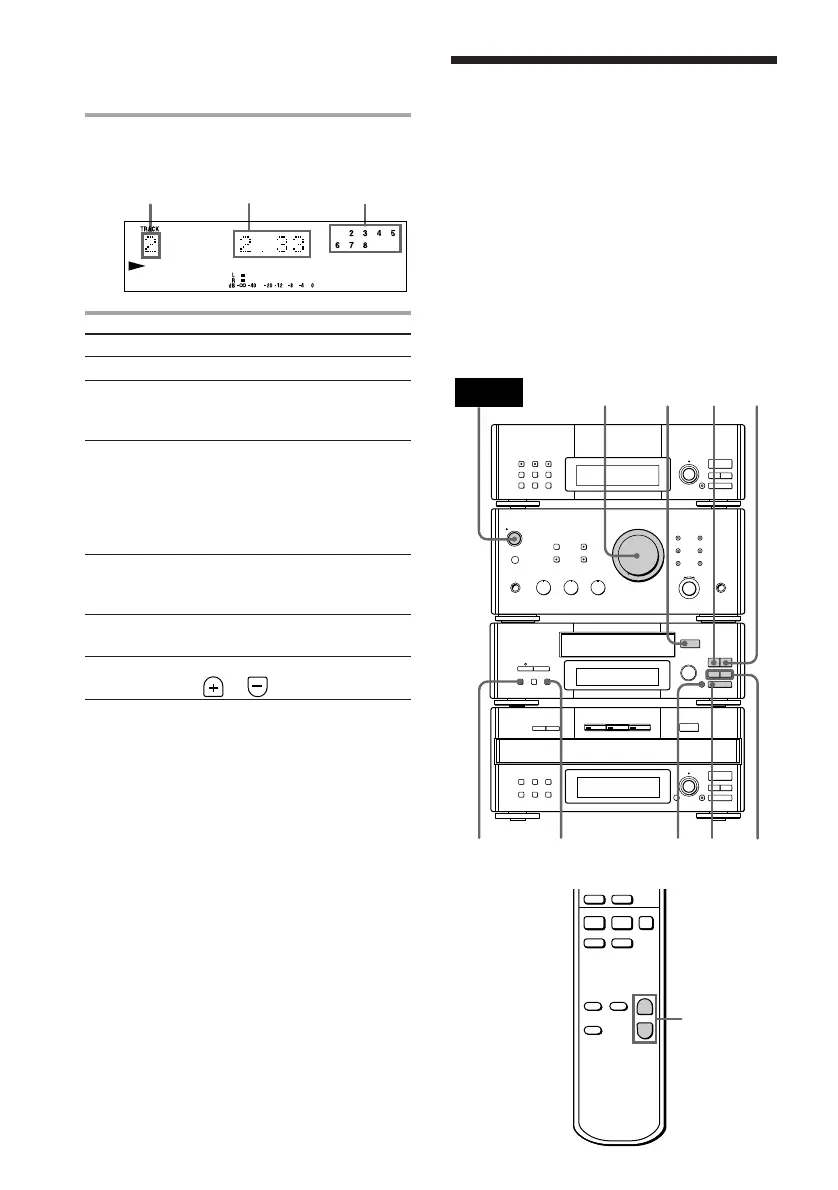
To
Stop play
Pause
Select a track
Find a point
in a track
Remove the
MD
Adjust the
volume
Tips
• You can start playing from the desired track.
Before pressing · ∏ in step 2, turn SELECTOR
until the desired track appears.
• Pressing · ∏ when the power is off
automatically turns the power on and starts MD
playback if there is an MD in the deck (One Touch
Play).
• You can switch from another source to the MD
deck and start playing an MD just by pressing
· ∏ (Automatic Source Selection).
• Inserting an MD when the power is off
automatically turns the power on.
Music calendarPlaying timeTrack number
Playing a tape
(MHC-EX66/EX660 or the optional
TC-TX77/TX770 users only)
You can use any type of tape, TYPE-I
(normal), TYPE-II (CrO
2) and TYPE-IV
(metal), since the deck automatically detects
the tape type (ATS*).
MHC-EX66/EX660 is used for illustration
purpose.
* The Automatic Tape Selection (ATS) feature
automatically sets the equalization and bias to
match the inserted tape type.
=
SELECTOR
+
0
0/)
)
p
p
· ∏
ª
§
OPEN/CLOSE
0)
ª·
pP
§
OPEN/CLOSE
•
•
•
•
•
•
•
•
•
0
10
POWER
31
2
VOLUME
DOLBY NR
P
Playing an MD (continued)









 To Next Page