65
EN
r REC
=
SELECTOR
+
0)
p
· ∏
§
EJECT
•
•
•
•
•
•
•
•
•
0
10
§
OPEN/CLOSE
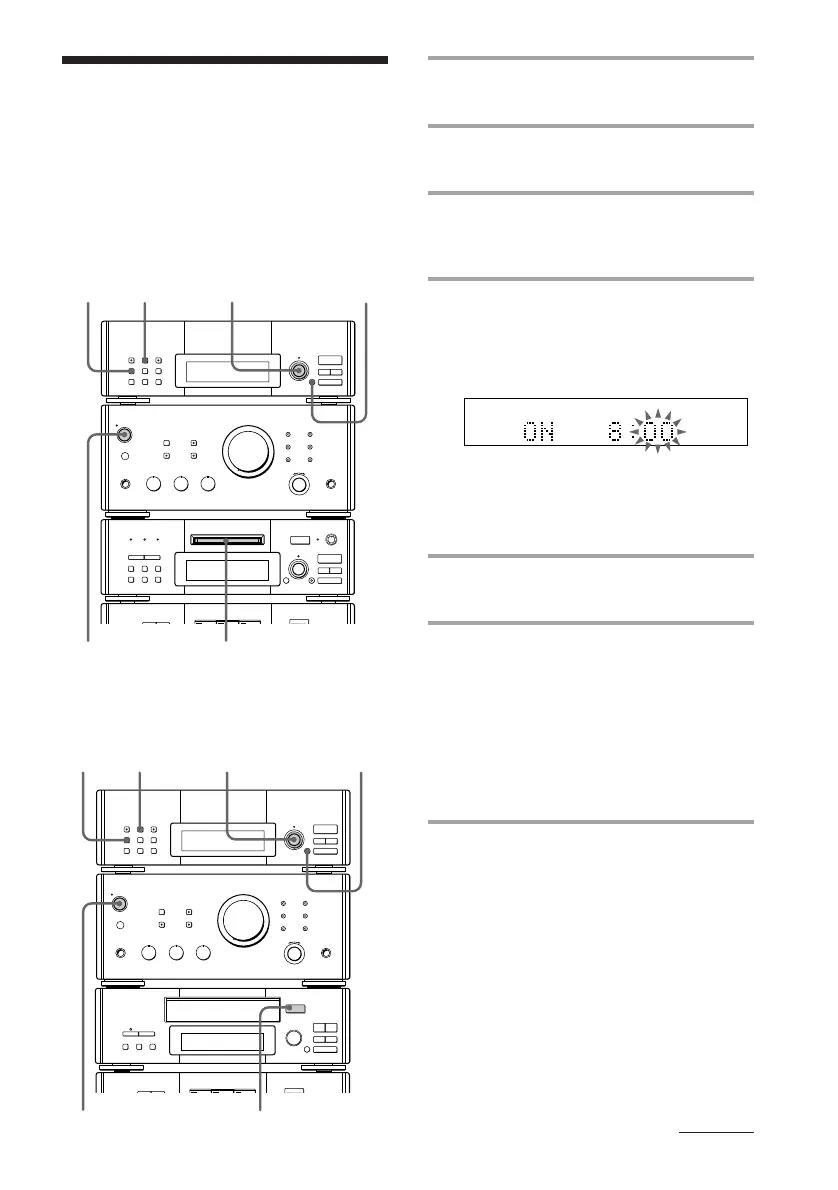
2 3 4,5,6 4,5,7
98
Timer-recording radio
programs
1 Tune in the preset radio station (see
page 24).
2 Press TIMER SET.
“Select timer” appears.
3 Press REC.
The indicator lights up and the hour
indication flashes.
4 Set the time to start recording.
Turn MULTI CONTROLLER to set the
hour, then press ENTER/NEXT.
The minute indication starts flashing.
Turn MULTI CONTROLLER to set the
minute, then press ENTER/NEXT.
“OFF” appears and the hour indication
flashes again.
5 Set the time to stop recording
following the procedure in step 4.
6 For DHC-MD77/EX77MD/
EX770MD:
Turn MULTI CONTROLLER and
select “TUNER to MD.”
For MHC-EX66/EX660:
Turn MULTI CONTROLLER and
select “TUNER to TAPE.”
7 Press ENTER/NEXT.
The start time, followed by the stop time,
the recording source and the preset
number appears, then the original
display appears.
§
OPEN/CLOSE
0)
ª·
pP
§
•
•
•
•
•
•
•
•
•
0
10
23
4,5,6
4,5,7
98
To timer-record, you must preset the radio
station (see page 10) and set the clock (see
page 9) beforehand.
For DHC-MD77/EX77MD/EX770MD
For MHC-EX66/EX660
continued









 To Next Page