26
EN
=
SELECTOR
+
0)
p
· ∏
§
EJECT
•
•
•
•
•
•
•
•
•
0
10
r REC
=
SELECTOR
+
0)
p
· ∏
§
OPEN/CLOSE
p
157
6
4
23
POWER
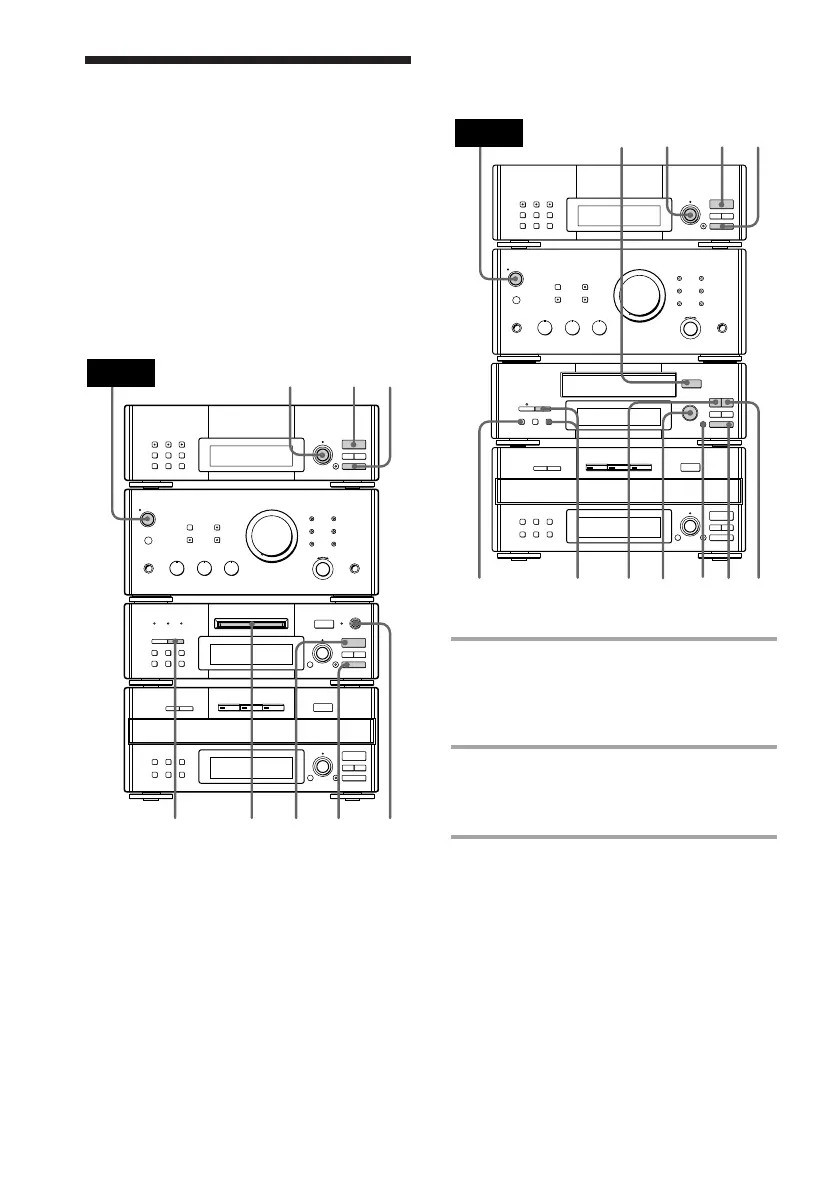
Recording from the
radio
MHC-EX66/EX660 or the TC-TX77/TX770
users
1 Insert a recordable MD or a blank
tape.
To insert an MD, see page 19.
To insert a tape, see page 20.
2 Press TUNER/BAND (or BAND on
the remote) repeatedly until the
band you want appears.
3 For European model:
Press TUNING MODE repeatedly
until “PRESET” appears.
For other models:
Press PRESET.
You can record a radio program on an MD
(DHC-MD77/EX77MD/EX770MD) or on a
tape (MHC-EX66/EX660 or the TC-TX77/
TX770 users) by calling up the preset station.
To record after erasing all tracks on an MD,
see page 46 (DHC-MD77/EX77MD/
EX770MD only).
DHC-MD77/EX77MD/EX770MD
=
SELECTOR
+
0)
p
· ∏
§
OPEN/CLOSE
0)
ª·
pP
§
OPEN/CLOSE
•
•
•
•
•
•
•
•
•
0
10
POWER
p
ª
5
7
7
6
4
1
23
DOLBY NR









 To Next Page