59
EN
Station name
(if you put one)
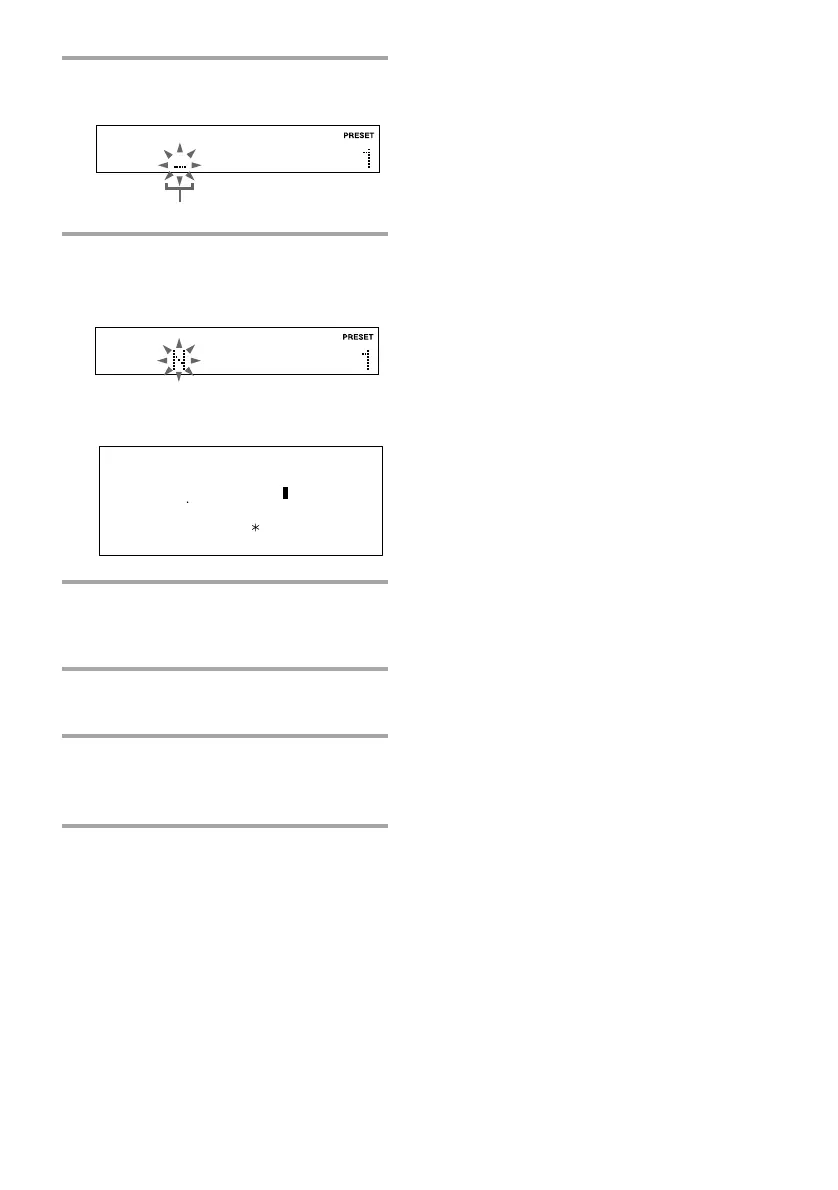
4 Press NAME IN.
The cursor starts flashing.
5 Turn MULTI CONTROLLER until
the desired character appears.
The selected character is flashing.
You can use the following characters
and symbols:
6 Press ENTER/NEXT.
The cursor shifts rightward and starts
flashing.
7 Repeat steps 5 and 6 to complete the
name.
8 Press ENTER/NEXT repeatedly
until “FILE” appears to store the
name.
Cursor
To cancel labeling
Press NAME IN.
To erase the name
Start over from step 1 and enter spaces to the
characters you want to erase.
To check the name
Press DISPLAY.
Each time you press the button, the display
changes as follows:
Preset number and ˜
the frequency
A B C D E F G H I J K L M N O P Q R S T
U V W X Y Z [ \ ] - ll a b c d e f g h i j k l m
n o p q r s t u v w x y z { l } ¯ á à é è í ì ó ò
ú ù Ñ Ç S ß I IJ â ä ê ë î ï ô ö û ü ñ ç s g ¡
(space) ! ” # ¤ % & ’ ( ) + , – . / 0 1 2 3 4 5
6 7 8 9 : ; < = > ? @
¸ ¸
˘



 To Next Page