Recording moving images
Moving images with audio are recorded in MPEG format (page 39).
To record moving images, slide the POWER switch in the direction of the arrow to
turn on the power and insert a “Memory Stick.”
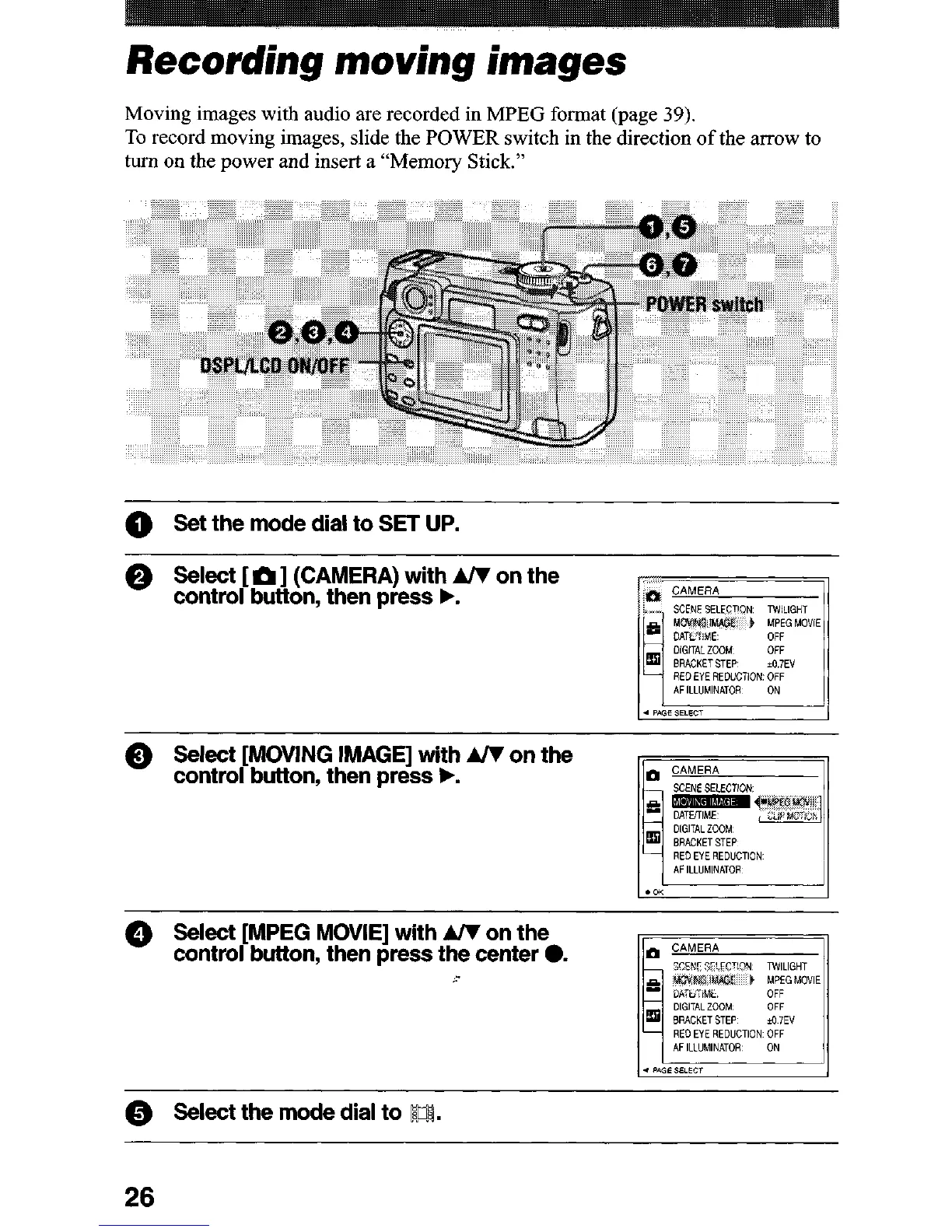
0 Set the mode dial to SET UP.
@ Select [MPEG MOVIE] with AR on the
control but&on, then press the center 0.
Pxw S~‘LCT!9N TWLIGHT
DlGlTALZOOM OFF
RED EYE REmmON OFF
0 !Select the mode dial to B.
26












 To Next Page