Setting the date and time
When you first use your camera, set the date and time. If these are not set, the
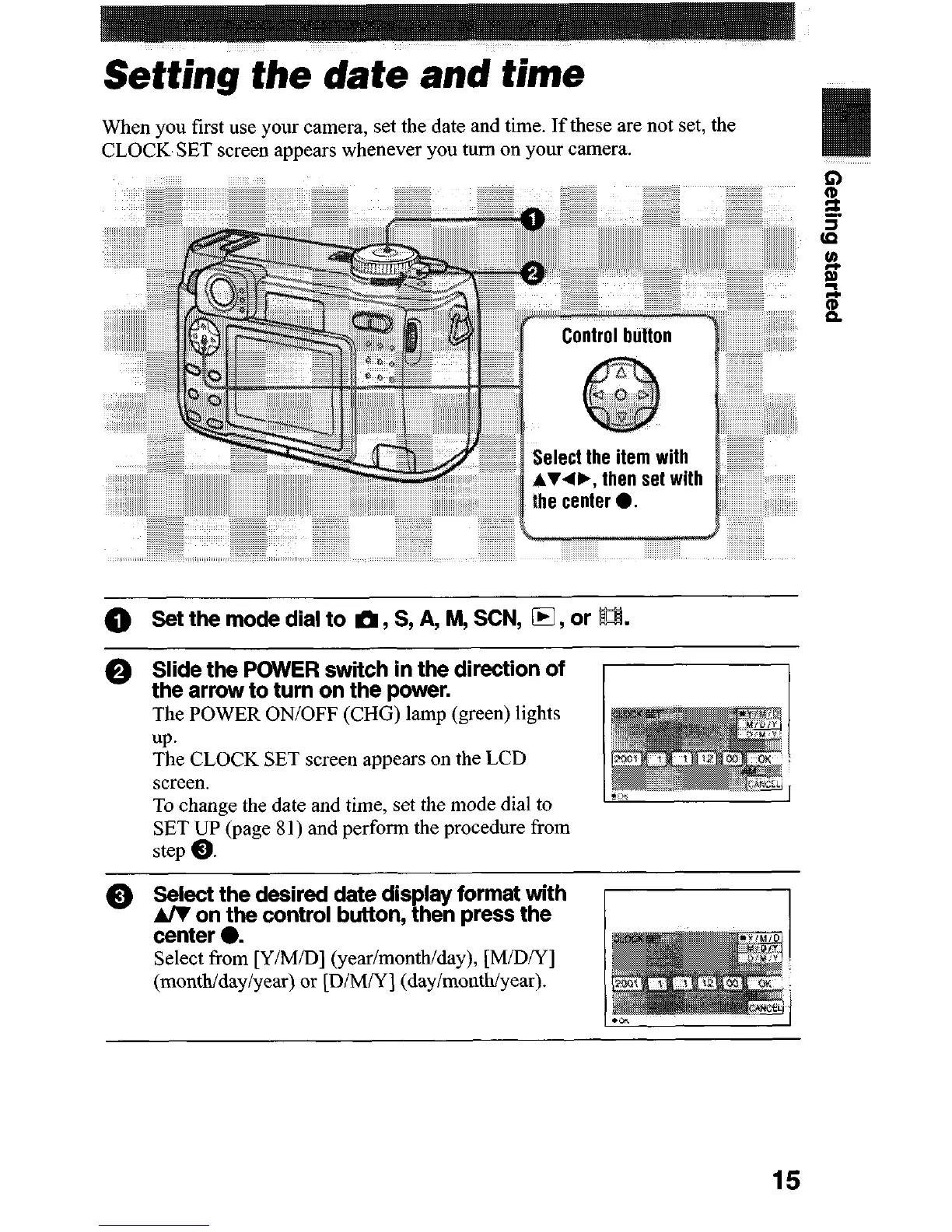
CLOCK SET screen appears whenever you turn on your camera.
Select the item with
then
set with
0
Set the mode dial to m, S, A, M, SCN, 0, or IL%
0 Slide the POWER switch in the direction of
the arrow to turn on the power.
The POWER ON/OFF (CH6) lamp (green) lights
up.
The CLOCK SET screen appears on the LCD
screen.
To change the date and time, set the mode dial to
SET UP(page 8 1) and perform the procedure from
step 0.
0
Select the desired date display format with
A/V on the control button, then press the
center 0.
Select from [Y/M/D] (year/month/day), [M/DA’]
(month/day/year) or [D/MN] (dayimonthiyear).
15












 To Next Page