Viewing images on a
TV screen
Modedial: H
Before connecting your camera, be
sure to turn off the TV.
1
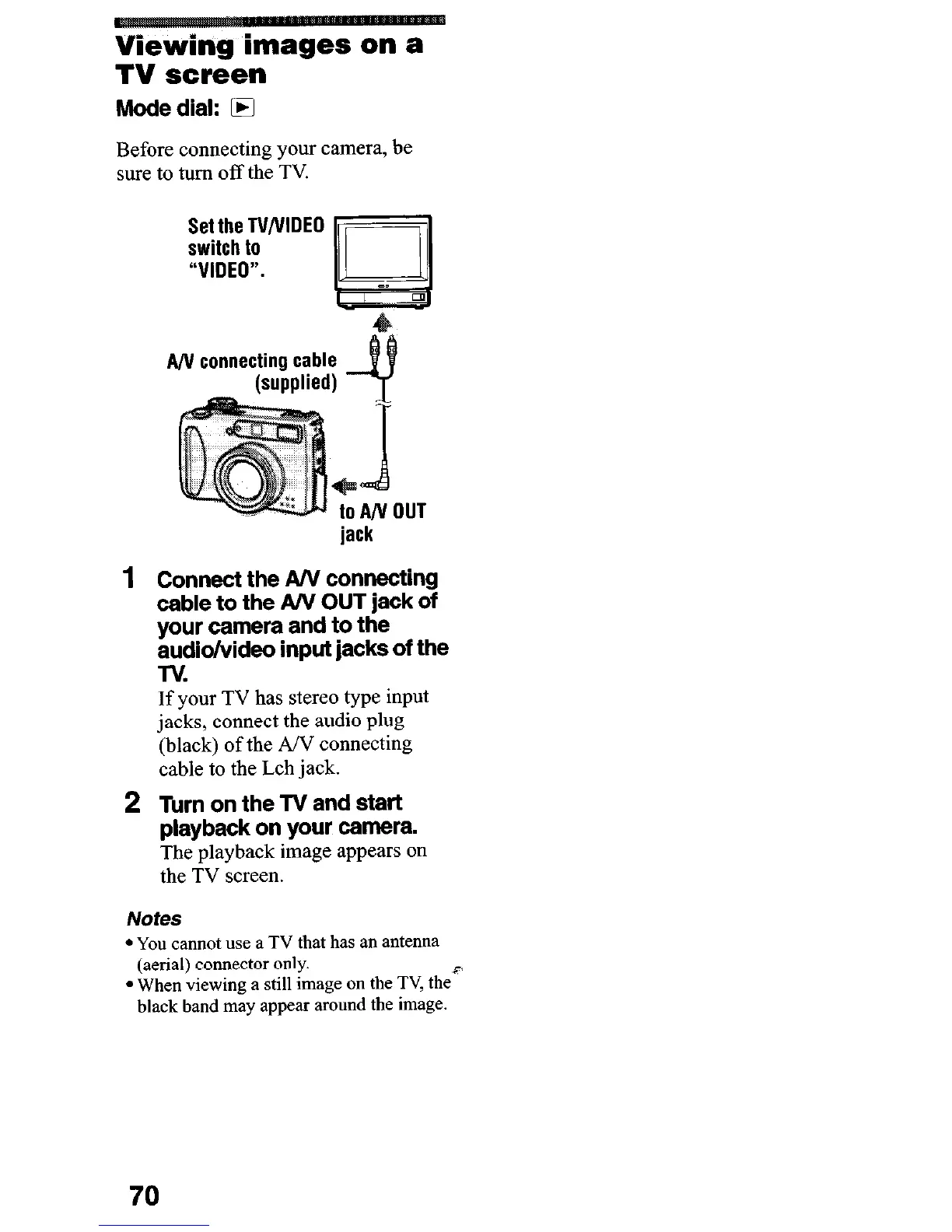
Set the TV/VIDEO
switch to
“VIDEO”.
Y
=I
jack
Connect the A/V connecting
cable to the A/V OUT jack of
your camera and to the
audio/video input jacks of the
TV.
If your TV has stereo type input
jacks, connect the audio plug
(black) of the AN connecting
cable to the Lch jack.
2 Turn on the TV and start
playback on your camera.
The playback image appears on
the TV screen.
Notes
l You cannot
use a
TV
that
has an antenna
(aerial) connector only.
P
l When viewing a still image on the TV, the
black band may appear around the image.
70












 To Next Page