The number of Clip Motion frames
that you can record on a “Memory
to the subject
Mode dial: ~~/S/NM/SCN
Normally the focus is automatically
adjusted. This function is useful when
the auto focus does not work well such
as in dark places.
* The numbers in the parentheses indicate
the number of images or the amount of
recordable time on a “Memory Stick” (16
MB).
* * When recording 10 frames per Clip
Motion file
Notes
l You cannot change the image size partway
through a Clip Motion recording.
l Reading and writing data take more time
than normal image recording.
1
*Due to the limitations of the GIF format,
the number of colors for Clip Motion
images is reduced to 256 colors or less.
2
Therefore, the picture quality may
deteriorate for some images.
l The file size is reduced in MOBILE mode,
3
so the picture quality deteriorates.
l GIF tiles not created on this camera may
not be displayed correctly.
l All the frame images are immediately
recorded on the “Memory Stick” if the
mode dial is switched or the power is
turned off.
3
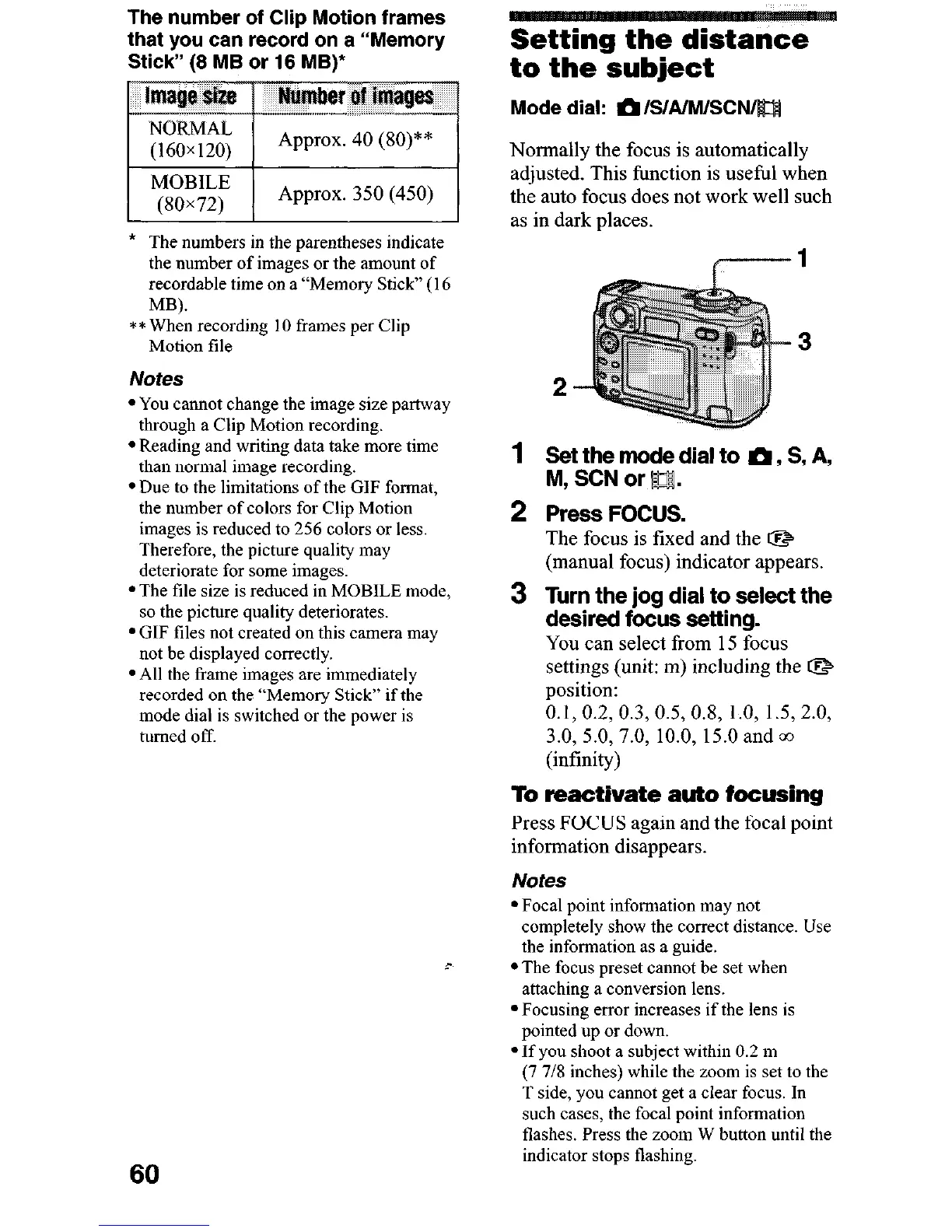
2
Set the mode dial to m, S, A,
M, SCN or a.
Press FOCUS.
The focus is fixed and the C@
(manual focus) indicator appears.
Turn the jog dial to select the
desired focus setting.
You can select from 15 focus
settings (unit: m) including the CQ
position:
0.1,0.2,0.3,0.5,0.8, 1.0, 1.5,2.0,
3.0, 5.0,7.0, 10.0, 15.0 and 30
(infinity)
60
To reactivate auto focusing
Press FOCUS again and the focal point
information disappears.
Notes
I
l Focal point information may not
completely show the correct distance. Use
the information as a guide.
*The focus preset cannot be set when
attaching a conversion lens.
l Focusing error increases if the lens is
pointed up or down.
*If you shoot a subject within 0.2 m
(7 718 inches) while the zoom is set to the
T side, you cannot get a clear focus. In
such cases, the focal point information
flashes, Press the zoom W button until the
indicator stops flashing.












 To Next Page