Copying images
(COPY)
Mode dial: m
You can copy images to another
“Memory Stick.”
Set the mode dial to 0, then
display the image which you
want to copy.
Press MENU.
The menu appears.
Select [COPY] with *, [OKI
with A/V, then press 0.
“MEMORY STICK ACCESS”
appears.
When “CHANGE MEMORY
STICK” appears, eject the
“Memory Stick”
“INSERT MEMORY STICK”
appears.
Insert the “Memory Stick” on
which to copy the image.
“RECORDING” appears. When
copying is completed,
“COMPLETE” appears.
To end copying, select [EXIT]
with UI, then press
l
.
To copy the image to
another “Memory Stick”
Select [CONTINUE] with A/I, press
0, then repeat steps 4 and 5.
WV
W
2,5
1
2
3
4
5
6
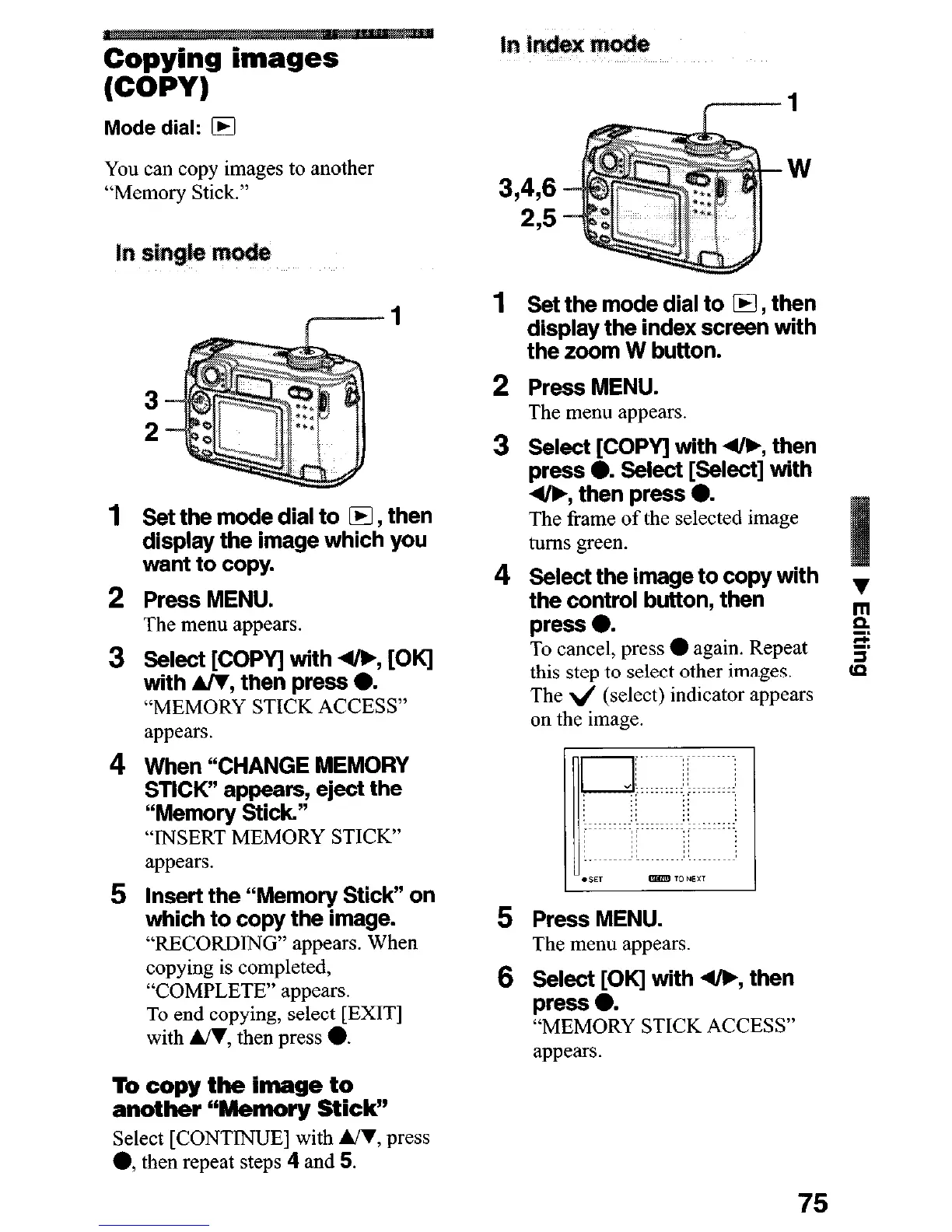
Set the mode dial to m, then
display the index screen with
the zoom W button.
Press MENU.
The menu appears.
Select [COPY] with 4&, then
press 0. Select [Select] with
4/b, then press 0.
The frame of the selected image
turns green.
Select the image to copy with
the control button, then
press 0.
To cancel, press
l
again. Repeat
this step to select other images.
The 4 (select) indicator appears
on the image.
Press MENU.
The menu appears.
Select [OK] with 4lF, then
press 0.
“MEMORY STICK ACCESS”
appears.
75












 To Next Page