When viewing moving images on a Windows system, RealPlayer, Windows Media
Player or other moving image playback applications must be installed. When viewing
moving images on a Macintosh system, QuickTime3.0 or later must be installed.
@ Turn on the power of your personal computer and allow Windows
or Mac OS to load.
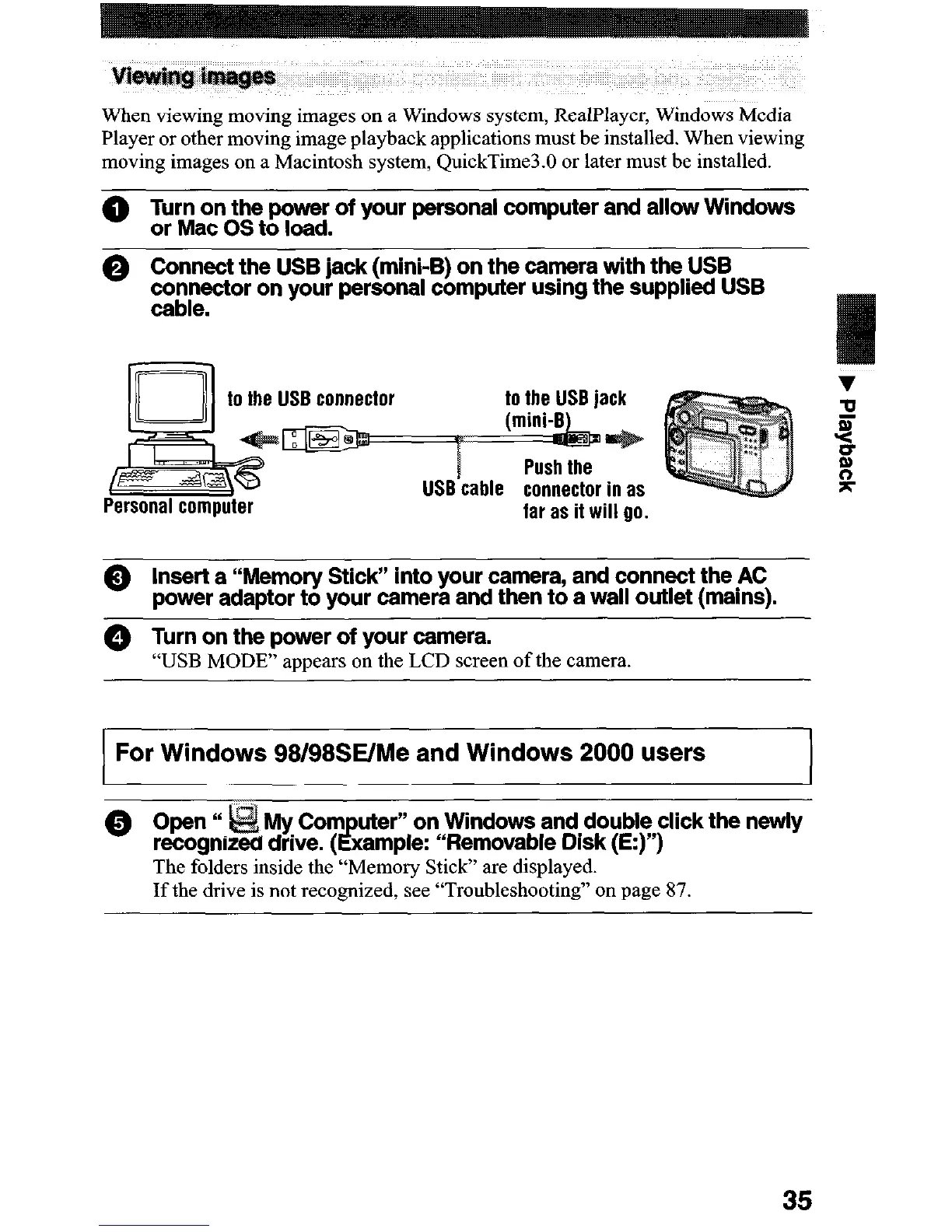
0 Connect the USB jack (mini-B) on the camera with the USB
co%re”“f”r on your personal computer usmg the supplied USB
to the USB connector
v
w
r
-z
II
P
s:
Personal computer
far as it will 00.
@ Insert a “Memory Stick” into your camera, and connect the AC
power adaptor to your camera and then to a wall outlet (mains).
@ Turn on the power of your camera.
“USB MODE” appears on the LCD screen of the camera.
For
Windows
98/98SE/Me and Windows 2000 users
on Windows and double click the newly
le: “Removable Disk (E:)“)
The folders inside the “Memory Stick” are displayed.
If the drive is not recognized, see “Troubleshooting” on page 87.
35












 To Next Page