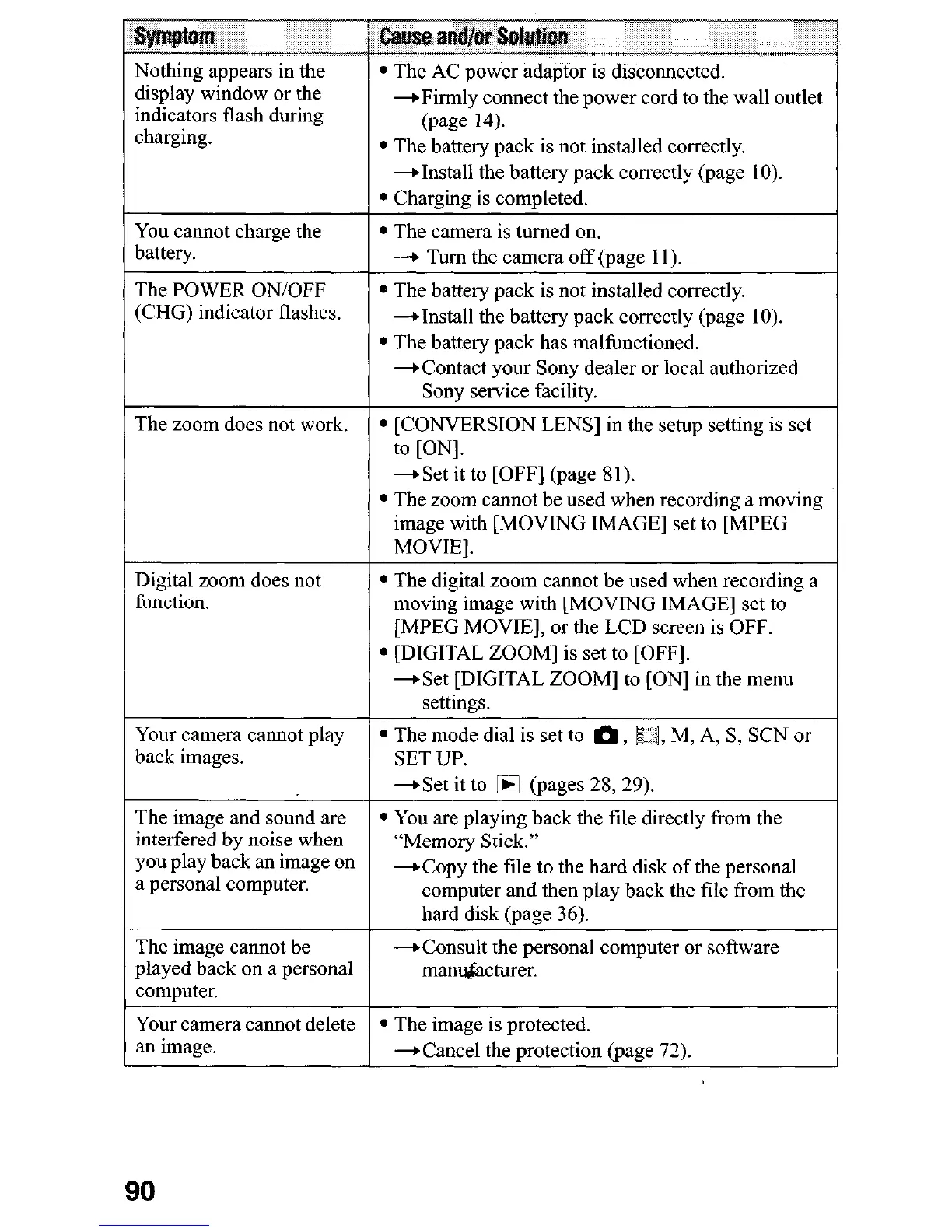
Nothing appears in the
display window or the
indicators flash during
charging.
/
The POWER ON/OFF
(CHG) indicator flashes.
-Firmly connect the power cord to the wall outlet
(page 14).
l
The battery pack is not installed correctly.
-+Install the battery pack correctly (page IO).
l
Charging is completed.
l
The camera is turned on.
-+ Turn the camera off (page 11).
* The battery pack is not installed correctly.
-+Install the battery pack correctly (page 10).
l
The battery pack has malfunctioned.
-Contact your Sony dealer or local authorized
Sony service facility.
The zoom does not work.
Digital zoom does not
function.
Your camera cannot play
back images.
l
[CONVERSION LENS] in the setup setting is set
l
The digital zoom cannot be used when recording a
moving image with [MOVING IMAGE] set to
[MPEG MOVIE], or the LCD screen is OFF.
l
[DIGITAL ZOOM] is set to [OFF].
-Set [DIGITAL ZOOM] to [ON] in the menu
settings.
l
The mode dial is set to m, Eq, M, A, S, SCN or
SET UP.
1 -Set it to m (pages 28, 29).
The image and sound are
interfered by noise when
you play back an image on
a personal computer.
The image cannot be
played back on a personal
computer.
Your camera cannot delete
an image.
l
You are playing back the file directly from the
“Memory Stick.”
+Copy the tile to the hard disk of the personal
computer and then play back the tile from the
hard disk (page 36).
-+Consult the personal computer or software
mant&acturer.
l
The image is protected.
*Cancel the protection (page 72).
90












 To Next Page