Mounting on Video Camera
13
Mounting on Video
Camera
This unit is dockable with the DXC-D50 series digital
video camera.
Note
Turn the POWER switch off before mounting the unit on
the camera.
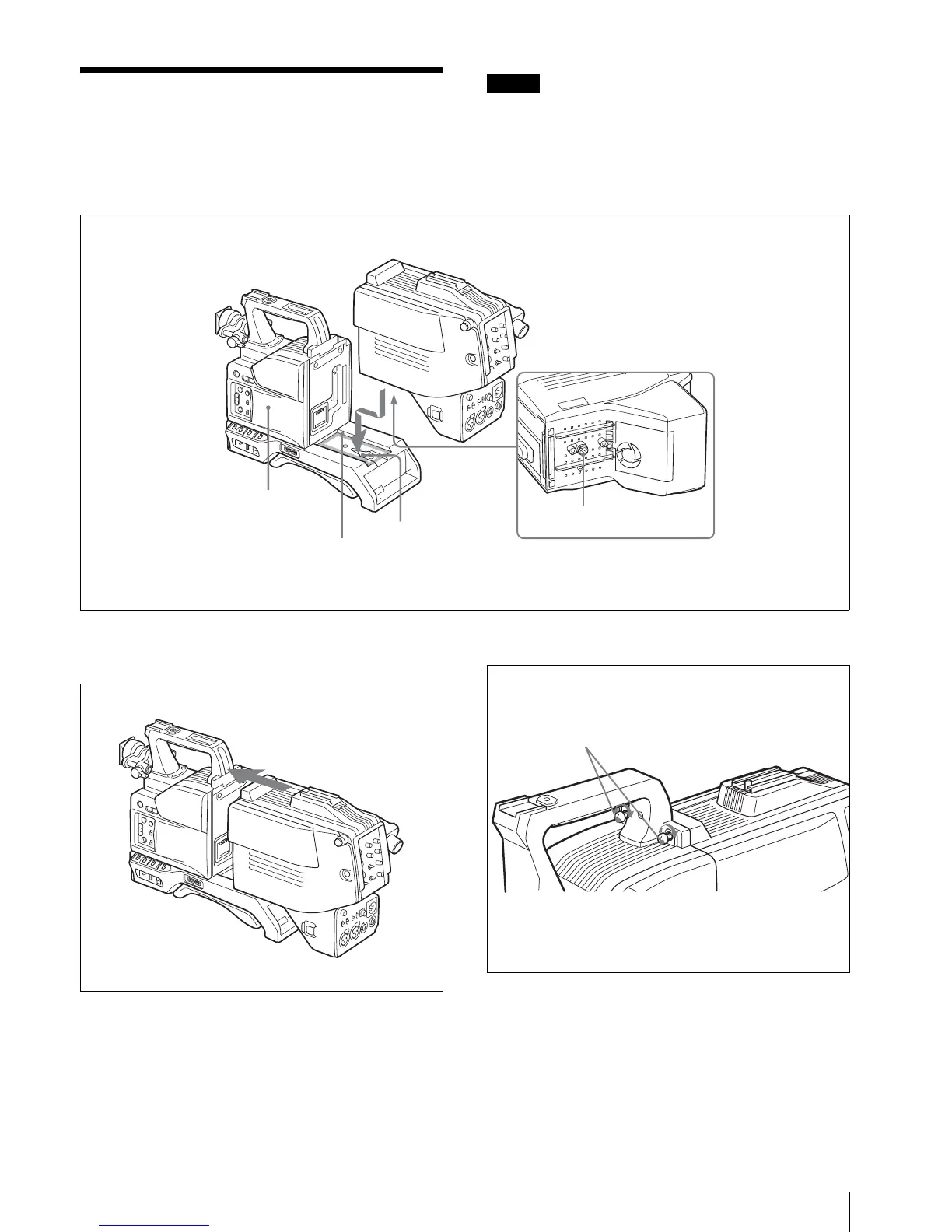
1
Fit the projection on the bottom of this unit into the
slot on the camera.
2
Slide the unit along the groove on the camera, and
press firmly until fixed.
3
Tighten the two screws (M4 × 12) in the figure.
Projection
Slot
Groove
Camera
M4 × 12 screws



 To Next Page