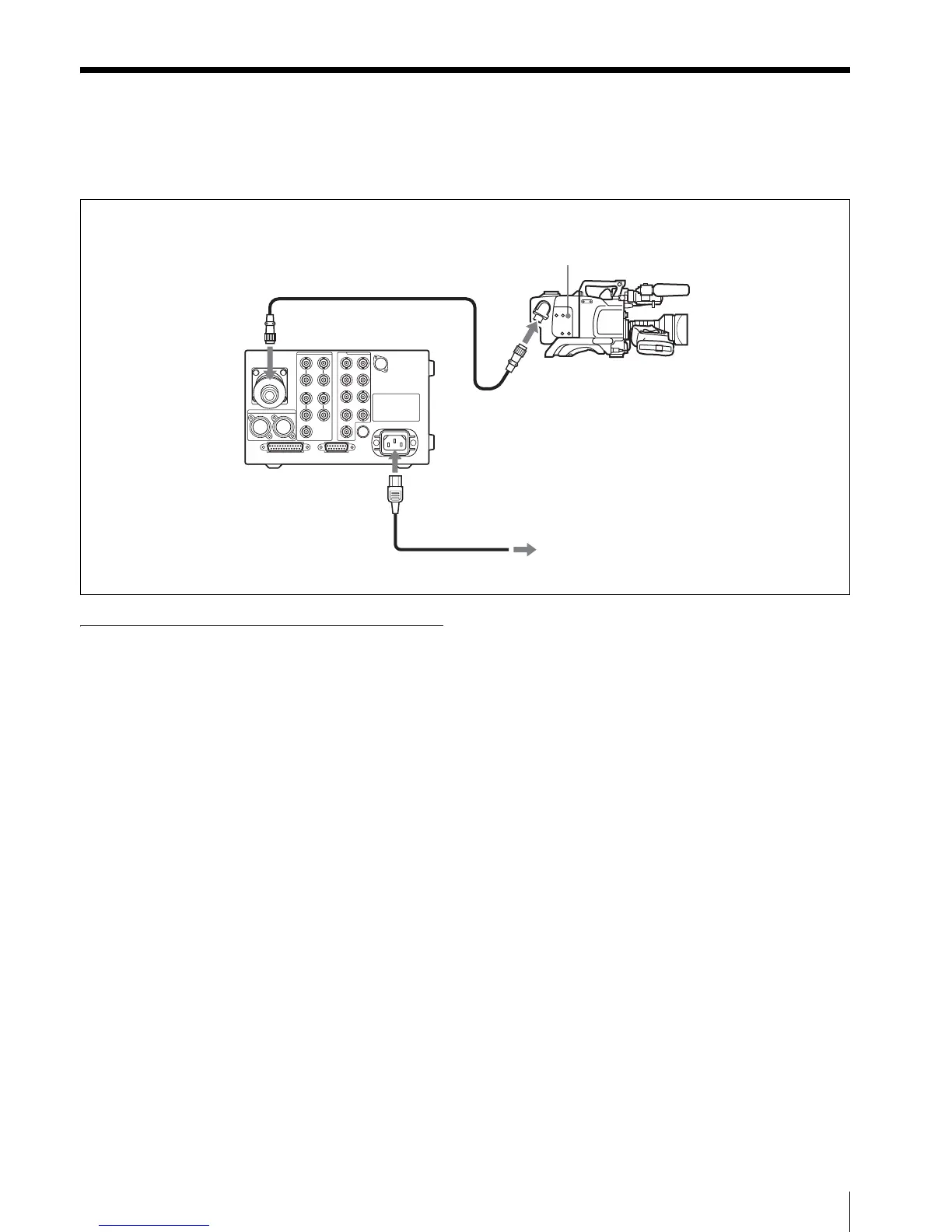
Connecting the CCU-TX50/50P to the Video Camera
15
Connecting the CCU-TX50/50P to the Video Camera
When connecting a CCU-TX50/50P to a DXC-D50
Color Video Camera, you must first attach the CA-
TX50/50P Camera Adaptor to the video camera.
Notes on connections
Triaxial cable
The triaxial cable should never be connected to or
disconnected from the CCU-TX50/50P when the power
is turned on. Always turn the unit off first.
Video camera
Some switches or controls on the video camera may not
work when the camera is connected to the CCU-TX50/
50P.
For details, refer to Operation Manuals of the video camera
and the camera adaptor.
CA-TX50
DXC-D50
To an AC power source
Triaxial cable
CCU-TX50/50P



 To Next Page