Chapter 2 Fitting and Connections
32 Chapter 2 Fitting and Connections
Using Accessories
Left eye adaptor
By fitting a left eye adaptor, you can use the camera
with your left eye to the viewfinder.
CAC-12
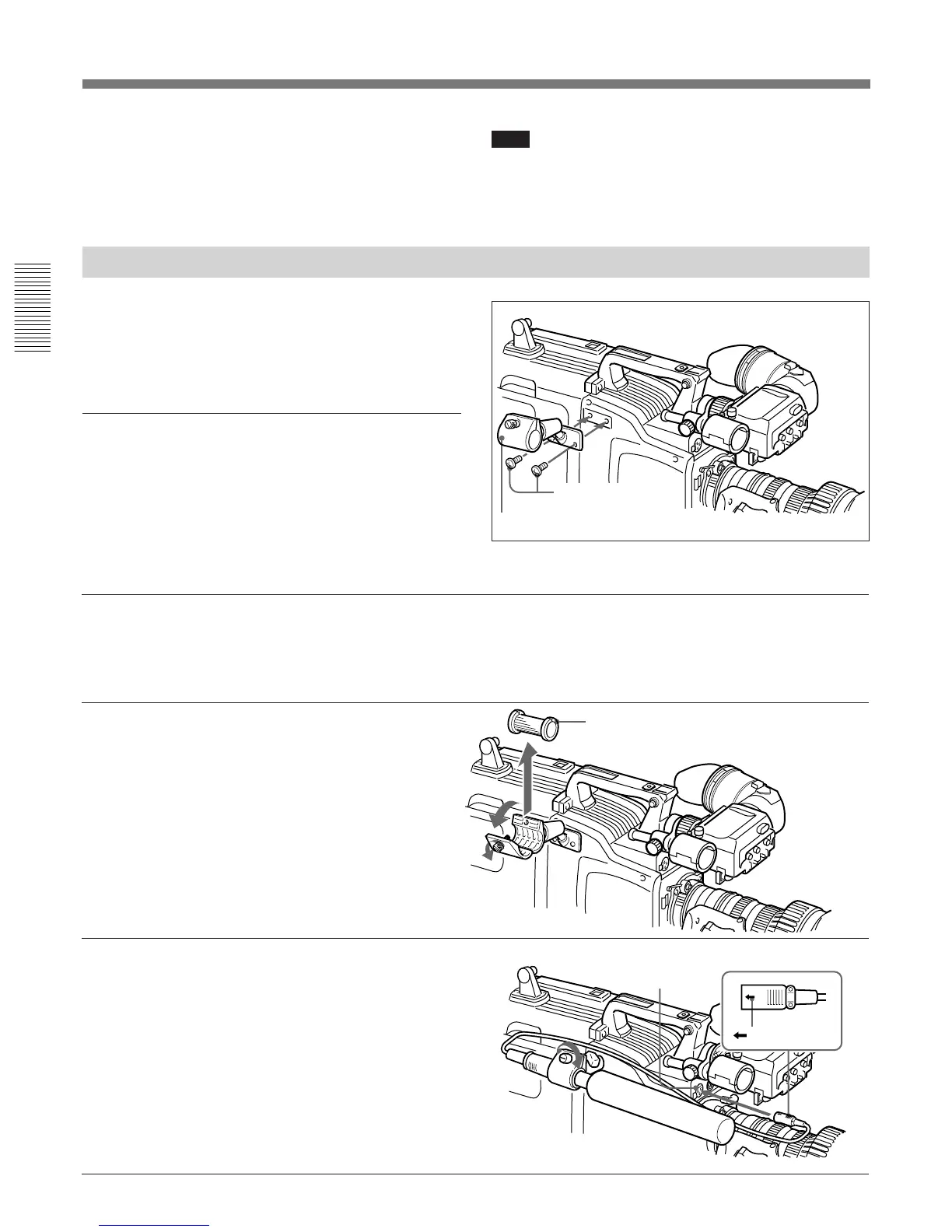
Fitting an optional microphone
Use the following procedure to attach an optional
ECM-670 Microphone.
1 Loosen the screw of the CAC-
12 Microphone Holder, then
open the holder and replace the
microphone adaptor with the
one supplied with the ECM-
670 Microphone.
2 Insert the microphone in the
microphone holder, close the
holder, and tighten the screw.
Connect the microphone cable
to the MIC IN +48 V
connector.
Microphone adaptor
MIC IN +48 V
connector
Mark
Note
You cannot stow the camera attached with a left eye
adaptor in the LC-HB330 Carrying Case.
For details, consult your Sony dealer.
Using an Optional Microphone
To use a long microphone such as the optional ECM-
670/672, fit an optional CAC-12 Microphone Holder
to the camera, then mount the microphone in this
holder.
Fitting the optional CAC-12 Microphone
Holder
Remove the two retaining screws (M3 × 8) for the
optional microphone holder, then use these screws to
attach the CAC-12 Microphone Holder.
Screws removed
from the camera



 To Next Page