Chapter 2 Fitting and Connections
26 Chapter 2 Fitting and Connections
Camera head
connection plate
Shoulder strap
fitting
VTR connection
plate
Using the Camcorder Grip
When using the camera head with a VTR as a
camcorder, you can replace the camera head’s grip
with a camcorder grip (not supplied). The type of
camcorder grip and the method for attaching it differ
slightly depending on the type of VTR.
Attaching a camcorder grip to the DSR-1/1P
The CAC-H101 (optional) is required.
1 Adjust the viewfinder to the
full-forward position.
For details, see “Adjusting the
viewfinder position” on page 31.
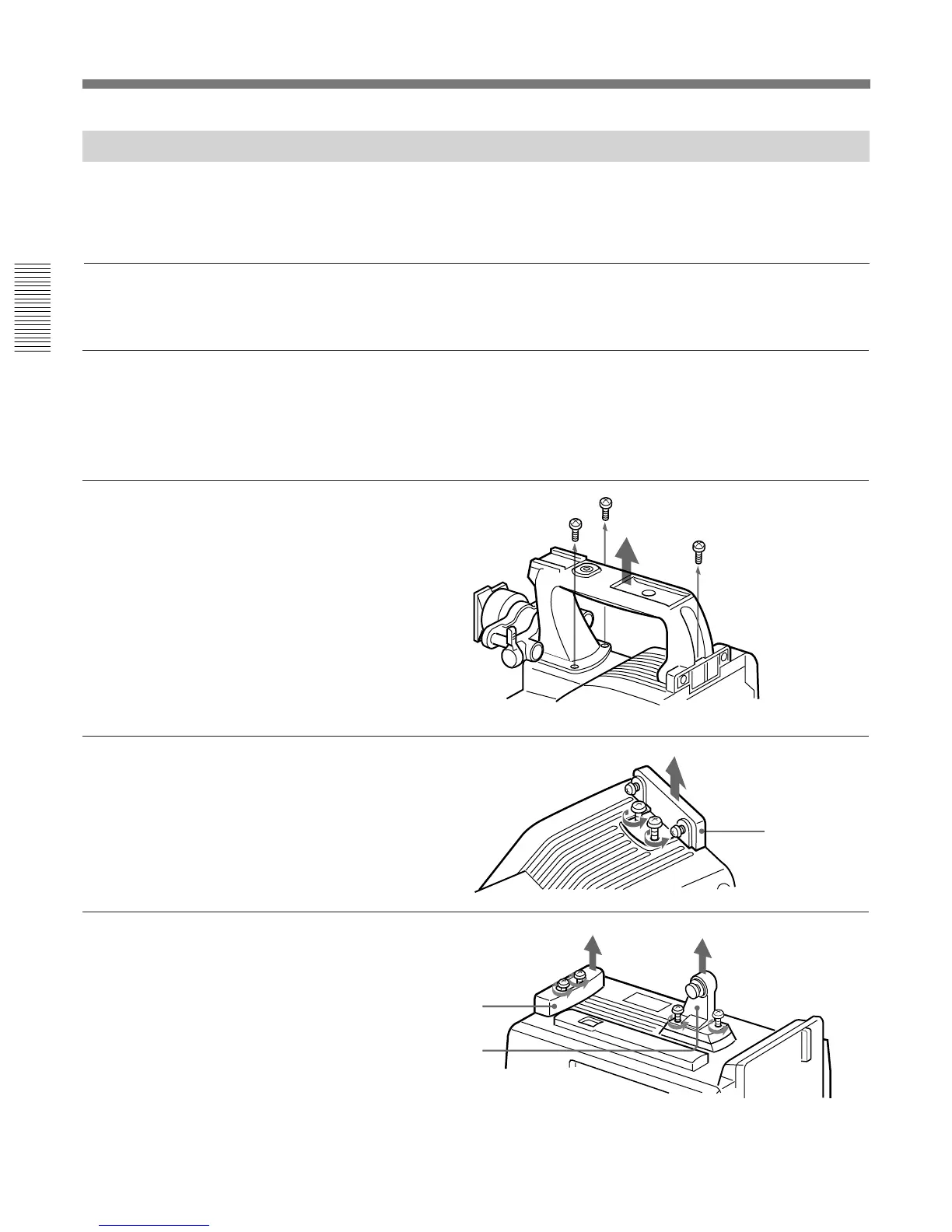
2 Remove the camera head
grip’s three screws, then pull
up the grip to remove it.
3 Remove the VTR connection
plate.
4 Remove the DSR-1/1P’s
shoulder strap fitting and the
camera head connection plate.
Fitting a VTR



 To Next Page