Chapter 1 Overview
Chapter 1 Overview 15
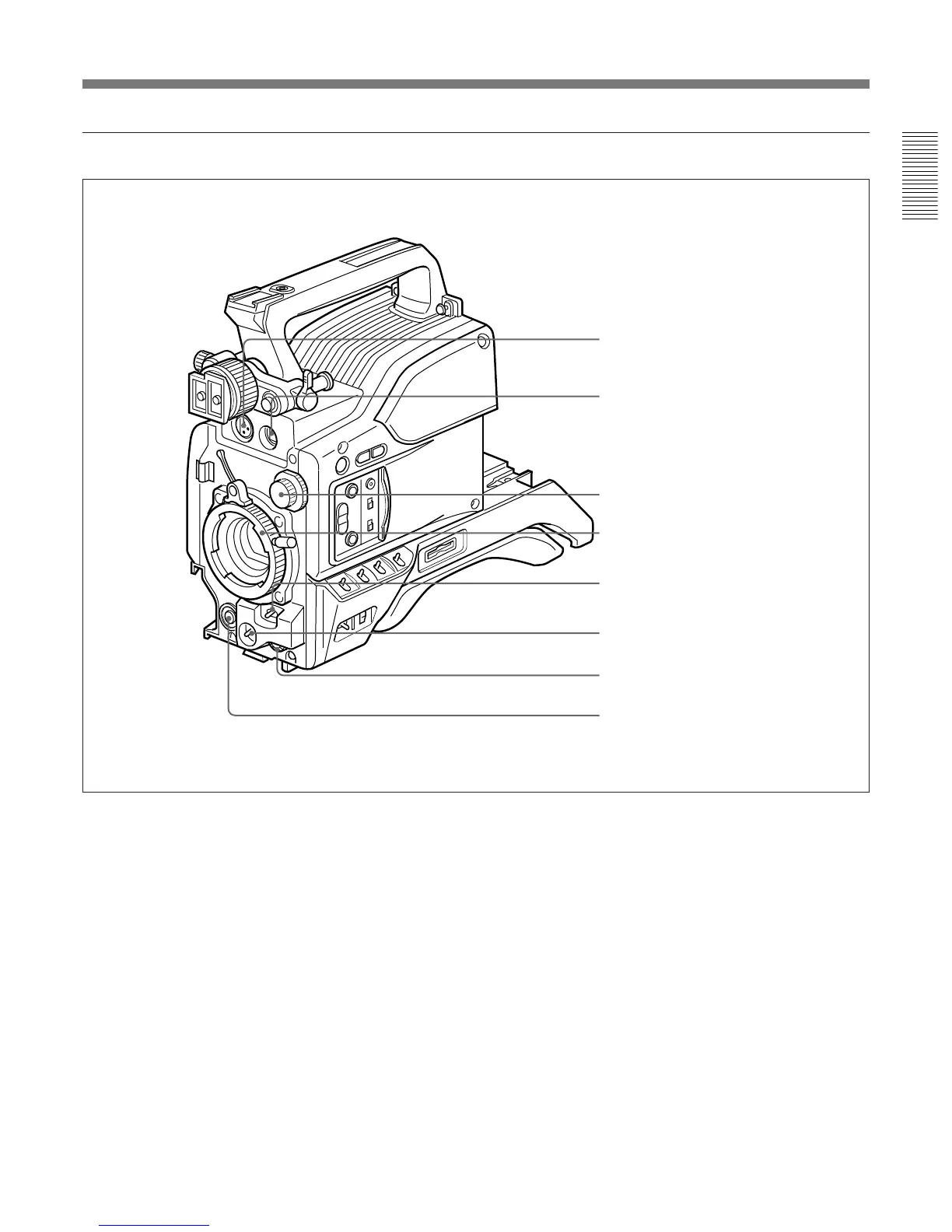
Front view
1 MIC (microphone) IN +48 V connector (XLR 3-
pin, female)
Connect the supplied microphone or an optional
microphone (operable with a +48 V supply).
2 VF (viewfinder) connector (20-pin)
This is the connector for the DXF-801/801CE
viewfinder.
3 FILTER control
Select the ND filter appropriate to the lighting
conditions. (See page 44.)
4 Lens mount
Attach the zoom lens here.
5 SHUTTER switch
Use this switch to turn the shutter on/off, or set the
shutter speed or CLS (clear scan) setting (see page 82).
Usually, set this switch to OFF.
6 WHT/BLK (white balance/black balance) switch
This switch is used for automatic adjustment of the
white balance and black balance. (See pages 77 to 81.)
7 AUDIO LEVEL knob
When the DSR-1/1P is attached, you can use this knob
to manually adjust the channel 1 audio recording level.
8 VTR button
Pressing this button starts and stops recording on the
VTR.
8 VTR button
1 MIC IN +48 V connector
2 VF connector
3 FILTER control
4 Lens mount
5 SHUTTER switch
6 WHT/BLK switch
7 AUDIO LEVEL knob



 To Next Page