Chapter 2 Fitting and Connections
24 Chapter 2 Fitting and Connections
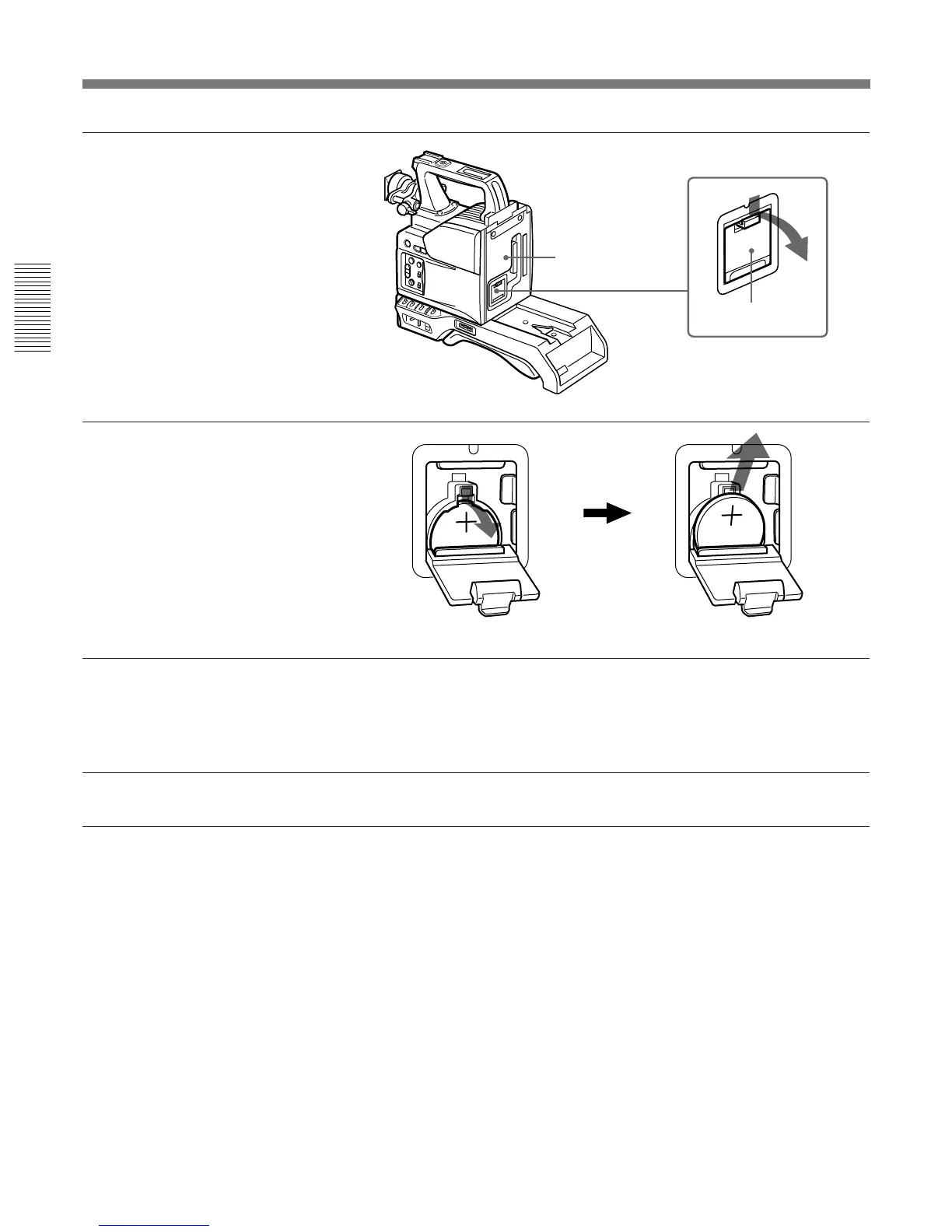
Press down and pull out toward you.
Rear of the
camera head
Battery cover
1 Open the battery cover (on the
rear of the camera head). Pull
the catch of the cover toward
you while pushing it
downward.
For detaching the VTR or camera
adaptor, see “Fitting a VTR” on
the next page.
2 Take out the lithium battery.
3 Reverse step 2 to insert a
replacement lithium battery.
Make sure that the + symbol
on the battery is facing you.
4 Close the battery cover.
Replacing the Lithium Battery



 To Next Page