Chapter 4 Viewfinder Screen Indications and Menus
Chapter 4 Viewfinder Screen Indications and Menus 69
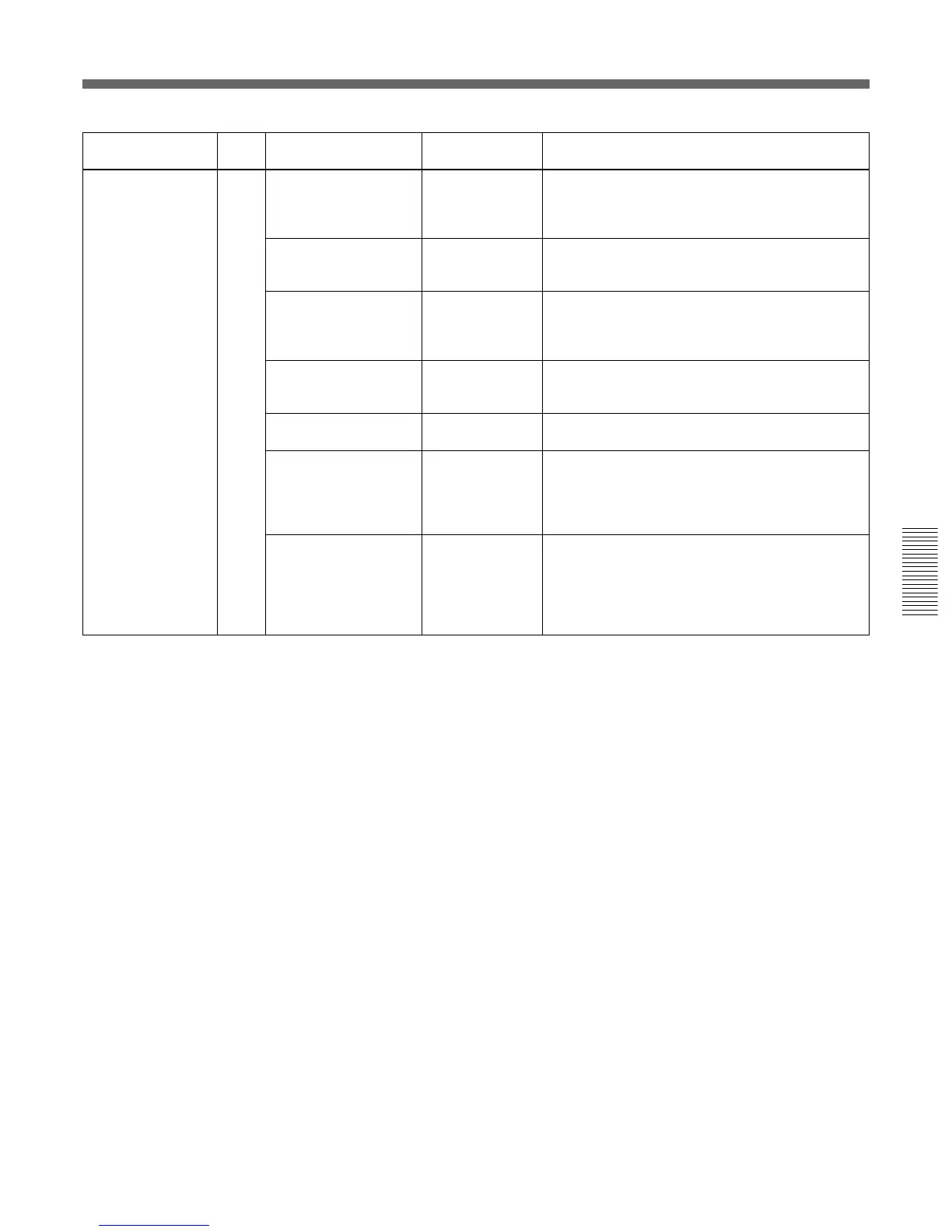
Submenu title Page Setting item: Selectable Remarks
Initial value values
<OTHERS> M6 COLOR BARS SMPTE To select the type of the color bars
MODE: SMPTE (NTSC) (SPLIT for PAL),
FULL (75%) (PAL) FULL (75%),
FULL (100%)
TONE: ON ON, OFF To turn on/off 1-kHz-tone signal output (When
TONE is set to ON, the tone signal is output in
color bar mode.)
VF PB SELECT: Y –, Y, VBS To select the video output to the viewfinder
(available when the DSR-1/1P is connected):
Y: Monochrome signal
VBS: Color signal
SCREEN MODE: 16:9 16:9, 4:3 To select the aspect ratio of the output signal
(Not available for the
DXC-D50/D50P)
WIDE ID: ON ON, OFF To turn on/off wide ID output when SCREEN
MODE is set to 16:9
CHU CALL: OFF ON, OFF To turn on and off the TALLY indicator in the
viewfinder when the CALL button on the CA-TX50/
TX50P is pressed if the CA-TX50/TX50P and
CCU-TX50/TX50P are connected. If the TALLY
indicator is lit, it goes dark.
CCU CALL: ON ON, OFF To turn on and off the TALLY indicator in the
viewfinder when the CALL button on the CCU-
TX50/TX50P or on the RCP connected to the
CCU-TX50/TX50P is pressed, if the CA-TX50/
TX50P and CCU-TX50/TX50P are connected. If
the TALLY indicator is lit, it goes dark.



 To Next Page