Advanced Operations
25
Notes
• You cannot set A-B Repeat for a section that
overlaps two or more tracks.
• If you do not set the end point (B), it is
automatically set at the end of the track.
• Pressing U u of the 5 Direction JOG releases the
already set start point (A).
• Switching to the FM tuner releases the already set
start point (A) (NW-E303/E305/E307 only).
To clear the start point (A) and end
point (B)
• Press the REP/SOUND button during A-B
Repeat playback.
• Select the previous or next track by pressing u U
of the 5 Direction JOG during A-B Repeat
playback.
(A-B Repeat mode is not canceled.)
To cancel A-B Repeat mode
Change Repeat mode in the menu screen (page 22).
Playing specified
sentences repeatedly
(Repeat: Sentence)
This function automatically detects voice
data between blank spaces (silent spaces) and
repeats the voice data for a set number of
counts. This is useful for language-learning
material which has no background music.
1 Select Sentence Repeat mode
(Repeat: Sentence) (page 22).
2 Press the center of the 5 Direction
JOG (Nx) to start playback.
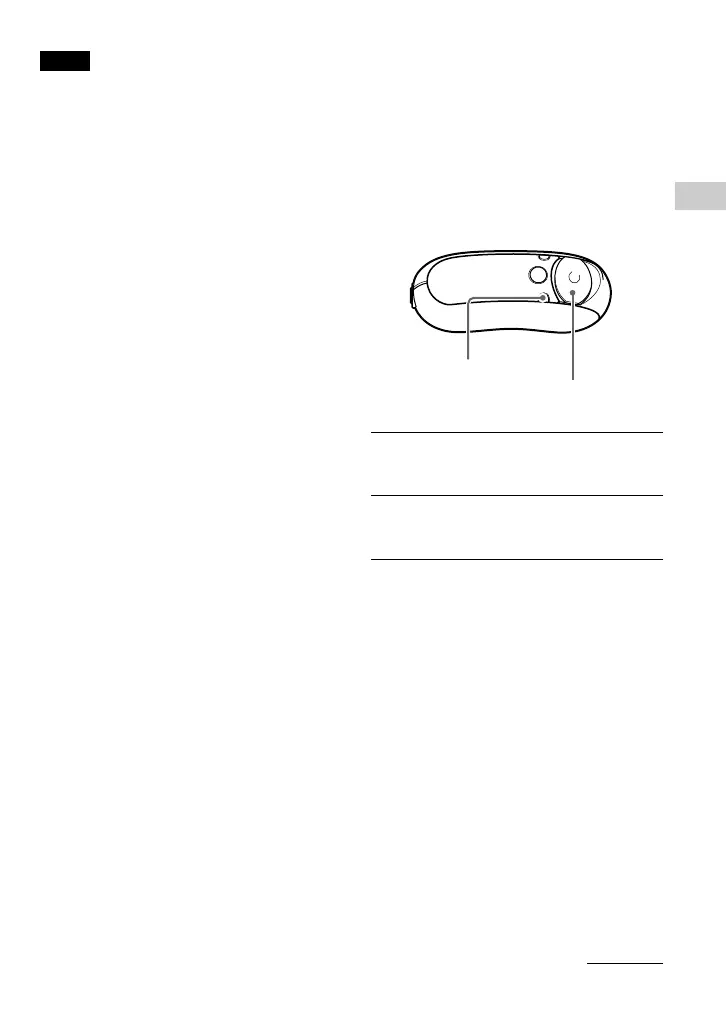
REP/SOUND
button
5 Direction JOG
continued



 To Next Page