45
FM Tuner (NW-E303/E305/E307 only)
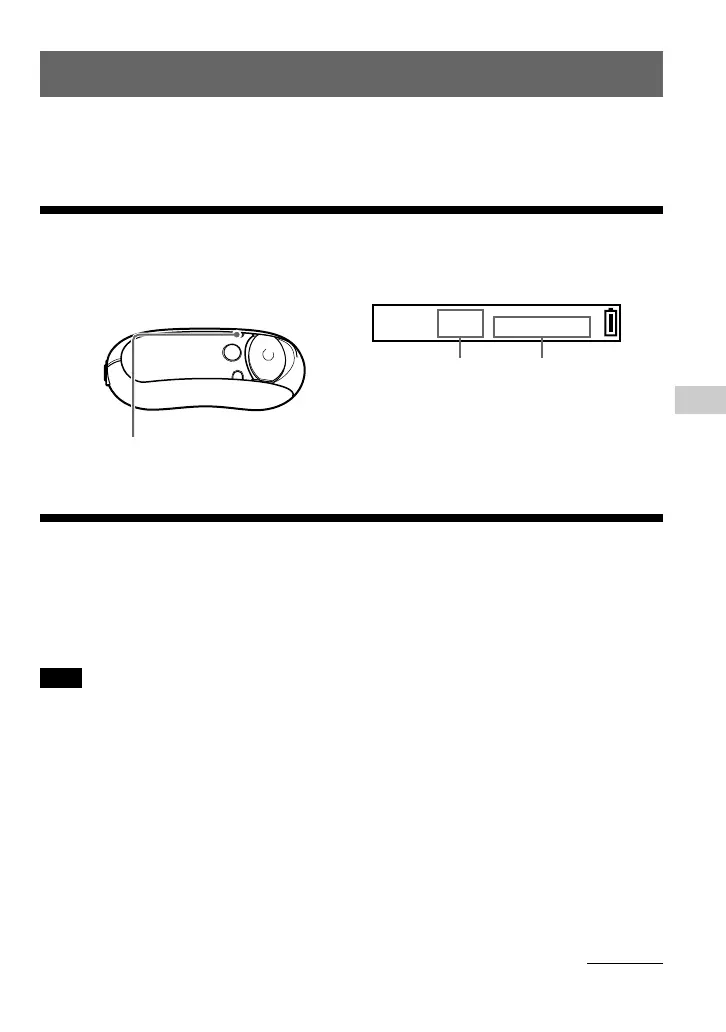
Press and hold the DISP/FM button until the
FM tuner screen appears.
Listening to FM Radio
You can listen to FM radio. Charge the built-in rechargeable battery before using the Network
Walkman (page 12), and connect the headphones to the headphone jack.
1 Switching to the FM tuner
FM tuner display*
[P01]
90.0
MHz
FM
* The illustrated FM tuner display may be different
from your model.
To stop the FM tuner
Press and hold the DISP/FM button until the audio
player screen appears.
DISP/FM button
2 Presetting broadcast stations
automatically (FM Auto Preset)
You can preset receivable broadcast stations (up to 30 stations) in your area automatically by
selecting “FM Auto Preset” in the menu screen. This is convenient when you use the FM tuner
for the first time or when you change to a new area.
Note
The “FM Auto Preset” operation will delete already preset broadcast stations.
B
FM Tuner (NW-E303/E305/E307 only)
continued
Preset number Frequency



 To Next Page