Advanced Operations
29
Adjusting the
treble and bass
(Digital sound
preset)
You can adjust the treble and bass. You can
preset 2 settings, which can be selected while
the audio player is played.
Selecting the Sound quality
Default settings
Sound
1 2 OFF
quality
(Sound1) (Sound2) (Sound OFF)
Bass +1 +3 0
Treble 0 0 0
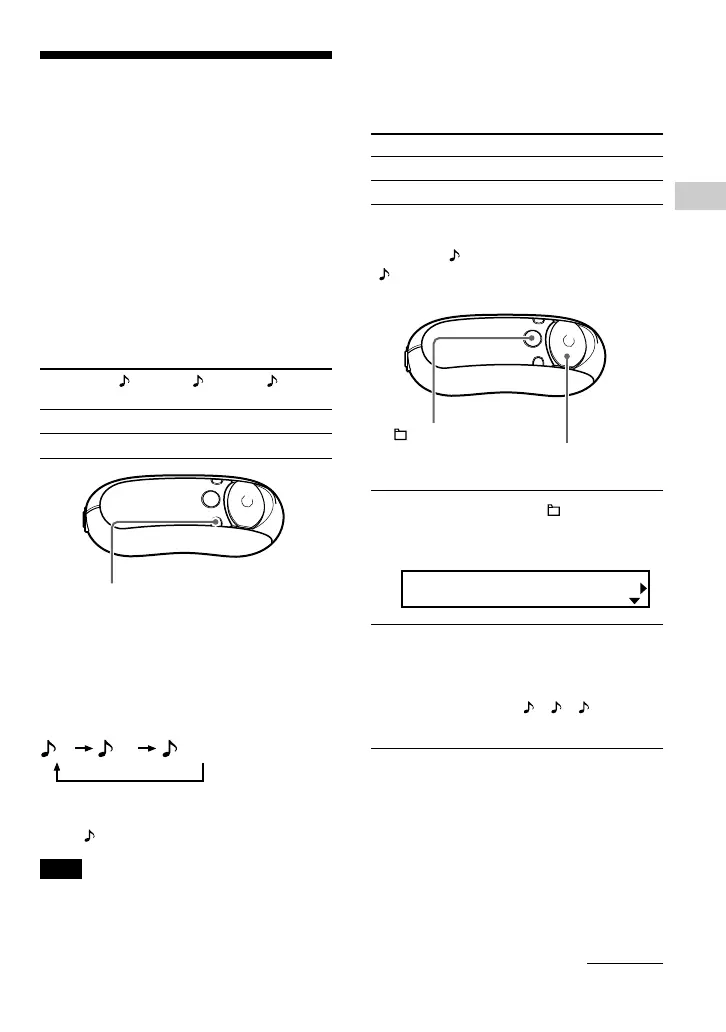
Press and hold momentarily the
REP/SOUND button.
Each time the button is pressed, the Sound
quality setting is changed as follows:
12 OFF
To return to the normal Sound quality
Select “ OFF ”.
Note
You cannot select the Sound quality while using the
FM tuner (NW-E303/E305/E307 only).
continued
REP/SOUND button
Adjusting the Sound
quality (Sound)
You can adjust the bass and treble.
Sound quality Emphasis level
Bass -4 to +3
Treble -4 to +3
You can preset the desired sound quality
settings as “ 1(Sound1)” and
“ 2(Sound2)” and select either one while
playing music.
1 Press and hold the /MENU
button until the following menu
screen appears.
Search
2 Press U u of the 5 Direction JOG
to select “Sound:” and press
i (VOL) to confirm.
The sound setting ( 1/ 2/ OFF)
appears in [ ].
5 Direction JOG
/MENU
button



 To Next Page